

Here we will be importing user profiles from Active Directory to SharePoint 2010. We will be connecting to the Active Directory and select the containers from where we want to get the user profiles.
- User Profile Synchronization Service:
Go to Central Administration => Application Management => Manage services on server => User profile Synchronization Service should be started.

- Forefront Identity Manager Services:
Once the User profile synchronization service is started "Forefront Identity Manager Service" and "Forefront Identity Manager Synchronization Service" (windows services available in services.msc) should be started automatically.

- Configure Synchronization Connections:
Create a new synchronization connection to import user profiles from the Active Directory. Go to Central Administration => Application management => Manage service applications => User Profile Service Application => Synchronization => Configure Synchronization Connections => Create New Connection.
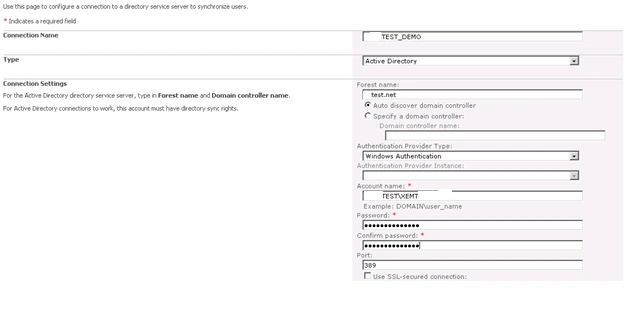
Enter the Connection Name (TEST_DEMO), select the type as Active Directory, and enter the values for the connection settings as shown in the above screenshot.
Once you have entered all these values click on Populate Containers and select the containers from which you want to import the user profiles from Active Directory to SharePoint 2010.
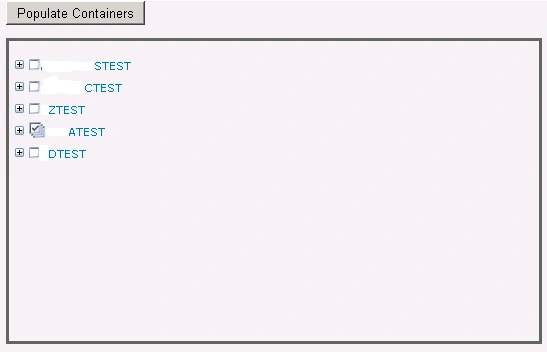
Click Ok. A new synchronization connection will be created successfully.
- Exclusion filter for users:
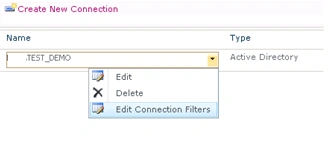
Once the new synchronization connection is created, go to "Edit Connection filters" to set the Exclusion filter for users based on some filter conditions.
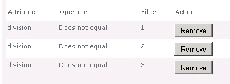
Exclusion filters conditions:
- Schedule the User Profile Incremental
Synchronization.
Go to Central Administration => Application management => Manage service applications =>
User Profile Service Application => Synchronization => Configure Synchronization Timer Job.
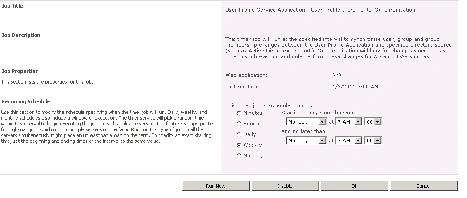
Schedule the User profile Incremental Synchronization.
- Start Full Synchronization.
Go to Central Administration => Application management => Manage service applications => User Profile Service Application => Synchronization => Start Profile Synchronization.
Select "Start Full Synchronization" to import the user profiles from Active Directory to SharePoint 2010.
Join the conversation! Your thoughts help the community grow.