

Here we see how to configure User Profile Service application in partition mode.
Service application can be configured to partition the data, so that the same
instance of the service application can be used by multiple tenants. In this we
will be seeing how to partition the User Profile service application. Both the
user profile service application and proxy should be configured. This can be
done via powershell or object model only.
The mode of a service application cannot be changed from partitioned mode to
un-partitioned mode and vice - versa.
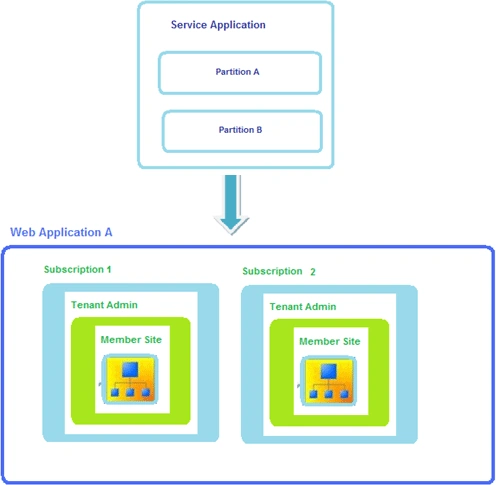
Configure User Profile Service Application in partition mode using powershell:
- User profile service application name
$userProfileServiceApplicationName = "Partitioned User Profile Service Application"
- SQL database server name
$dbServerName = "ServerName"
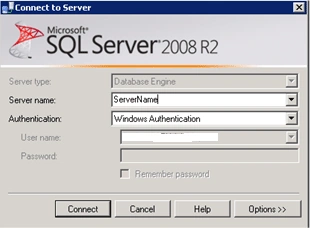
- Create a new application pool
$applicationPool= New-SPServiceApplicationPool -Name "PartitionedUserProfileServicePool" -Account domain\userName
- Create a new user profile service
application
$userProfileService = New-SPProfileServiceApplication -Name $userProfileServiceApplicationName -ApplicationPool $applicationPool -ProfileDBServer $dbServerName -ProfileDBName "upsProfileDB" -SocialDBServer $dbServerName -SocialDBName "upsSocialDB" -ProfileSyncDBServer $dbServerName -ProfileSyncDBName "upsSyncDB" -PartitionMode
Once you run the command you may get the following error
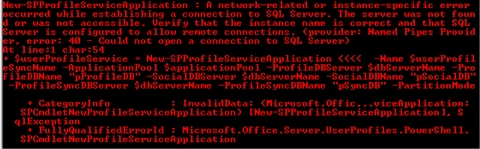
The reason is "$dbServerName" is not correct. Give the correct database server
name.
- Create a new user profile service
application proxy
New-SPProfileServiceApplicationProxy -Name "$userProfileServiceApplicationName Proxy" -ServiceApplication $userProfileService -DefaultProxyGroup -PartitionMode
Start the User Profile Synchronization service
- Go to Central Administration => Application Management => Manage services on server => User Profile Synchronization service.
- Start the service.
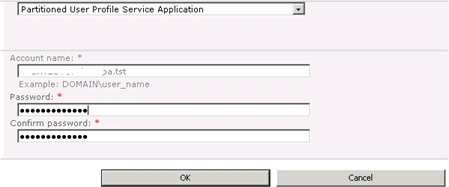
- Select the service application and enter the credentials.
- Click on Ok.
- Once you have started the User profile
synchronization service check whether the "Forefront Identity Manager
Service" and "Forefront Identity Manager Synchronization Service" are
started automatically.

Manage User Profiles page:
Go to Central Administration => Application Management => Manage service
applications => you could be able to see a new partition user profile service
application created successfully.

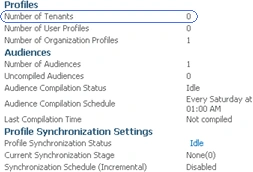
Click on the "Partitioned User Profile Service Application" to see the Manage
User Profiles page, you could see a slight difference from the regular user
profile service application.
Gowtham RajamanickamPosted Apr 20, 2015, 3:18 PM
good