

In this article we will be seeing how to remove from a hold in SharePoint 2010
using PowerShell and C#.
Refer http://www.c-sharpcorner.com/UploadFile/anavijai/5103/ to create a hold
and add or remove the hold to the item through UI.
In this article
- Remove from a hold using c#
- Remove from a hold using PowerShell
- Open Visual Studio 2010.
- Create a new console application.
- Add the following references.
1)
Microsoft.Office.Policy.dill
2) Microsoft.SharePoint.dill
- Add the following namespaces.
1)
using Microsoft.Sharepont;
2) using
Microsoft.Office.RecordsManagement.Holds;
- Replace the code with the following.
using
System;
using
System.Collections.Generic;
using
System.Linq;
using
System.Text;
using
Microsoft.SharePoint;
using
Microsoft.Office.RecordsManagement.Holds;
namespace Holds
{
class Program
{
static void
Main(string[] args)
{
using (SPSite site =
new SPSite("http://serverName:1111/"))
{
using (SPWeb web = site.RootWeb)
{
//Removes the specified item from
the specified hold
SPList list = web.Lists["Shared
Documents"];
SPListItem item = list.Items[0];
SPList listHolds = web.Lists["Holds"];
SPListItem itemHold = listHolds.Items[1];
Hold.RemoveHold(item, itemHold,
"Hold removed");
//Removes the specified items from the specified hold.
SPListItemCollection items = list.Items;
Hold.RemoveHold(items, itemHold,
"Hold Removed from all the items");
}
}
}
}
}
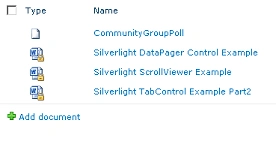
Removes the specified item from the specified hold:
Removes the specified items from the specified hold:
Remove from a hold using PowerShell
Removes the specified item from the specified hold:
$siteURL="http://serverName:1111/"
$site=Get-SPSite $siteURL
$web=$site.RootWeb
$list = $web.Lists["Shared Documents"];
$item = $list.Items[0];
$listHOlds = $web.Lists["Holds"]
$itemHold=$listHOlds.Items[0];
[Microsoft.Office.RecordsManagement.Holds.Hold]::RemoveHold($item,$itemHold,"Hold
removed")
$web.Dispose()
$site.Dispose()
Removes the specified item
from the specified hold:
$siteURL="http://serverName:1111/"
$site=Get-SPSite $siteURL
$web=$site.RootWeb
$list = $web.Lists["Shared Documents"];
$items = $list.Items;
$listHOlds = $web.Lists["Holds"]
$itemHold=$listHOlds.Items[0];
[Microsoft.Office.RecordsManagement.Holds.Hold]::RemoveHold($items,$itemHold,"Hold
removed from all the items")
$web.Dispose()
$site.Dispose()
awais alviPosted Aug 1, 2018, 4:02 PM
Hi Vijai, First all thank you so much for all of your articles. Very clear and easy to understand. I am facing an issue. Can you please help me ? I am setting up and removing hold on multiple documents which are on sharepoint document library using this c# code and also updating metadata of documents. the problem I am facing is that when I try to remove the hold right after I applied it, it throws exception. But if I wait for let's say 5 minutes and try again it works. Is there any background work sharepoint doing ? if yes then How can I get to know that the background operation is completed and we can remove the hold now ?
Gowtham RajamanickamPosted Apr 11, 2016, 1:51 AM
good one..