

Introduction
There are times when the web pages that the web applications are redirecting to, might take some time to response or load. For instance, after the users successfully login into a web application, the application will redirect the request to the home page. Imagine that, if the mentioned page contains a dashboard and many personalized WebParts. The requested web page might take some time to respond depending on the users Internet connection speed and the amount of network traffic at any given time. Some users might get impatient and tempted to click on other buttons or links on the page, see figure 1. To overcome this problem, first, redirect the request to an intermediate page, and then load the requested page from there. The main purpose of the intermediate page is to display an AJAX loading indicator image (figure 2), while the users wait for the requested web page to respond.
Figure 1 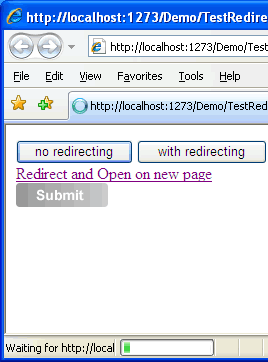 | Figure 2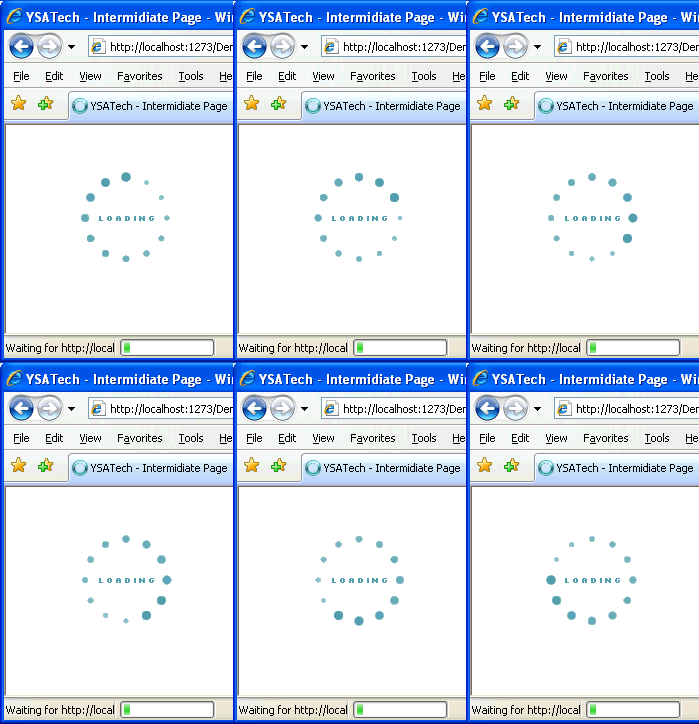 |
Implementation
Create an HTML page and name it Redirecting.html, add an image tag in the body section and wrap it in a div element. See listing 1
Listing 1<div style='position:absolute;z-index:5;top:45%;left:45%;'>
<img id="imgAjax" alt="loading..." title="loading..." src="images/ajax-loading.gif" style="width: 100px; height:
100px" /><br /> <br />
</div>
Add the JavaScript shown in listing 2 below the div tag. In this JavaScript, we have two global variables namely querystring and page, and a public function called toPage. After reading the JavaScript best practices article, I decided to employ the JavaScript module pattern. I have created a namespace called redirect to wrap the mentioned public variables and function. The variable querystring will return the query string value in the current URL. The page variable will return the substring of the querystring from index of "=" to the end of the string. The purpose of the function toPage() is to append a Header to refresh the web page for browsers other than Internet Explorer (IE). If the browser type is IE and its version is greater than or equal to 4, then use the location.replace function to replace the current URL with new location URL. The redirect.begin() will invoke the toPage() method.
Listing 2<script type="text/javascript">
/* <![CDATA[ */
this.focus(); //focus on
new window
redirect = function() {
var querystring =
window.location.search.substring(1); //first query
string
var page = querystring.substring(querystring.indexOf('=') + 1, querystring.length);
function toPage() {
if (page !== undefined && page.length > 1)
{
document.write('<!--[if
!IE]>--><head><meta http-equiv="REFRESH"
content="1;url=' + page + '"
/><\/head><!--<![endif]-->');
document.write(' \n <!--[if IE]>');
document.write(' \n <script
type="text/javascript">');
document.write(' \n var version =
parseInt(navigator.appVersion);');
document.write(' \n if (version>=4 ||
window.location.replace) {');
document.write(' \n
window.location.replace("' + page + '");');
document.write('
document.images["imgAjax"].src="images/ajax-loading.gif"');
document.write(' \n } else');
document.write(' \n window.location.href="' + page + '";');
document.write(' \n <\/script> <![endif]-->');
}
}
return {
begin:
toPage
}
} ();
redirect.begin();
/* ]]> */
</script>
Using the Code
Response.Redirect("Redirecting.html?page=test.aspx");
<a href="Redirecting.html?page=test.aspx" target="_blank">Redirect and Open on new page</a>
//requested web page with multiple query string
<a href="Redirecting.html?page=http://www.amazon.com/gp/offer-listing/059610197X?tag=asp-net-20&linkCode=sb1&camp=212353&creative=380553">
Redirect with multiple query string</a>
Points of Interest
When I tested this JavaScript on browsers other than Internet Explorer, the image did not render correctly.
Injecting a Header to refresh the page instead of calling the location.replace or location.href solves the
problem.
I encapsulated the JavaScript in a HTML page because the whole process does not require server side programming
and
I can reuse it in others web applications that are written in different programming languages.
On IE 6, the order of the lines shown below is very important. If we place 2 before 1, the image will not
display on IE 6.
The current order works fine on both the IE 6 and 7.
1) document.write(' \n window.location.replace("' + page + '");');
2) document.write(' document.images["imgAjax"].src="images/ajax-loading.gif"');
Conclusion
I hope someone will find this tip useful. If you find
any bugs or disagree with the contents, please drop me a line and I'll work
with you to correct it. I would suggest downloading the demo and explore it
in order to grasp the full concept of it because I might have left out some
useful information.
Tested on IE 6.0/7.0, Firefox, Google Chrome, Apple Safari
4.0.4, Verizon BlackBerry Storm
Resources
Watch this script in action
Demo
Amit ThoratPosted Jun 5, 2012, 7:54 AM
Hi Briyan, Thanks for the nice article it is working fine just one issue is there a way to check the time till page postback completes