

Introduction
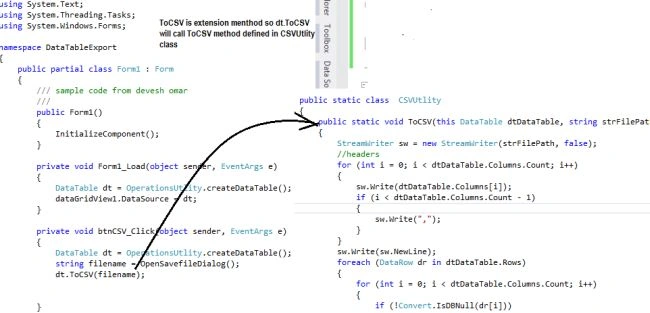
In this article and code sample, I would like to share how to export a DataTable to a Comma Separated File (CSV) format using a C# extension method. We will also learn how to use an extension method to make code more manageable.
What is a .csv file
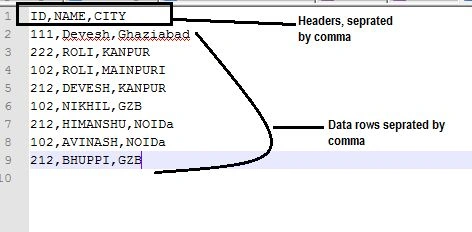
A Comma Separated Value (CSV) file contains data with all the columns in the file separated by a comma. Another use of a CSV file is to directly open the file in Excel and then the data will be auto-filled into Excel cells.
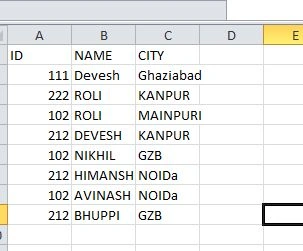
The following is a snapshot of a sample CSV file.
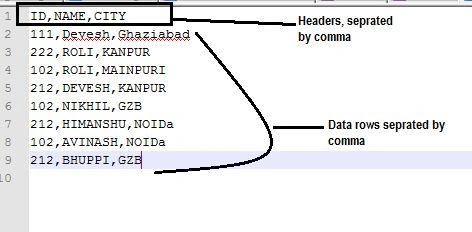
Here is the process of creating a DataTable and exporting its data to a .csv file.
Step 1. Create a DataTable
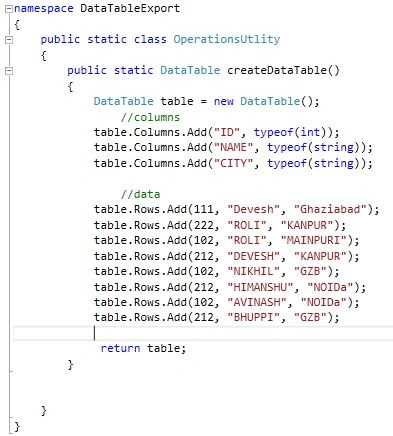
We added a class containing a method that returns a DataTable. The DataTable is created dynamically. In your case, your DataTable may be created via DataSet that fetches data from a database. If you're new to ADO.NET and DataTable, first read this: DataTable in C# Code.
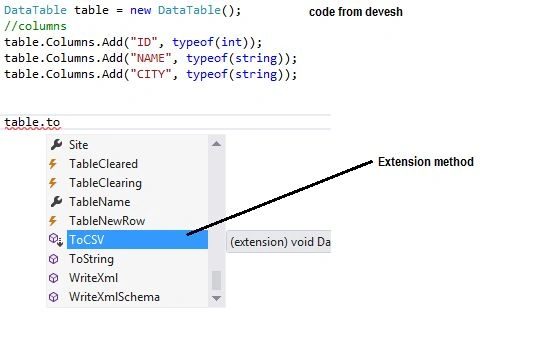
public static class OperationsUtility
{
    public static DataTable CreateDataTable()
    {
        DataTable table = new DataTable();

        // Define columns
        table.Columns.Add("ID", typeof(int));
        table.Columns.Add("NAME", typeof(string));
        table.Columns.Add("CITY", typeof(string));

        // Add data rows
        table.Rows.Add(111, "Devesh", "Ghaziabad");
        table.Rows.Add(222, "ROLI", "KANPUR");
        table.Rows.Add(102, "ROLI", "MAINPURI");
        table.Rows.Add(212, "DEVESH", "KANPUR");
        table.Rows.Add(102, "NIKHIL", "GZB");
        table.Rows.Add(212, "HIMANSHU", "NOIDa");
        table.Rows.Add(102, "AVINASH", "NOIDa");
        table.Rows.Add(212, "BHUPPI", "GZB");

        return table;
    }
}
Code snapshot
Step 2. Create UI to display DataTable
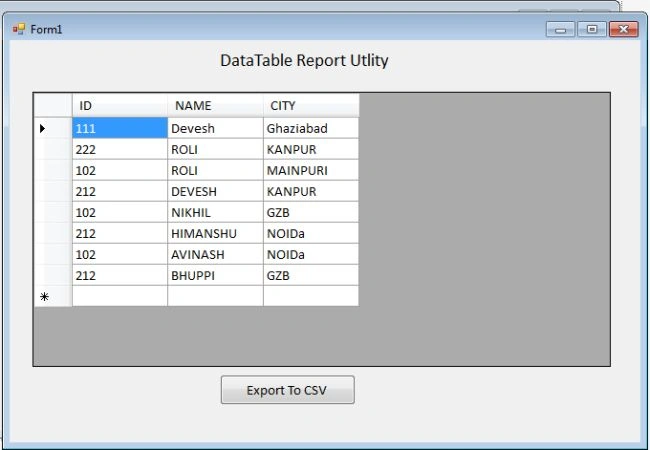
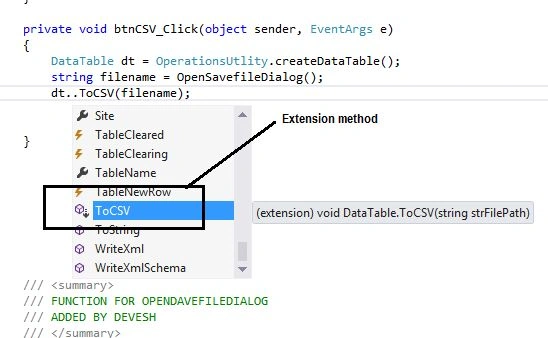
Here we created a simple DataGridView to bind to the DataTable.
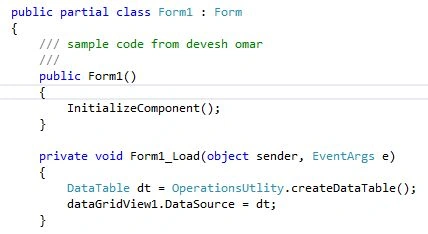
Code

Ying LamPosted Nov 17, 2023, 6:39 AM
Great. a generic csv creation function. no need to define all possible fields
NourElDein ElKhatibPosted Apr 7, 2022, 12:55 AM
You saved me...
Pankajkumar PatelPosted Aug 20, 2019, 11:38 PM
Nice article
Mike EdwardsPosted Nov 15, 2018, 9:15 AM
Works perfectly for my needs. Many thanks
Jay TurpinPosted Feb 9, 2016, 10:47 AM
value = string.Format("\"{0}\"", value.Replace("\"", "\"\""));
Jay TurpinPosted Feb 9, 2016, 10:47 AM
sigh - dumb comment editor
Jay TurpinPosted Feb 9, 2016, 10:47 AM
Add this code to handle double quotation marks:
Anand KadekarPosted Jun 24, 2015, 8:29 AM
How about exporting 50K records with 40 columns each?
Nikhil ShindePosted Jun 23, 2015, 3:15 AM
Really helpfull
Alistair MillingtonPosted Dec 23, 2014, 7:01 AM
How do you get it to export an existing table that already exists, as a data grid or just directly from the datasource?
Devesh OmarPosted Dec 8, 2014, 9:55 AM
yes we can do same also
Patricia AkpanPosted Nov 30, 2014, 12:32 PM
its a nice one. what about importing csv into datatable?
PPosted Oct 29, 2014, 3:07 PM
Very Nice way to pull in the ~column headers~ !!!
Anupam SinghPosted Jul 16, 2014, 6:17 AM
nice tip..
Gopi ChandPosted Jul 11, 2014, 6:06 AM
GOOD ONE...