
SIGN UP MEMBER LOGIN:    
ARTICLE

Change Theme Dynamically in Silverlight 4

Posted by Diptimaya Patra Articles | Silverlight with C# July 27, 2010
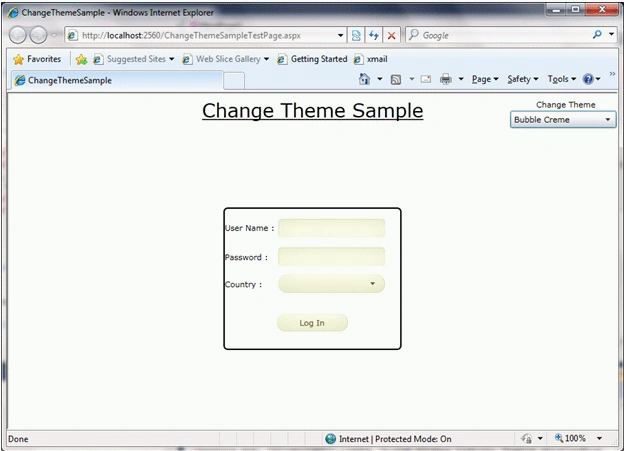
In this article we will see how we can change theme dynamically in Silverlight 4.
Reader Level:
Download Files:
 

Introduction

In this article we will see how we can change theme dynamically in Silverlight 4.
ChangeTheme1.gif

Create Silverlight Application

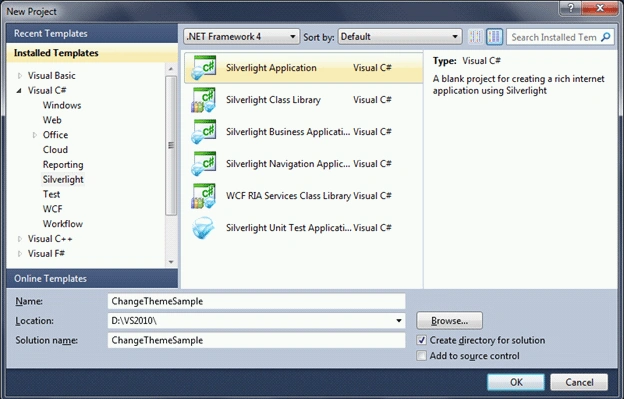
Fire up Visual Studio 2010, and select Silverlight Project from the templates. Name the solution as ChangeThemeSample.
ChangeTheme2.gif

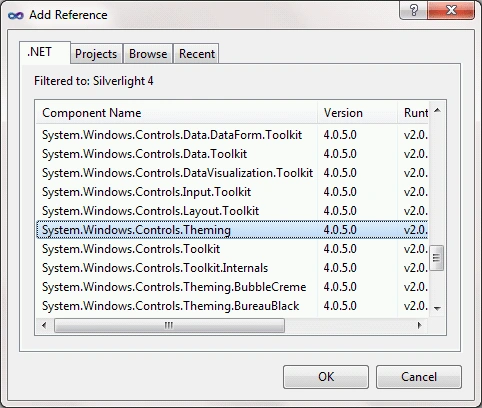
We need to have System.Windows.Controls.Theming DLL reference, along with the references of the Theme DLLs.
ChangeTheme3.gif

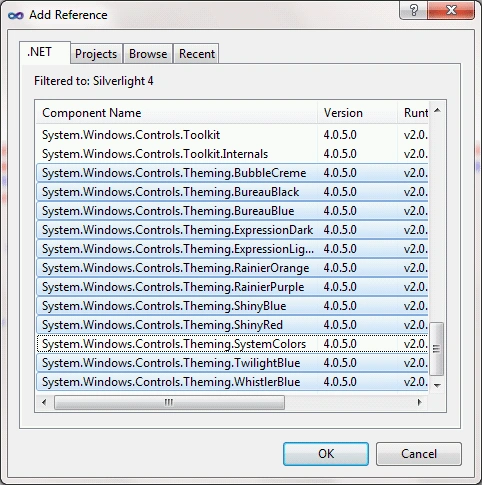
The following figure shows the assemblies to refer for themes.
ChangeTheme4.gif

As you see we have chosen all themes, but it's not necessary. You can take the required themes as per your requirement.

Now let's create an User Control which will have the log in form.
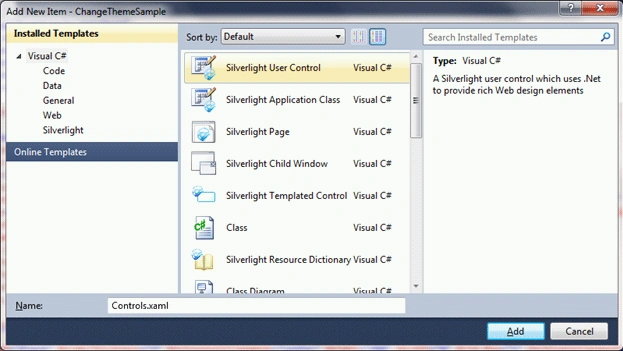
ChangeTheme5.gif

We are not going to see any code behind for this User Control as it's only a demo. So the design would look like the following.
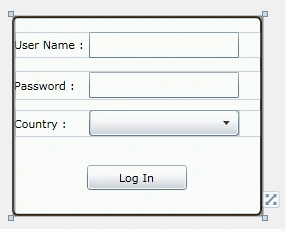
ChangeTheme6.gif

Now, come back to MainPage.xaml, where we would place the user control along with the Combo Box to populate the Themes.
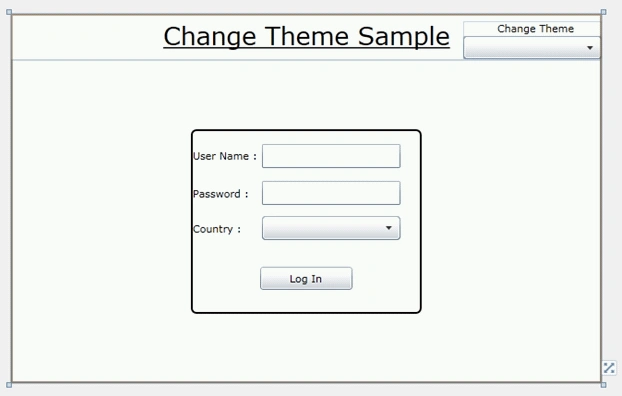
ChangeTheme7.gif

The following is the xaml code for the above design.
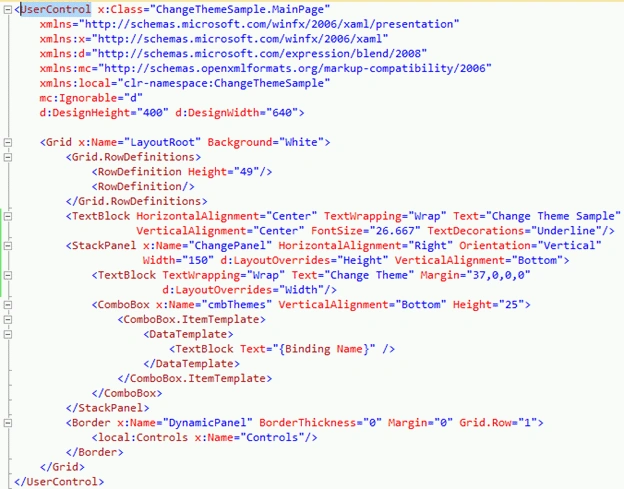
ChangeTheme8.gif

Now, let's populate the themes into the Combo Box.

Let's have class called MyThemes, which would have the following properties.
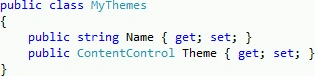
ChangeTheme9.gif

Generate the list of themes in a list and bind it to the ItemsSource of the Combo Box.
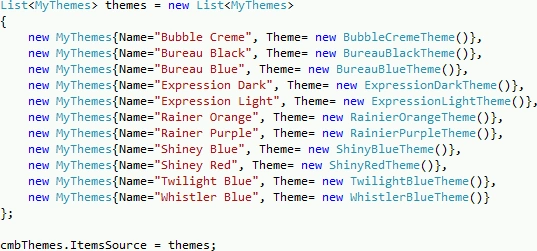
ChangeTheme10.gif

Now the important part, we need to handle the SelectionChanged event of the Combo Box to change the whenever the selection changed.

ChangeTheme11.gif

That's it, we can now run the application.
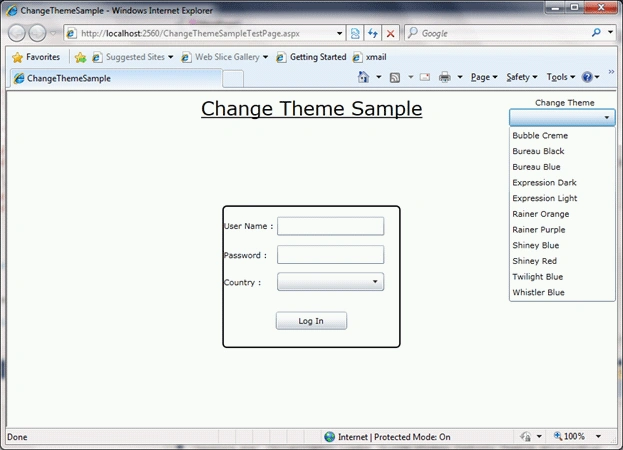
ChangeTheme12.gif

As you see in the above display, all the themes are displayed.
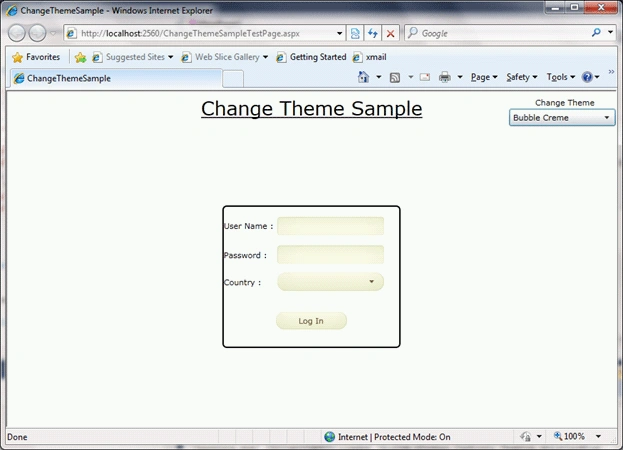
ChangeTheme13.gif

After the selection the theme is changed.

This is only an example, how you can change the theme, you can use it more interactive way.

Hope this article helps.
 

Login to add your contents and source code to this article
Article Extensions
Contents added by Hari nathreddy on Aug 03, 2010
Hi

It is an good article on themes on silverlight. but we downloaded the code and try to run this locally but we didn't observe any changes on the screen while changing the themes from the combobox. is it really works only on silverlight4 but not works with the silverlight 3. and i reamove 2 dll reference because it is showing this dll are not there.


Thanks and Regards
hari...
share this article :
post comment
 

i am a new bee for silverlight. can you please send the source code at my email mcamail2002@gmail.com

Posted by Ravi Singh Nov 21, 2011

if have child windows ,Aplication all page and ChildWindow changer Style?

Posted by cao daiming Nov 08, 2010

Hi,
It's very nice article and it helps me a lot.
But the question : if i add one more "No theme" item in combo box, and how to make it works properly.
Thank you very much.
Mike

Posted by mike mike Oct 31, 2010
Become a Sponsor
PREMIUM SPONSORS
  • Finally – a virtual platform that delivers next-generation Windows Server 2008 Hyper-V virtualization technology from a managed hosting partner you can truly depend on. Visit www.maximumasp.com/max for a FREE 30 day trial. Hurry offer ends soon. Climb aboard the MaxV platform and take advantage of High Availability, Intelligent Monitoring, Recurrent Backups, and Scalability – with no hassle or hidden fees. As a managed hosting partner focused solely on Microsoft technologies since 2000, MaximumASP is uniquely qualified to provide the superior support that our business is built on. Unparalleled expertise with Microsoft technologies lead to working directly with Microsoft as first to offer IIS 7 and SQL 2008 betas in a hosted environment; partnering in the Go Live Program for Hyper-V; and product co-launches built on WS 2008 with Hyper-V technology.
    Finally – a virtual platform that delivers next-generation Windows Server 2008 Hyper-V virtualization technology from a managed hosting partner you can truly depend on. Visit www.maximumasp.com/max for a FREE 30 day trial. Hurry offer ends soon. Climb aboard the MaxV platform and take advantage of High Availability, Intelligent Monitoring, Recurrent Backups, and Scalability – with no hassle or hidden fees. As a managed hosting partner focused solely on Microsoft technologies since 2000, MaximumASP is uniquely qualified to provide the superior support that our business is built on. Unparalleled expertise with Microsoft technologies lead to working directly with Microsoft as first to offer IIS 7 and SQL 2008 betas in a hosted environment; partnering in the Go Live Program for Hyper-V; and product co-launches built on WS 2008 with Hyper-V technology.
Become a Sponsor