
Introduction Read Operation
I have been getting requests to write article on DataGrid CRUD operation without using any other control. So this article is for all the requestors. I have used only DataGrid for CRUD operation.
Crating WPF Application Project
Fire up Visual Studio 2008 and Create a WPF Application and name the project as CRUDDataGridWPF.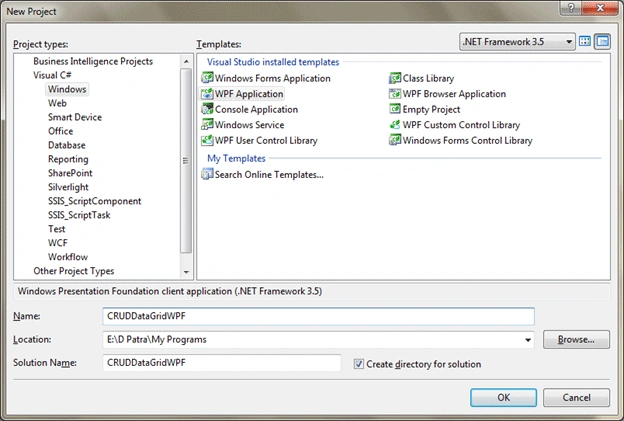
We would use Linq to SQL as our ORM. So add like below figure.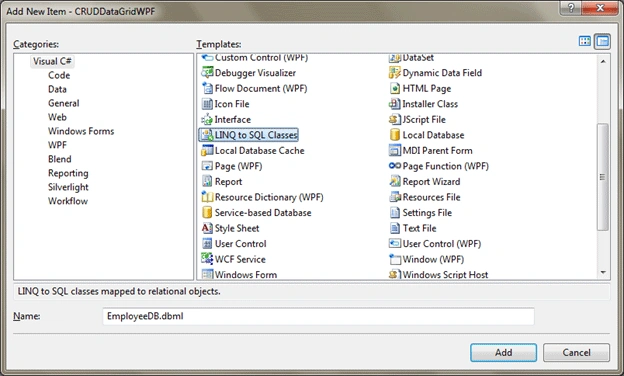
Now after adding, open the Server Explorer and add the required table, in our case EMP_BASIC_INFO.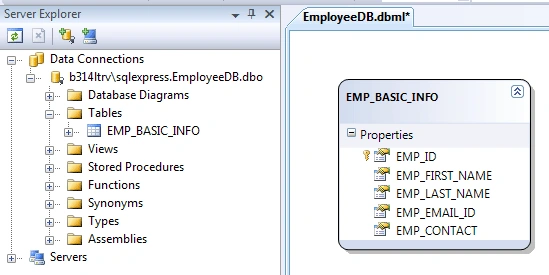
We would change the table names as follows: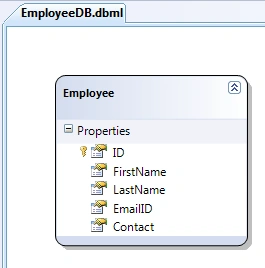
Now in Blend I have designed the WPF Application like the below figure.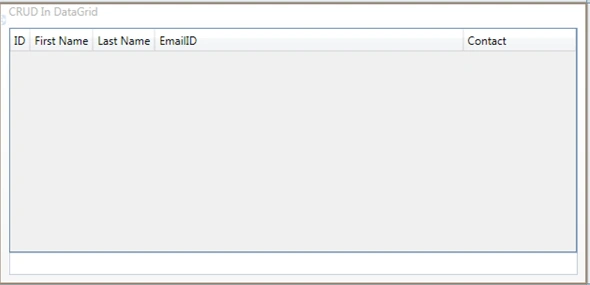
The design displayed above contains a DataGrid for CRUD Operations and a TextBlock to display status messages.
It's below the DataGrid.
The following XAML code is for your reference: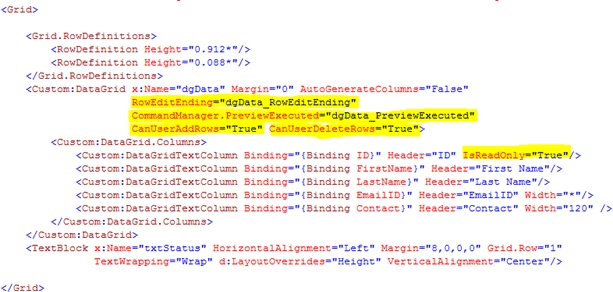
We will perform the operation in below order:
The following code describes the read operation.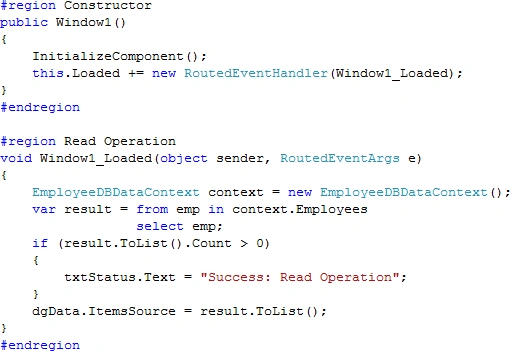
Create and Update Operation
The following code describes the Create and Delete Operation.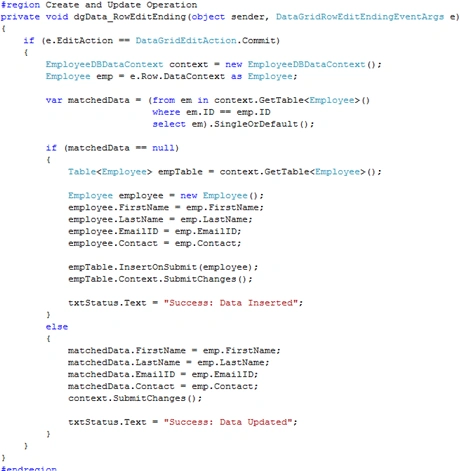
Delete Operation
The following code represents the Delete Operation.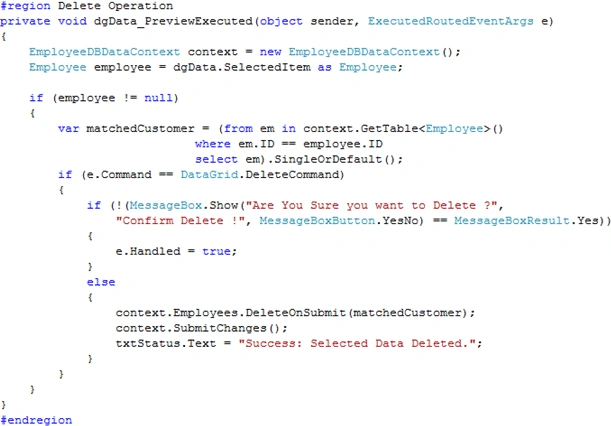
Now run the application and all the CRUD operations are successfully used.
Note: Code is not written for multi select delete. It can be done the same way single select, try doing it
Hope this article helps.

CRUD Operation in DataGrid in WPF
Join the conversation! Your thoughts help the community grow.
Sign in to leave a comment
It is the same account you read, post and publish with — and you will come straight back to this page.
Hitesh KumarPosted Jan 31, 2015, 3:20 AM
CRUD Operations in WPF with MVVM Framework. This link help me lot.http://www.codesolution.org/?p=383
Ramesh balasubramaniPosted Aug 10, 2014, 1:40 PM
Wow It's Work nice But coding is Complex..... With out coding is possible ?
Ramesh balasubramaniPosted Aug 10, 2014, 1:24 PM
Deepak Please add Reference for wpfToolkit
deepak deepakPosted Sep 19, 2013, 6:51 AM
can you tel me how to solve this
deepak deepakPosted Sep 19, 2013, 6:50 AM
getting erros at custom <Custom:DataGrid.Columns> <Custom:DataGridTextColumn Binding="{Binding ID}" Header="ID" IsReadOnly="True"/> <Custom:DataGridTextColumn Binding="{Binding FirstName}" Header="First Name"/> <Custom:DataGridTextColumn Binding="{Binding LastName}" Header="Last Name"/> <Custom:DataGridTextColumn Binding="{Binding EmailID}" Header="EmailID" Width="*"/> <Custom:DataGridTextColumn Binding="{Binding Contact}" Header="Contact" Width="120" />
Sanjay KumarPosted Sep 16, 2013, 7:08 AM
Thank you.
Santosh YadavPosted Mar 14, 2013, 12:24 PM
Nice article..... thankyou
Bhavesh patelPosted Feb 15, 2013, 3:15 AM
Nice article
andris mudiayiPosted Feb 12, 2013, 9:29 AM
thanx man. im new to WPF and this has been one of the most comprehensive tutorials , straight to the point without too much clutter.
Syed WaqsaPosted Feb 27, 2012, 5:00 AM
i have a question. i am trying to update the row in a background worker and before updating i am setting isEnabled to false because its a long update task. but if row is updating i can not select or edit another row even my update function is in the background worker, how can i achieve that functionality. regards
alexis vidaleditedPosted Sep 10, 2011, 11:46 PMEdited Sep 10, 2011, 11:48 PM
when i try to insert new row, the Id cell set value 0 when it have to be the next number because it's identity, how can i fix that. i can't insert any row for that
carlos cabreraPosted May 21, 2010, 12:06 PM
Hi Diptimaya, Great article, but my question is: Is possible CRUD with RowdetailsTemplate? Have you any sample code for this? Thank you.