
Introduction Now go ahead and change the content of the related pages of your application to see the real transition effect.
In my previous article on Navigation Application In Silverlight 3, we discussed about the features of it. There is no animation (or transition effect) while you load pages. Actually we can do this by adding TransitionalContentPresenter. In this article we will be seeing how can we make that effect.
Creating Silverlight Application
Open Visual Studio 2008 and Create a Silverlight Navigation Application.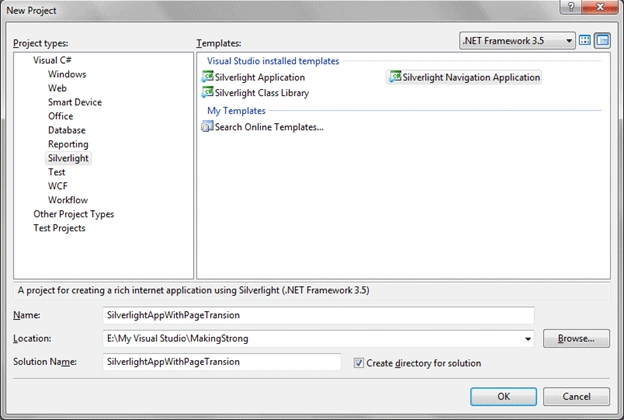
Navigation in Silverlight 3 Navigation Application is handled by Navigation: Frame. After opening in Blend you can find the Frame in Object and Timeline pane.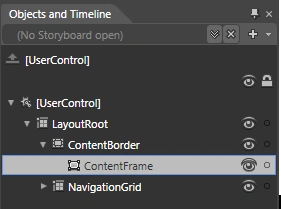
In Silverlight 3 a TransitioningContentControl is available. If we can use the control then we can achieve the transition effects.
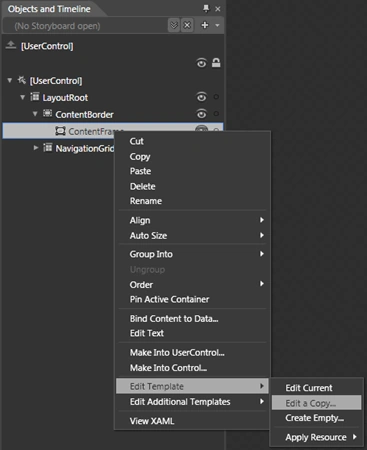
Now you will be redirected to the Editing Template Workspace. You will find a Content Presenter, which presents the content of the Page.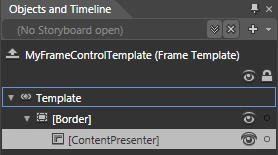
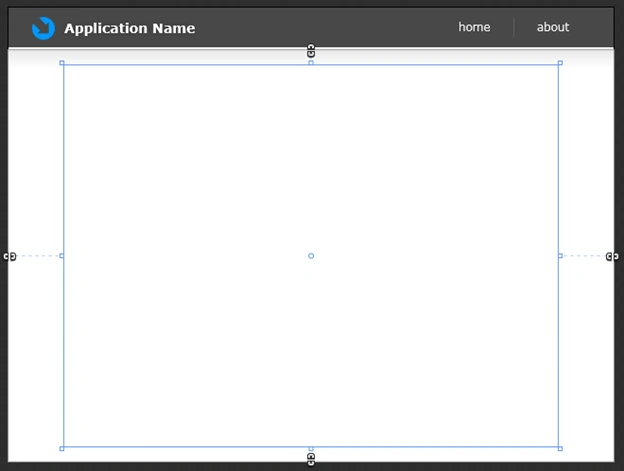
For your reference the following figure will help you deciding the Layout of this TransitionalContentPresenter.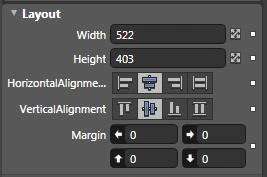
The default Transition Effect is of Fade In and Fade Out. You can customize it by making TransitionalContentControl as a new Template. We will discuss about this in my coming articles.
Enjoy Coding.
Here is the XAML for your reference.
<ControlTemplate x:Key="MyFrameControlTemplate" TargetType="navigation:Frame">
<Border Background="{TemplateBinding Background}"
BorderBrush="{TemplateBinding BorderBrush}"
BorderThickness="{TemplateBinding BorderThickness}"
HorizontalAlignment="{TemplateBinding HorizontalContentAlignment}"
VerticalAlignment="{TemplateBinding VerticalContentAlignment}">
<layoutToolkit:TransitioningContentControl Margin="0" Content="{TemplateBinding Content}" Width="522" Height="403" HorizontalAlignment="Center" VerticalAlignment="Center"/>
</Border>
</ControlTemplate>
</UserControl.Resources>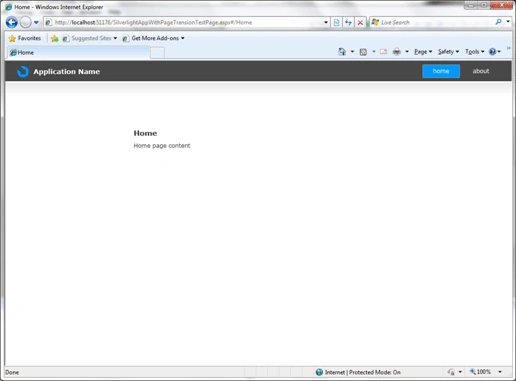

Page Transition in Navigtion Application in Silverlight 3
Join the conversation! Your thoughts help the community grow.
Sign in to leave a comment
It is the same account you read, post and publish with — and you will come straight back to this page.
Hari KrishnaPosted Sep 7, 2010, 2:47 PM
Hii DiptiMaya ur article is excellent. Can u please explain about the Assets->Style.xaml in brief? How did u created Style.xaml and code part? Thanq