Introduction
DataGrid in Silverlight 3 has Row Header, but by default it is collapsed. We will see how it can be useful to a DataGrid display.
Creating the Silverlight Application
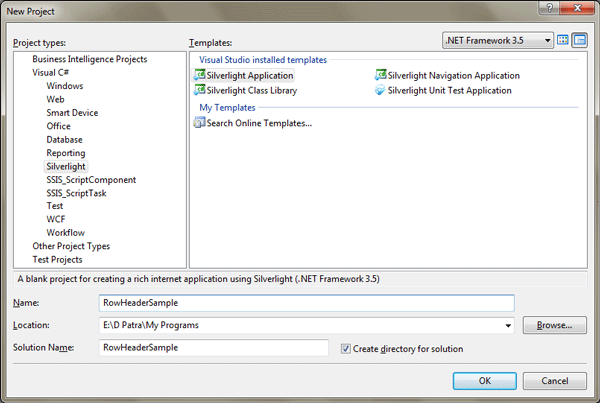
Fire up Visual Studio 2008 and create a Silverlight Application, name it as RowHeaderSample.
Add a DataGrid to your application.
Create sample data as follows:
public class Person
{
public string FirstName { get; set; }
public string LastName { get; set; }
public int Age { get; set; }
public string Contact { get; set; }
}
public partial class MainPage : UserControl
{
List<Person> myList;
public MainPage()
{
InitializeComponent();
myList = new List<Person>()
{
new Person{ FirstName="First Name 1", LastName="Last Name 1", Age=20, Contact="00000000000" },
new Person{ FirstName="First Name 2", LastName="Last Name 2", Age=21, Contact="11111111111" },
new Person{ FirstName="First Name 3", LastName="Last Name 3", Age=22, Contact="22222222222" },
new Person{ FirstName="First Name 4", LastName="Last Name 4", Age=23, Contact="33333333333" },
new Person{ FirstName="First Name 5", LastName="Last Name 5", Age=24, Contact="44444444444" },
new Person{ FirstName="First Name 6", LastName="Last Name 6", Age=25, Contact="55555555555" },
new Person{ FirstName="First Name 7", LastName="Last Name 7", Age=26, Contact="66666666666" },
new Person{ FirstName="First Name 8", LastName="Last Name 8", Age=27, Contact="77777777777" },
new Person{ FirstName="First Name 9", LastName="Last Name 0", Age=28, Contact="88888888888" },
new Person{ FirstName="First Name 0", LastName="Last Name 0", Age=29, Contact="99999999999" },
};
dgMyGrid.ItemsSource = myList;
}
Now run the application to test the data loaded in DataGrid.
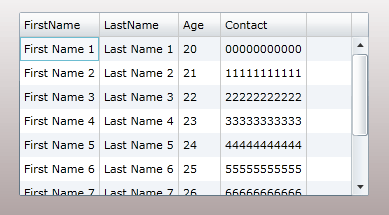
Now to add the Row Header you need to use the following property:
<data:DataGrid x:Name="dgMyGrid" HeadersVisibility="All"
Height="184" Margin="66,50,293,0" VerticalAlignment="Top" Width="350"/>
Now run your application once again to test your Row Header.
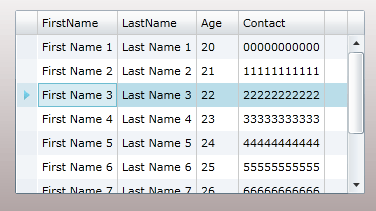
You got it right!
Now we will just add some more flavor to it. We would try to add the Row Number in the Row Header as you might have experienced in Microsoft Excel.
Use the following Event Handler:
<data:DataGrid x:Name="dgMyGrid" HeadersVisibility="All" LoadingRow="dgMyGrid_LoadingRow"
Height="184" Margin="66,50,293,0" VerticalAlignment="Top" Width="350"/>
Now in the Handler add the following code.
private void dgMyGrid_LoadingRow(object sender, DataGridRowEventArgs e)
{
e.Row.Header = e.Row.GetIndex() + 1;
}
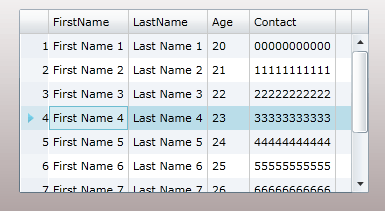
That's it. Now run your application and see the Rows as Excel Rows.
Hope you like this article.