Summary :
Usually developers do not use an editable GridView for many reasons. Developers prefer manual coding but an editable GridView is a good way to update a database.
I am using GridView by Wizard to do an update.
I am providing everything step by step. First fill then create a bool function and go to assemble row editing & updating event.
Step 1
Put a GridView in your aspx page then write code for the page load to fill the GridView. After filling the GridView click on the GridView; click EDIT Column convert to field to convert this field into a TemplateField.
GridView

<asp:GridView ID="gv1" runat="server" AutoGenerateColumns="False"
DataSourceID="SqlDataSource4" OnRowEditing="gv1_RowEditing"
OnRowUpdating="gv1_RowUpdating" CellPadding="4" ForeColor="#333333">
<FooterStyle BackColor="#5D7B9D" Font-Bold="True" ForeColor="White" />
<RowStyle BackColor="#F7F6F3" ForeColor="#333333" />
<Columns>
<asp:CommandField ShowEditButton="True" />
<asp:BoundField DataField="ssno" HeaderText="ssno" InsertVisible="False"
ReadOnly="True" SortExpression="ssno" />
<asp:BoundField DataField="qacno" HeaderText="qacno" SortExpression="qacno"
InsertVisible="False" ReadOnly="True" />
<asp:BoundField DataField="strd" HeaderText="strd" SortExpression="strd"
InsertVisible="False" ReadOnly="True" />
<asp:TemplateField HeaderText="sno" InsertVisible="False" SortExpression="sno">
<EditItemTemplate>
<asp:TextBox ID="TextBox6" runat="server" Visible='<%# IsInEditMode %>' Text='<%# Bind("sno") %>'></asp:TextBox>
</EditItemTemplate>
<ItemTemplate>
<asp:Label ID="Label6" runat="server" Visible='<%# !(bool) IsInEditMode %>' Text='<%# Bind("sno") %>'></asp:Label>
<asp:TextBox ID="TextBox6" runat="server" Visible='<%# IsInEditMode %>' Text='<%# Bind("sno") %>'></asp:TextBox>
</ItemTemplate>
</asp:TemplateField>
<asp:TemplateField HeaderText="parameters" SortExpression="parameters">
<EditItemTemplate>
<asp:TextBox ID="TextBox2" runat="server" Visible='<%# IsInEditMode %>' Text='<%# Bind("parameters") %>'></asp:TextBox>
</EditItemTemplate>
<ItemTemplate>
<asp:Label ID="Label2" runat="server" Visible='<%# !(bool) IsInEditMode %>' Text='<%# Bind("parameters") %>'></asp:Label>
<asp:TextBox ID="TextBox2" runat="server" Visible='<%# IsInEditMode %>' Text='<%# Bind("parameters") %>'></asp:TextBox>
</ItemTemplate>
</asp:TemplateField>
<asp:TemplateField HeaderText="unit" SortExpression="unit">
<EditItemTemplate>
<asp:TextBox ID="TextBox3" runat="server" Visible='<%# IsInEditMode %>' Text='<%# Bind("unit") %>'></asp:TextBox>
</EditItemTemplate>
<ItemTemplate>
<asp:Label ID="Label3" runat="server" Visible='<%# !(bool) IsInEditMode %>' Text='<%# Bind("unit") %>'></asp:Label>
<asp:TextBox ID="TextBox3" runat="server" Visible='<%# IsInEditMode %>' Text='<%# Bind("unit") %>'></asp:TextBox>
</ItemTemplate>
</asp:TemplateField>
<asp:TemplateField HeaderText="spval" SortExpression="spval">
<EditItemTemplate>
<asp:TextBox ID="TextBox1" runat="server" Visible='<%# IsInEditMode %>' Text='<%# Bind("spval") %>'></asp:TextBox>
</EditItemTemplate>
<ItemTemplate>
<asp:Label ID="Label1" runat="server" Visible='<%# !(bool) IsInEditMode %>' Text='<%# Bind("spval") %>'></asp:Label>
<asp:TextBox ID="TextBox1" runat="server" Visible='<%# IsInEditMode %>' Text='<%# Bind("spval") %>'></asp:TextBox>
</ItemTemplate>
<ItemStyle HorizontalAlign="Center" />
</asp:TemplateField>
<asp:TemplateField HeaderText="torval" SortExpression="torval">
<EditItemTemplate>
<asp:TextBox ID="TextBox4" runat="server" Visible='<%# IsInEditMode %>' Text='<%# Bind("torval") %>'></asp:TextBox>
</EditItemTemplate>
<ItemTemplate>
<asp:Label ID="Label4" runat="server" Visible='<%# !(bool) IsInEditMode %>' Text='<%# Bin("torval") %>'></asp:Label>
<asp:TextBox ID="TextBox4" runat="server" Visible='<%# IsInEditMode %>' Text='<%# Bind("torval") %>'></asp:TextBox>
</ItemTemplate>
</asp:TemplateField>
<asp:TemplateField HeaderText="obtval" SortExpression="obtval">
<EditItemTemplate>
<asp:TextBox ID="TextBox5" runat="server" Visible='<%# IsInEditMode %>' Text='<%# Bind("obtval") %>'></asp:TextBox>
</EditItemTemplate>
<ItemTemplate>
<asp:Label ID="Label5" runat="server" Visible='<%# !(bool) IsInEditMode %>' Text='<%# Bind("obtval") %>'></asp:Label>
<asp:TextBox ID="TextBox5" runat="server" Visible='<%# IsInEditMode %>' Text='<%# Bind("obtval") %>'></asp:TextBox>
</ItemTemplate>
</asp:TemplateField>
</Columns>
<PagerStyle BackColor="#284775" ForeColor="White" HorizontalAlign="Center" />
<SelectedRowStyle BackColor="#E2DED6" Font-Bold="True" ForeColor="#333333" />
<HeaderStyle BackColor="#5D7B9D" Font-Bold="True" ForeColor="White" />
<EditRowStyle BackColor="#999999" />
<AlternatingRowStyle BackColor="White" ForeColor="#284775" />
</asp:GridView>
Step 2:
Firstly declare
private bool isEditMode = false;
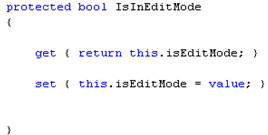
Then Create IsInEditMode bool function in .cs page:
protected bool IsInEditMode
{
get { return this.isEditMode; }
set { this.isEditMode = value; }
}
Step 3:
After creating the bool function write the RowEditing event to set the edit mode visible to true.
protected void gv1_RowEditing(object sender, GridViewEditEventArgs e)
{
isEditMode = true;
}
Step 4:
After setting the editable GridView mode write the RowUpdating event for updating the database:
protected void gv1_RowUpdating(object sender, GridViewUpdateEventArgs e)
{
//foreach (GridViewRow row in gv1.Rows)
// {
// }
for (int i = 0; i <= gv1.Rows.Count - 1; i++)
{
int sno = Convert.ToInt32(gv1.Rows[i].Cells[1].Text);
String pram = ((TextBox)gv1.Rows[i].FindControl("Textbox2")).Text;
String unit = ((TextBox)gv1.Rows[i].FindControl("Textbox3")).Text;
String spval = ((TextBox)gv1.Rows[i].FindControl("Textbox1")).Text;
String torval = ((TextBox)gv1.Rows[i].FindControl("Textbox4")).Text;
String obtval = ((TextBox)gv1.Rows[i].FindControl("Textbox5")).Text;
//int Fnoseats = Convert.ToInt32(nose);
string constr1;
IFormatProvider culture = new CultureInfo("fr-Fr", true);
constr1 = ConfigurationManager.ConnectionStrings["constr"].ConnectionString;
con = new SqlConnection(constr1);
con.Open();
string sql = "UPDATE [cqac] SET parameters='" + pram + "', unit='" + unit + "',[spval] = '" + spval + "',torval='" + torval + "',obtval='"+ obtval +"' WHERE [Ssno] =" + sno + "";
cmd = new SqlCommand(sql, con);
int res;
res = cmd.ExecuteNonQuery();
res = 1;
con.Close();
}
}
Conclusion
The ASP.Net GridView control can provide good support for dynamic data and update by Wizard facility. In GridView editable view you can create a multiple record update with one click.