

In this article are some good tricks for exporting data in Documents & PDF files.
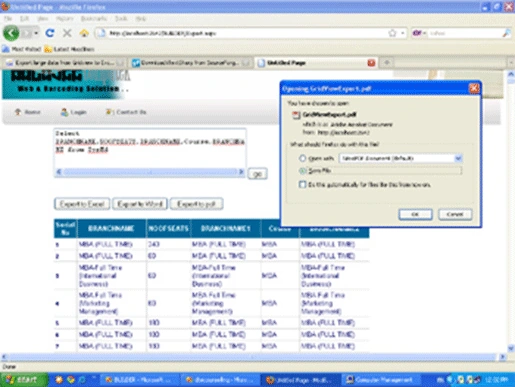
In .aspx Page
On an aspx page first add controls. TextBoxes & Buttons and a Gridview. First I write a query in a text box then click the GO button. Fill a Gridview. Then I am using three buttons to export to Word, export to Excel and export to PDF.
Export to Word
To export to word write this code for the btnexporttoword Click event.
Response.AddHeader("content-disposition", "attachment;filename=Export.doc");
Response.Cache.SetCacheability(HttpCacheability.NoCache);
Response.ContentType = "application/vnd.word";
System.IO.StringWriter stringWrite = new System.IO.StringWriter();
System.Web.UI.HtmlTextWriter htmlWrite = new HtmlTextWriter(stringWrite);
// Create a form to contain the grid
HtmlForm frm = new HtmlForm();
gv.Parent.Controls.Add(frm);
frm.Attributes["runat"] = "server";
frm.Controls.Add(gv);
frm.RenderControl(htmlWrite);
//GridView1.RenderControl(htw);
Response.Write(stringWrite.ToString());
Response.End();
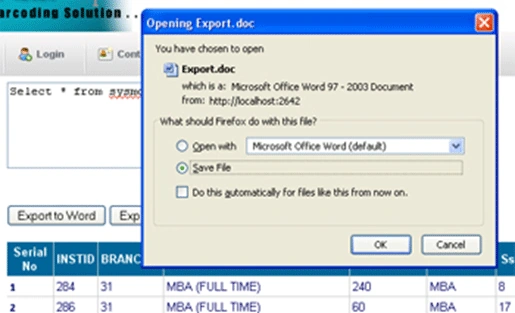
After Clicking a Save As Dialog Box Opens
Export to Excel
In an export to excel write this code on btnexporttoExcel Click event.
string attachment = "attachment; filename=Export.xls";
Response.ClearContent();
Response.AddHeader("content-disposition", attachment);
Response.ContentType = "application/ms-excel";
StringWriter sw = new StringWriter();
HtmlTextWriter htw = new HtmlTextWriter(sw);
// Create a form to contain the grid
HtmlForm frm = new HtmlForm();
gv.Parent.Controls.Add(frm);
frm.Attributes["runat"] = "server";
frm.Controls.Add(gv);
frm.RenderControl(htw);
//GridView1.RenderControl(htw);
Response.Write(sw.ToString());
Response.End();
After Clicking, a Save As Dialog Box Opens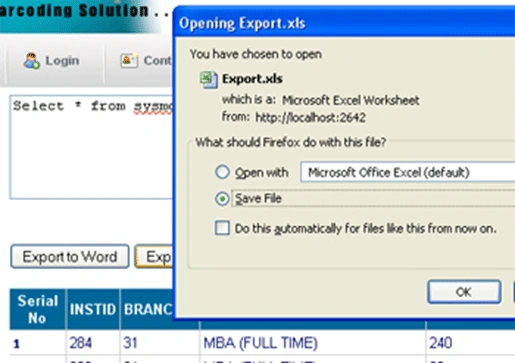
Export to PDF
To export Gridivew to PDF frst add this DLLs: itextsharp.dll
Link : http://sourceforge.net/projects/itextsharp/
Then add some namespaces
using iTextSharp.text;
using iTextSharp.text.pdf;
using iTextSharp.text.html;
using iTextSharp.text.html.simpleparser;
In a export to pdf Write this code on btnexporttoPdf Click event.
Response.ContentType = "application/pdf";
Response.ContentType = "application/pdf";
Response.AddHeader("content-disposition", "attachment;filename=Export.pdf");
Response.Cache.SetCacheability(HttpCacheability.NoCache);
StringWriter sw = new StringWriter();
HtmlTextWriter hw = new HtmlTextWriter(sw);
HtmlForm frm = new HtmlForm();
gv.Parent.Controls.Add(frm);
frm.Attributes["runat"] = "server";
frm.Controls.Add(gv);
frm.RenderControl(hw);
StringReader sr = new StringReader(sw.ToString());
Document pdfDoc = new Document(PageSize.A4, 10f, 10f, 10f, 0f);
HTMLWorker htmlparser = new HTMLWorker(pdfDoc);
PdfWriter.GetInstance(pdfDoc, Response.OutputStream);
pdfDoc.Open();
htmlparser.Parse(sr);
pdfDoc.Close();
Response.Write(pdfDoc);
Response.End();
After Clicking, a Save As Dialog Box Opens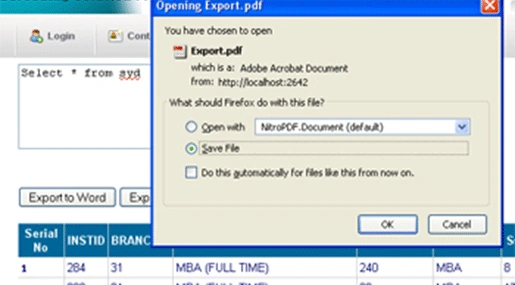
megha nairPosted Mar 26, 2013, 9:10 AM
i am getting an an error in response
newto netPosted Dec 28, 2012, 11:29 AM
Please explain the code.
mohammadPosted May 25, 2011, 3:07 AM
plse explain ur code and how it work? thanks
mohammadPosted May 25, 2011, 2:58 AM
please explain ur code & it's how to work. thanks
jayachandran elangovaneditedPosted Apr 25, 2011, 7:24 AMEdited Apr 25, 2011, 7:31 AM
Hai Prabhakar Working Fine but Grid heading not came thank..
jayachandran elangovanPosted Apr 25, 2011, 7:24 AM
Hai Prabhakar Response.OutputStrem, Data not came,inside message Specified method is not supported. Pdf open but empty page disply... Excell Working Fine.. Plse Reply me..
jayachandran elangovanPosted Apr 25, 2011, 6:17 AM
hai prabhakar Error came this line Export Grid view to PDF Document pdfDoc = new Document(PageSize.A4, 10f, 10f, 10f, 0f); any namespace need to add. Document,PageSize