

Steps for creating the functionality:
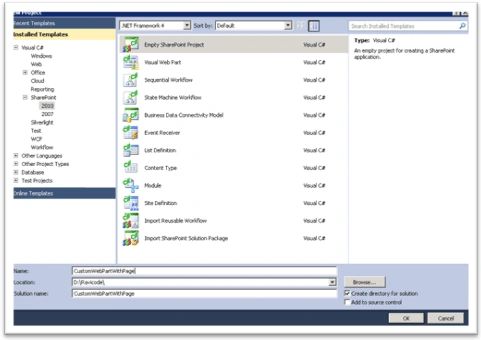
Step 1: Create a project with Farm-Based solution:
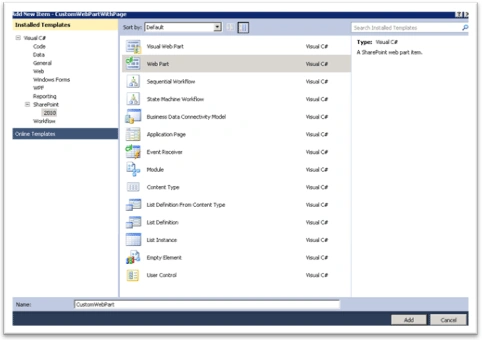
Step 2: Add a new item as webpart:
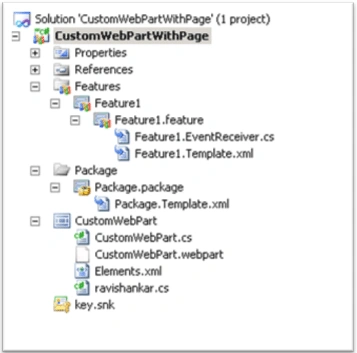
Step 3: Add feature event receiver class, your solution should look like the following:
Step 4: Add your logic to the web part:
[ToolboxItemAttribute(false)]
public class CustomWebPart : WebPart
{
protected override void CreateChildControls()
{
LiteralControl lt = new LiteralControl();
lt.Text = "This webpart automatically added with page";
this.Controls.Add(lt);
}
}
Step 5: You need to provide logic in the feature Reciever class. Find the attached file to see the source code.
Step 6: Build, deploy and activate the feature.
Step 7: Go to Page library (Site Action->View All Pages->Pages).
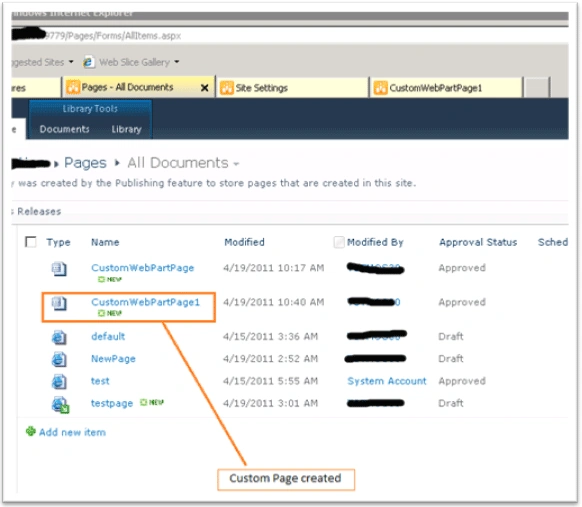
We can see the code is working fine. The next step is to click on the created page and need to see whether the web part added automatically or not.
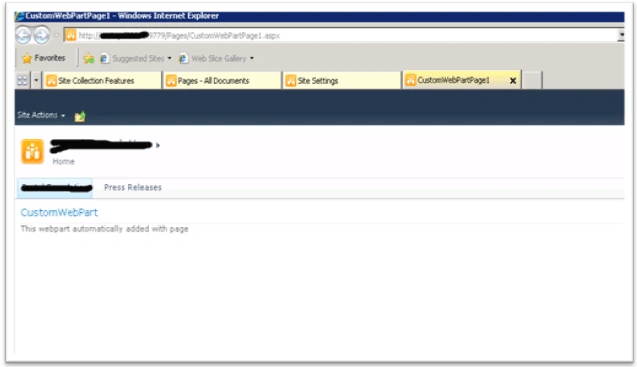
Step 9: Click on customWebpartPage1.aspx,"CustomWebPart" is present:
That's it. Hope you like this article. Give me shout if you need any clarification.
Aravind MpPosted Dec 27, 2014, 1:38 PM
i dont see attachement
Rambabu CHPosted Apr 21, 2011, 12:44 AM
Nice and smart