

What is Expression Encoder?
Microsoft Expression Encoder is a Windows based program for encoding web based videos and digital video.
Features of MS Expression Encoder
-
Preparing videos (you can do simple edits and overlays)
-
Capture you Desktop screen actions (to make online training videos)
-
Encoding high level video's to devices and web
-
We can customized Silverlight video's
Steps to Overlay an image to a video file:
1.
open the Expression Encoder from Microsoft Expression, select Transcoding
Project and click OK.
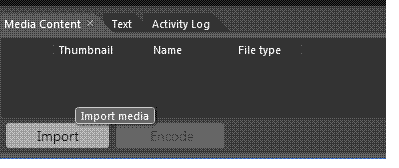
2. Normal 0 false false false EN-US X-NONE X-NONE MicrosoftInternetExplorer4 Click on import button and select a file as media file type and Click OK
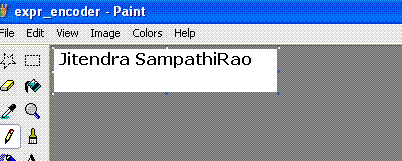
3. Make a .png file like this
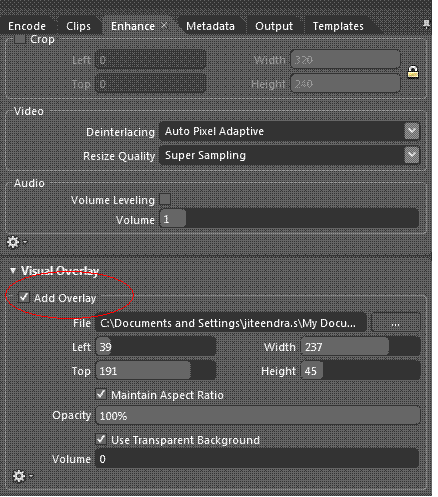
4. Click on the Enhance tab you can see the Overlay options for visual and audio.
Check in the Add overlay checkbox and and select your .png file from the source location.
Normal 0 false false false EN-US X-NONE X-NONE MicrosoftInternetExplorer4
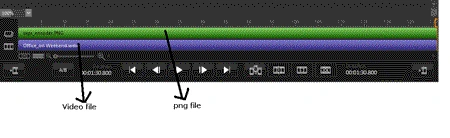
Both video and png file looks like this.
Normal 0 false false false EN-US X-NONE X-NONE MicrosoftInternetExplorer4
5. Adjust to the png file when to start visible etc (when playing the video file). Name will be visible from 20 seconds to 40 seconds
(my video file length is 2 mins 10 secs) like this
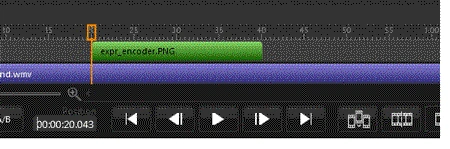
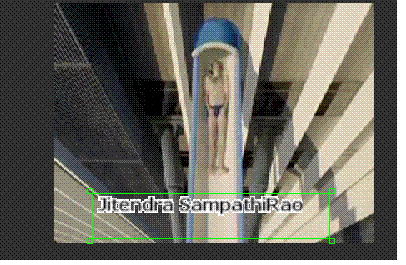
6. Fix the place of image file on the video file, like this and Check in Use Transparent Background checkbox
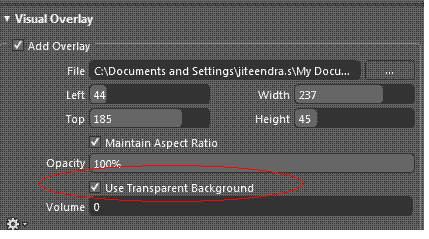
7. Click on Encode button and play the file from source location (x:\Expression\Expression Encoder\Output\1A-3 8-16-2011 4.56.13 PM)
Now when you are playing that video file name(Jiteendra SampathiRao) will be start visible from 20 secs to 40 secs...
That's it. if you have any queries let
me know.
rachana tewariPosted Apr 3, 2012, 7:07 AM
I have an wmv file without an audio track, and I want to add an audio overlay to the encoding job. Whatever I do, I can't get the audio track to get added. In the Desktop app, I can do this by enabling the audio track and then setting the audio overlay file. From the SDK, I just can't get this to work. Does anyone have an example of getting this to work? Here is the basics of my code: MediaItem mediaItem= new MediaItem(wmvFilePath); mediaItem.AudioOverlayFileName = "C:\\clap.wav"; mediaItem.AudioOverlayFileName = L_Path; mediaItem.AudioGainLevel = 10; mediaItem.AudioOverlayGainLevel = 10; mediaItem.AudioOverlayLayoutMode = OverlayLayoutMode.Custom; mediaItem.AudioOverlayLoop = false; using (Job job = new Job()) { job.MediaItems.Add(mediaItem); job.OutputDirectory = outputFolder; job.CreateSubfolder = false; job.DefaultMediaOutputFileName = outputFileName; job.Encode(); }
rachana tewariPosted Apr 3, 2012, 6:44 AM
Using SDK function its not working properly