

Introduction
In this article, I will cover how to implement custom business logic (a
simple string concatenation) using C# inline on maps in BizTalk. This is a
common scenario when the business logic is very simple and we want to embed
the logic within the map.
Getting started with the solution
First of all, open Visual Studio .NET and create an empty solution. Then add
an Empty Biztalk Server project (see Figure 1).
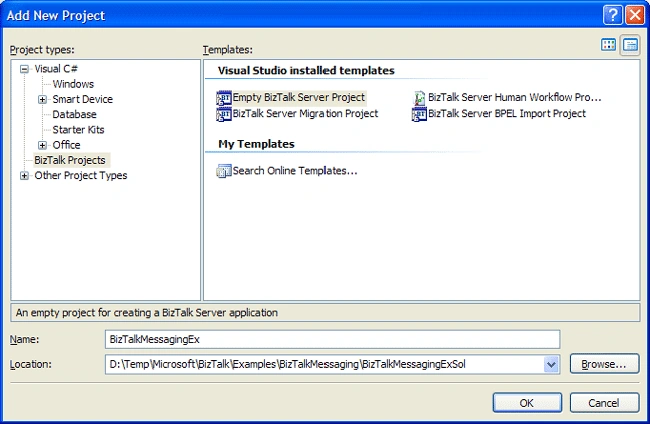
Figure 1
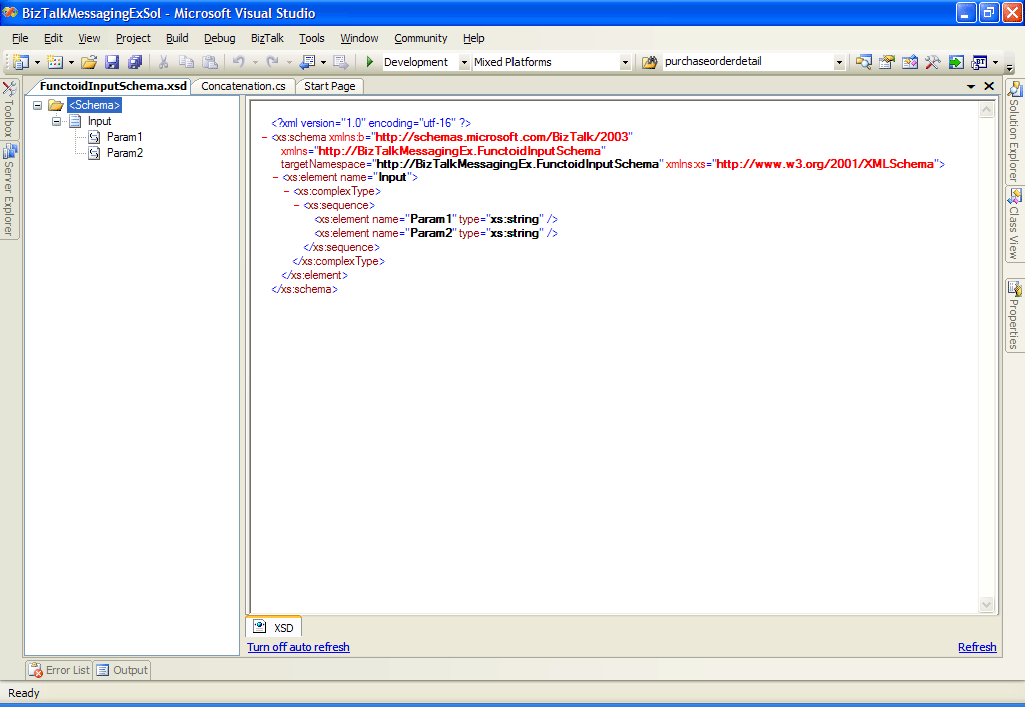
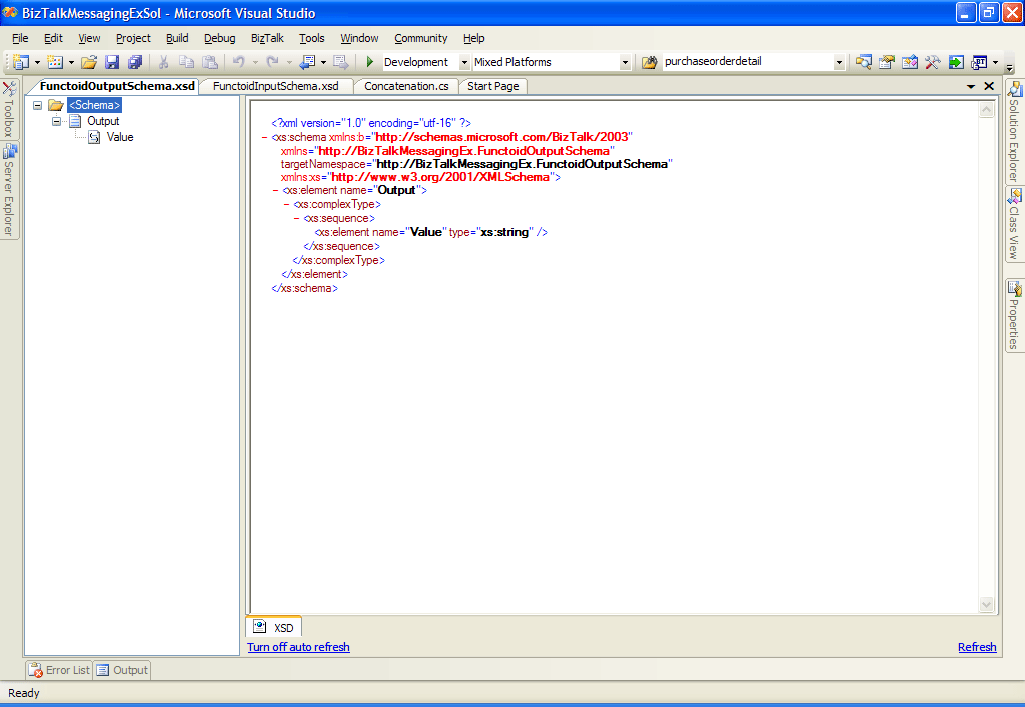
Now let's create two schemas which are the basis of the transformation. The
first one represents the input parameters (see Figure 2) and the other one
represents the output parameter (see Figure 3).
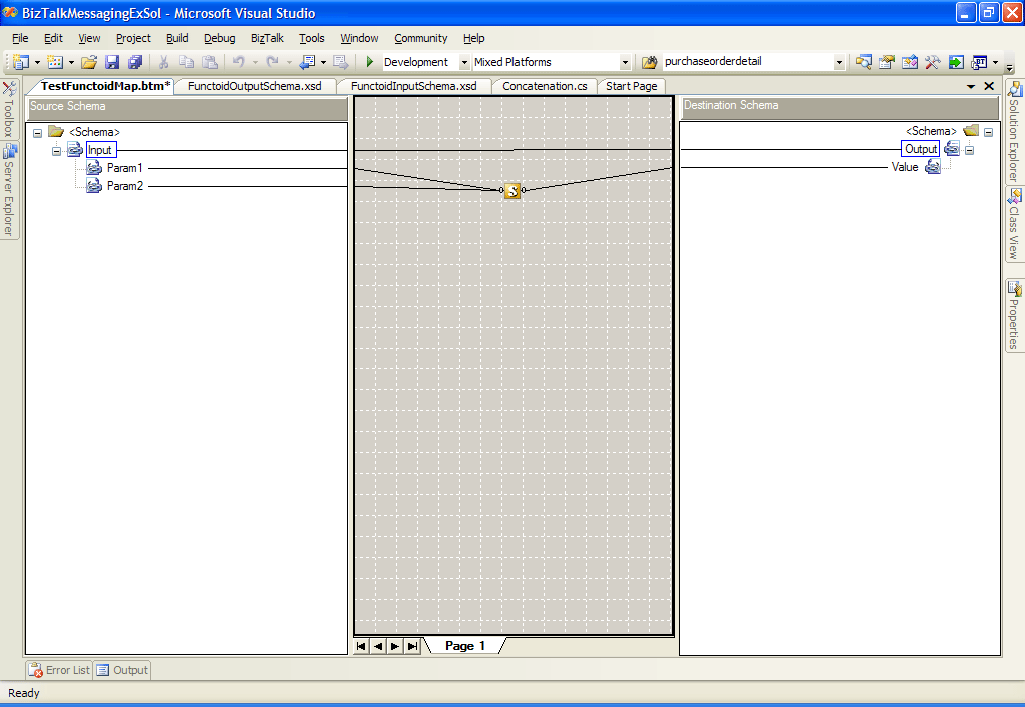
Now let's add a map representing the concatenation transformation. Set the
source and destination schemas. Click on the Toolbox window, and then click
on the Advanced Functoids tab, and drag and drop the Scripting functoid onto
the map surface. This functoid's input and output values are dependent of
the logic contained within the Scripting functoid. Connect the left side of
Scripting functoid to the appropriate source data items as well as the right
side to the destination data items (see Figure 4).
Now let's configure the Scripting functoid by right-click over it and
selecting Configure Functoid Script option (see Figure 5).
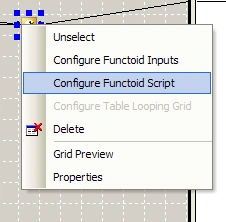
Figure 5
When the Configure Functoid Script dialog is displayed, select Inline C# for
Script Type. Then enter the business logic written in C# in the Inline
script buffer textbox (see Figure 6).

Figure 6
Conclusion
In this article, I covered how to embed inline C# code in the map in order
to implement business logic related to the transformation. Now you can apply
this solution to your business scenario.
Join the conversation! Your thoughts help the community grow.