SIGN UP MEMBER LOGIN:    
ARTICLE

Internet Explorer 8 Beta 2 Features for Developers with examples

Posted by Kalyan Bandarupalli Articles | Internet & Web September 04, 2008
IE 8 Beta 2 provided the decent features to the designers and developers community. If you write the code for IE 8 Beta 2 that can run on anywhere.
Reader Level:

Introduction

IE 8 Beta 2 provided the decent features to the  designers and developers community. If you write the code for IE 8 Beta 2 that can run on anywhere.

It means it is allowing developers and designers to develop applications with Interoperability and web standards.

  • CSS 2.1 complainer.
  • HTML 5.0 standards supported.
  • Ajax navigation and enhancements supported.
  • Implementing DOM storage for HTML 5.0

Features:

  1.  IE 8 is different from IE 7 in AJAX enhancements and Navigations
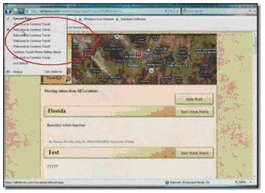


    Enables the in place navigation when you are browsing maps for a particular location you may use the zoom option in the maps. Each and every zoom action will be stored in the travel history which is highlighted in oval.

  2.  DOM Storage in Connectivity events

    When you are writing BLOG post or checking an e-mail at airport if suddenly connections drops then it prompts you to save the typed data on offline. Prompt is highlighted in the oval.
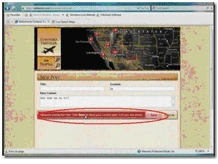


    It also allows you cross domain communication and messaging using HTML standards.
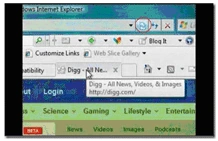
     

  3. More Server Connections for better performance. currently allowing 6 earlier it is 2.

  4. Document mode Compatibility - No need to write any code for to render the content which is developed in earlier versions of the Internet Explorer. By placing a simple meta tag instructs the IE 8 to render the earlier browser versions content in right format. So IE8 providing full document compatibility mode.


    If at all the content not rendered properly in IE8 beta it suggest through compatibility button in address bar to best view version.
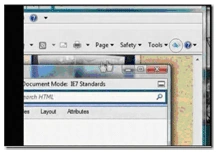
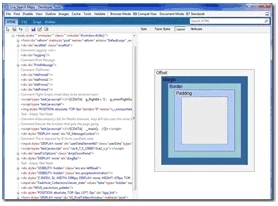
  5. IE Developer tools - allows the developer to debug the java script and in place HTML and CSS changes. (Shift + F12 ) is the keyboard short cut for opening the debugger tool.


    The developer tool looks like


    You can view the page in different IE versions using the above tool. we can call this feature as site preview.
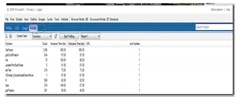
  6. Profiling the web sites


    We can check application performance and bottle necks using above built in profiler.

  7.  Extending the service integration through web slices and Accelerators.

     Implementing the web slices and Accelerators is easy.

You can download the Internet explorer 8 beta 2 for exploring the features.

Login to add your contents and source code to this article
share this article :
post comment
 
Become a Sponsor
PREMIUM SPONSORS
  • ceTE software specializes in components for dynamic PDF generation and manipulation. The DynamicPDF™ product line allows you to dynamically generate PDF documents, merge PDF documents and new content to existing PDF documents from within your applications. Visit DynamicPDF here
    Finally – a virtual platform that delivers next-generation Windows Server 2008 Hyper-V virtualization technology from a managed hosting partner you can truly depend on. Visit www.maximumasp.com/max for a FREE 30 day trial. Hurry offer ends soon. Climb aboard the MaxV platform and take advantage of High Availability, Intelligent Monitoring, Recurrent Backups, and Scalability – with no hassle or hidden fees. As a managed hosting partner focused solely on Microsoft technologies since 2000, MaximumASP is uniquely qualified to provide the superior support that our business is built on. Unparalleled expertise with Microsoft technologies lead to working directly with Microsoft as first to offer IIS 7 and SQL 2008 betas in a hosted environment; partnering in the Go Live Program for Hyper-V; and product co-launches built on WS 2008 with Hyper-V technology.
Nevron Gauge for SharePoint
Become a Sponsor