Step 1: In this Example, there is an Image (img1) and a TextBox(TextBox1).
<img id="img1" src="Image/1.jpg" /><br />
<asp:TextBox ID="TextBox1" runat="server">1</asp:TextBox>

Image 1
Step 2: We call a function ChangeImage() on the onload event of the <body> tag. So when the page loads the function will be called automatiacally.
var xmlHttp
var arr;
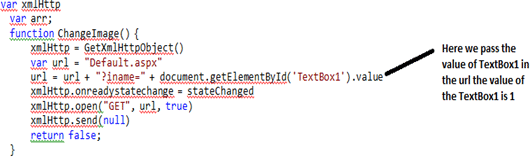
function ChangeImage() {
xmlHttp = GetXmlHttpObject()
var url = "Default.aspx"
url = url + "?iname=" + document.getElementById('TextBox1').value
xmlHttp.onreadystatechange = stateChanged
xmlHttp.open("GET", url, true)
xmlHttp.send(null)
return false;
}
We set the Text property of TextBox1:
<asp:TextBox ID="TextBox1" runat="server">1</asp:TextBox>
Now we write the function ChangeImage():
Now we can write the GetXmlHttpObject() to check the browser:
function GetXmlHttpObject() {
var objXMLHttp = null
if (window.XMLHttpRequest) {
objXMLHttp = new XMLHttpRequest()
}
else if (window.ActiveXObject) {
objXMLHttp = new ActiveXObject("Microsoft.XMLHTTP")
}
return objXMLHttp
}
Step 3: In the Page_Load Event:
if (Request.QueryString["iname"] != null)
{
string i = Request.QueryString["iname"].ToString();
string str = "1";
if (i == "2")
{
str = "2";
}
Response.Clear();
Response.Write(str);
Response.End();
}
Complete Program
Default.aspx
<head runat="server">
<title></title>
<script language="JavaScript" type="text/javascript" >
var xmlHttp
var arr;
function ChangeImage() {
xmlHttp = GetXmlHttpObject()
var url = "Default.aspx"
url = url + "?iname=" + document.getElementById('TextBox1').value
xmlHttp.onreadystatechange = stateChanged
xmlHttp.open("GET", url, true)
xmlHttp.send(null)
return false;
}
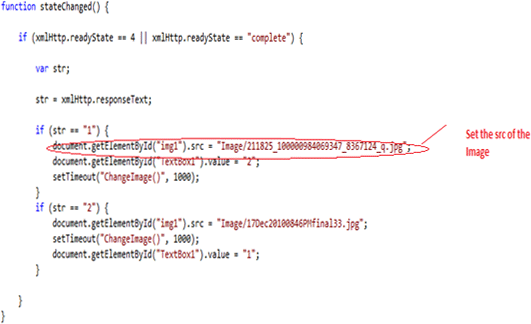
function stateChanged() {
if (xmlHttp.readyState == 4 || xmlHttp.readyState == "complete") {
var str;
str = xmlHttp.responseText;
if (str == "1") {
document.getElementById("img1").src = "Image/211825_100000984069347_8367124_q.jpg";
document.getElementById("TextBox1").value = "2";
setTimeout("ChangeImage()", 1000);
}
if (str == "2") {
document.getElementById("img1").src = "Image/17Dec20100846PMfinal33.jpg";
setTimeout("ChangeImage()", 1000);
document.getElementById("TextBox1").value = "1";
}
}
}
function GetXmlHttpObject() {
var objXMLHttp = null
if (window.XMLHttpRequest) {
objXMLHttp = new XMLHttpRequest()
}
else if (window.ActiveXObject) {
objXMLHttp = new ActiveXObject("Microsoft.XMLHTTP")
}
return objXMLHttp
}
</script>
</head>
<body onload="ChangeImage()">
<form id="form1" runat="server">
<div>
<img alt="" id="img1"
style="height: 156px; width: 233px" src="Image/1.jpg" /><br />
<br />
<asp:TextBox ID="TextBox1" runat="server">1</asp:TextBox>
<br />
</div>
</form>
</body>
</html>
Default.aspx.cs
protected void Page_Load(object sender, EventArgs e)
{
if (Request.QueryString["iname"] != null)
{
string i = Request.QueryString["iname"].ToString();
string str = "1";
if (i == "2")
{
str = "2";
}
Response.Clear();
Response.Write(str);
Response.End();
}
}