

The Version class and its properties Major, Minor, and Build represent the major, minor, and build numbers.
using
System;
namespace
OsVersionSample
{
class Program
{
static void Main(string[]
args)
{
Console.WriteLine("Operating System Detaiils");
OperatingSystem
os = Environment.OSVersion;
Console.WriteLine("OS Version: " + os.Version.ToString());
Console.WriteLine("OS Platoform: " +
os.Platform.ToString());
Console.WriteLine("OS SP: " + os.ServicePack.ToString());
Console.WriteLine("OS Version String: " + os.VersionString.ToString());
Console.WriteLine();
// Get
Version details
Version
ver = os.Version;
Console.WriteLine("Major version: " + ver.Major);
Console.WriteLine("Major Revision: " + ver.MajorRevision);
Console.WriteLine("Minor version: " + ver.Minor);
Console.WriteLine("Minor Revision: " + ver.MinorRevision);
Console.WriteLine("Build: " + ver.Build);
Console.ReadLine();
}
}
}
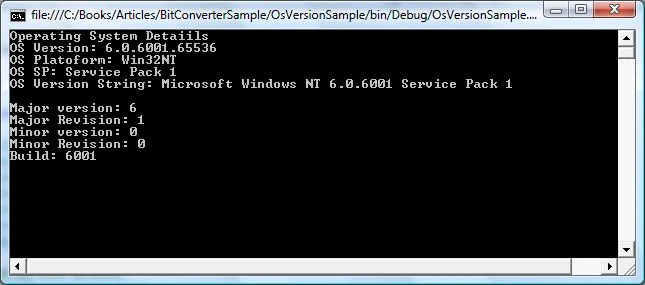
The output will look like following:
shelby purcellPosted Apr 7, 2010, 3:18 PM
good idea, it really is, but to add to this what if you could read/write a file depending on what os version minor/major?....like if i had vista, and my friend had windows 7, and the program would use differant files and directories for the program setup, could you set something up with this that could do that?