

The Graphics class provides more than just draw and fill methods. Miscellaneous methods are defined in Table 3.6. Some of these methods are discussed in more detail later.
The Clear Method
The Clear method clears the entire drawing surface and fills it with the specified background color. It takes one argument, of type Color. To clear a form, an application passes the form's background color. The following code snippet uses the Clear method to clear a form.
form.Graphics g = this.CreateGraphics();
g.Clear(this.BackColor);
g.Dispose();
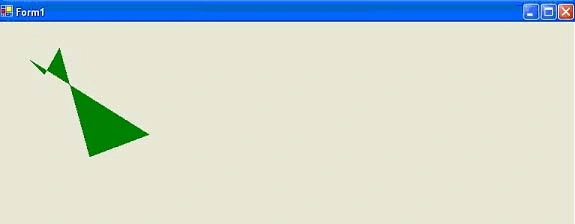
FIGURE 3.39: Filling a polygon
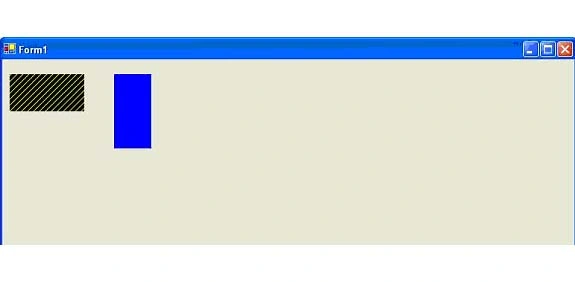
FIGURE 3.40: Filling rectangle
TABLE 3.6: Some miscellaneous Graphics methods
| Methods | Description |
|
AddMetafileComment |
Adds a comment to a Metafile object. |
|
Clear |
Clears the entire drawing surface and fills it with the specified background color. |
|
ExcludeClip |
Updates the clip region to exclude the area specified by a Rectangle structure. |
|
Flush |
Forces execution of all pending graphics operations and returns immediate without waiting for the operations to finish. |
|
FromHdc |
Create a new Graphics object from a device context handle. |
|
FromHwnd |
Creates a new Graphics object from a window handle. |
|
FromImage |
Creates a new Graphics object from an Image object. |
|
GetHalftonePalette |
Returns a handle to the current Windows halftone palette. |
|
GetHdc |
Returns the device context handle associated with a Graphics object. |
|
GetNearestColor |
Returns the nearest color to the specified Color structure. |
|
IntersectClip |
Updates the clip region of a Graphics object to the intersection of the current clip region and a Rectangle structure. |
|
IsVisible |
Returns true if a point is within the visible clip region. |
|
MeasureCharacterRanges |
Returns an array of Region objects, each of which bounds a range of character positions within a string. |
|
MeaureString |
Measures a string when drawn with the specified Font object. |
|
MultiplyTransform |
Multiplies the world transformation and the Matrix object. |
|
ReleaseHdc |
Release a device context handle obtained by a previous call to the GetHdc method. |
|
ResetClip |
Resets the clip region to an infinite region. |
|
ResetTransform |
Resets the world transformation matrix to the identity matrix. |
|
Restore |
Restores the state of a Graphics object to the state represented by a GraphicsState object. Takes GraphicsState as input, removes the information block from the stack, and restores the Graphics object to the state it was in when it was saved. |
|
RotateTransform |
Applies rotation to the transformation matrix. |
|
Save |
Saves the information block of a Graphics object. The information block stores the state of the Graphics object. The Save method returns a GraphicsState object that identifies the information block. |
|
ScaleTransform |
Applied the specified scaling operation to the transformation matrix. |
|
SetClip |
Sets the clipping region to the Clip property. |
|
TransformPoints |
Transforms an array of points from one coordinate space to another using the current world and page transformations. |
|
TranslateClip |
Translates the clipping region by specified amounts in the horizontal and vertical directions. |
|
TranslateTransform |
Prepares the specified translation to the transformation matrix. |
Conclusion
Hope the article would have helped you in understanding Miscellaneous Graphics Class Methods in GDI+. Read other articles on GDI+ on the website.
 |
This book teaches .NET developers how to work with GDI+ as they develop applications that include graphics, or that interact with monitors or printers. It begins by explaining the difference between GDI and GDI+, and covering the basic concepts of graphics programming in Windows. |
Join the conversation! Your thoughts help the community grow.