

Introduction
The RichTextBox control in WPF allows you to view and edit text, paragraph, images, tables, and other rich text format contents.
The <RichTextBox> element of XAML represents a WPF RichTextBox control.
- <RichTextBox></RichTextBox>
The Width and Height properties represent the width and the height of a RichTextBox. The Name property represents the name of the control, which is a unique identifier of a control. The Margin property tells the location of a RichTextBox on the parent control. The HorizontalAlignment and VerticalAlignment properties are used to set horizontal and vertical alignments.
The following code snippet sets the name, height, and width of a RichTextBox control. The code also sets horizontal alignment to left and vertical alignment to top.
- <RichTextBox Margin="10,10,0,13" Name="RichTextBox1" HorizontalAlignment="Left" VerticalAlignment="Top" Width="500" Height="300" />
Displaying and Edit Text
A RichTextBox control hosts a collection of RichTextBoxItem elements. Each item can be any flow content element. The following code snippet adds several items to a RichTextBox control.
- <RichTextBox Margin="10,10,0,13" Name="RichTextBox1" HorizontalAlignment="Left" VerticalAlignment="Top" Width="500" Height="300">
- <FlowDocument>
- <Paragraph> I am a flow document. Would you like to edit me? <Bold>Go ahead.</Bold>
- </Paragraph>
- <Paragraph Foreground="Blue"> I am blue I am blue I am blue. </Paragraph>
- </FlowDocument>
- </RichTextBox>
The above code generates Figure 1 where you can start editing text right away.
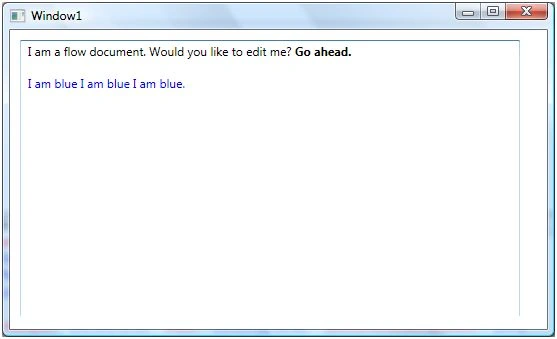
Figure 1. RichTextBox with editable text
Creating and Using RichTectBox Dynamically
In the previous section, we saw how to create and use RichTextBox in XAML. WPF provides RichTextBox class that represents a RichTextBox control. We can also create and use a RichTextBox control dynamically using C#.
The code listed in Listing 1 creates a FlowDocument, adds a paragraph to the flow document and sets the Document property of the RichTextBox as FlowDocument.
- privatevoid CreateAndLoadRichTextBox() {
- // Create a FlowDocument
- FlowDocument mcFlowDoc = newFlowDocument();
- // Create a paragraph with text
- Paragraph para = newParagraph();
- para.Inlines.Add(newRun("I am a flow document. Would you like to edit me? "));
- para.Inlines.Add(newBold(newRun("Go ahead.")));
- // Add the paragraph to blocks of paragraph
- mcFlowDoc.Blocks.Add(para);
- // Create RichTextBox, set its hegith and width
- RichTextBox mcRTB = newRichTextBox();
- mcRTB.Width = 560;
- mcRTB.Height = 280;
- // Set contents
- mcRTB.Document = mcFlowDoc;
- // Add RichTextbox to the container
- ContainerPanel.Children.Add(mcRTB);
- }
Listing 1.
The output of Listing 1 generates Figure 2.
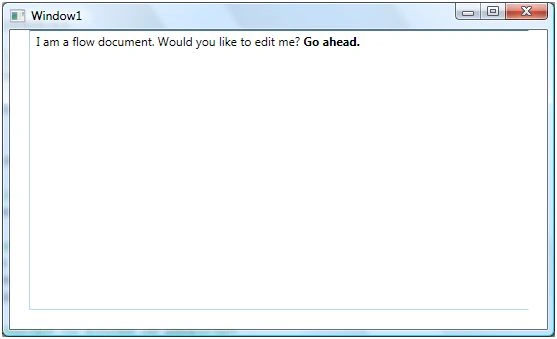
Enable Spelling Check in RichTextBox
RichTextBox control comes with spelling check functionality out-of-box. Setting SpellCheck.IsEnabled property to true enables spell checking in a RichTextBox.
SpellCheck.IsEnabled="True"
You can set this in code as following,
- mcRTB.SpellCheck.IsEnabled = true;
Now if you type some text, the wrong word will be underlined with red.
Loading a Document in RichTextBox
We are going to open a text file on a menu item click event handler.
- privatevoid OpenMenuItem_Click(object sender, RoutedEventArgs e) {
- OpenFileDialog dlg = newOpenFileDialog();
- dlg.InitialDirectory = "c:\\";
- dlg.Filter = "Text files (*.txt)|*.txt|All Files (*.*)|*.*";
- dlg.RestoreDirectory = true;
- if (dlg.ShowDialog() == System.Windows.Forms.DialogResult.OK) {
- LoadTextDocument(dlg.FileName);
- }
- }
On this menu item click event handler, we call a method called LostTextDocument by passing the text file name. In this method, we read the text file into a FileStream object and load this FileStream into a TextRange object, which is range of the RichTextBox control.
- privatevoid LoadTextDocument(string fileName) {
- TextRange range;
- System.IO.FileStream fStream;
- if (System.IO.File.Exists(fileName)) {
- range = newTextRange(RichTextBox1.Document.ContentStart, RichTextBox1.Document.ContentEnd);
- fStream = new System.IO.FileStream(fileName, System.IO.FileMode.OpenOrCreate);
- range.Load(fStream, System.Windows.DataFormats.Text);
- fStream.Close();
- }
- }
Converting RichTextBox Contents to a String
There is no direct method or property in RichTextBox that can extract the document or contents of a RichTextBox to a string. To convert the contents to a string, we first need to read the contents of a RichTextBox in a TextRange object and use TextRange.Text property to convert it to a string.
The following code snippet reads a RichTextBox contents from start to end and converts to a string.
- string ConvertRichTextBoxContentsToString(RichTextBox rtb) {
- TextRange textRange = newTextRange(rtb.Document.ContentStart, rtb.Document.ContentEnd);
- return textRange.Text;
- }
Summary
In this article, I discussed how to create and use a RichTextBox control available in WPF. We saw how we can load a text file contents to a RichTextBox control dynamically.
Rushi MehtaPosted Oct 2, 2018, 6:24 AM
Fantastic Article Written..
Dimas BudiePosted Oct 16, 2017, 8:39 AM
Nice article. Do you know how I can add a RichtTextBox into a Grid, when the window is working with responsivity? I tried but when I open my window, the RicheTextBox is bigger. =/
kinjal patelPosted Jan 10, 2014, 12:59 AM
then in rich text box control display hi how r you then after new line hello world message display. how it is possible if any know plz reply as soon as possible
kinjal patelPosted Jan 10, 2014, 12:57 AM
hi how r you
kinjal patelPosted Jan 10, 2014, 12:57 AM
hello world
kinjal patelPosted Jan 10, 2014, 12:57 AM
for e.g.,
kinjal patelPosted Jan 10, 2014, 12:57 AM
how to append text in reverse order using richtextbox control in wpf
Kiran Kumar TalikotiPosted Oct 7, 2013, 7:39 AM
Nice one sir.Very helpful:)
Former memberPosted Jul 30, 2013, 6:22 AM
i was trying the content of RichTextBox, that was printing fine, but the alignment of the content of the printed document was not same with RichTextBox Content alignment, please give me the solution and visit the link http://www.c-sharpcorner.com/Blogs/12604/save-richtextbox-content-in-xps-format-in-wpf-mvvm.aspx
Rama charanPosted Jun 11, 2012, 7:39 AM
thanks it helped me!
Vineet Kumar SainiPosted Nov 21, 2011, 3:50 PM
Nice......
K DoshiPosted Jun 8, 2011, 6:00 AM
I want to load rtf file with images in rich text box of asp.net The rtf file are load with images but the image position in change in the editor.. How can i load the rtf file with images with its original position?? Pls Relpy... Thnks..
AshwineditedPosted Apr 11, 2010, 2:59 PMEdited Apr 14, 2010, 1:44 PM
i want to add an image tag to the richtextbox dynamically after the user has completed entering the text. this image tag will be appended everytime to the richtext box . ex: <img src='websiteaddress/api/filename.php?userid=username&emailid=email_id&emsgid=eno'/> where username,email_id & eno are string variables in c#.net. how should i go about it . plz help its urgent..
AshwinPosted Apr 8, 2010, 1:38 PM
0 i am making a project for bulk emailing . In this I have added a richtext box . I want users to enter the email message body in it and want to give them the ability to format .Richtext box should be able to make the content bold,italics, underline , align it right left and center , increase font , decrease font,change color, change the font like Times New Roman depending on the click of the button. Help me how should i go about it. also let me know which references i should add to my project.its urgent guys . please help
rakesh dPosted Mar 1, 2010, 7:39 AM
Hi, I am doing a small project, practically learning WPF and C#. My project is to make the UI editable with out using VS2008. I tried your example to get the text of the xaml file to load into Rich Text Box. I want to load a XAML file with all its GUI intact. Is there a way I can do this ?? Which container should I use in order to achieve my goal ?? Thanks Rakesh D.
Sumit vashisthaPosted Sep 22, 2009, 2:19 AM
Hi, I m getting double spacing between lines when i m trying to load the file in WPF richtextbox but the file(.txt) is having only single spacing. Regards, Sumit
atul katarePosted Oct 15, 2008, 3:10 AM
Hi Mahesh how to provide different tooltip for each word in Richtextbox?