

BlockUIContainer: BlockUIContainer allows controls, video, bitmap, 2D graphics, or 3D graphics to be integrated into a document, all the noncontent elements (classes that derive from UIElement) is placed inside a document with the help of BlockUIContainer. BlockUIContainer is similar: it can host any UIElement, but it wraps it as a Block instead of an Inline. You can also change the property of BlockUIContainer according to your requirnment like: If you don't want the contained element to fill the whole width, you must use FrameworkElement layout settings.
You might wonder why you would ever want to place controls inside a document. After all, isn't the best rule of thumb to use layout containers for user-interactive portions of your interface, and flow layout for length, read-only blocks of content? However, in real-world applications there are many types of documents that need to provide some sort of user interaction (beyond what the Hyperlink content element provides).
Here's an example that places a button under a paragraph:
Example of BlockUIContainer:
<Page xmlns="http://schemas.microsoft.com/winfx/2006/xaml/presentation"
xmlns:x="http://schemas.microsoft.com/winfx/2006/xaml"
HorizontalAlignment="Center" VerticalAlignment="Center">
<FlowDocumentPageViewer>
<FlowDocument>
<Paragraph>
To create an account click on Login Button.
</Paragraph>
<BlockUIContainer>
<Button Content="Log In" />
</BlockUIContainer>
</FlowDocument>
</FlowDocumentPageViewer>
</Page>
Output Window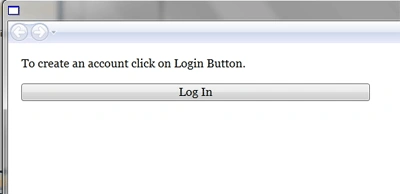
Conclusion
Hope this article helps you to understand the working of BlockUIContainer of Flow Document in WPF.
Join the conversation! Your thoughts help the community grow.