

Requirement- The Managers of a content-centric site are behind the company firewall and login to their corporate Active Directory. So they don't have to remember username and password to login to a CMS (Content Management System) to manage the content on the company Web site. The public-facing portion of the site needs to have anonymous access. But there are areas that require the user to login. Thus we need to have forms authentication where users login using username and password to access protected areas.
- Allow content managers to authenticate using their corporate Active Directory credentials to manage the Web site's content.
- Allow unauthenticated users to browse the unrestricted content.
- Provide anonymous users with friendly Web-based form to login in order to access restricted content.
Solution-
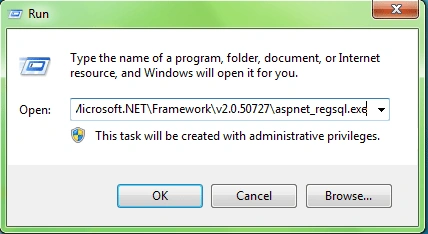
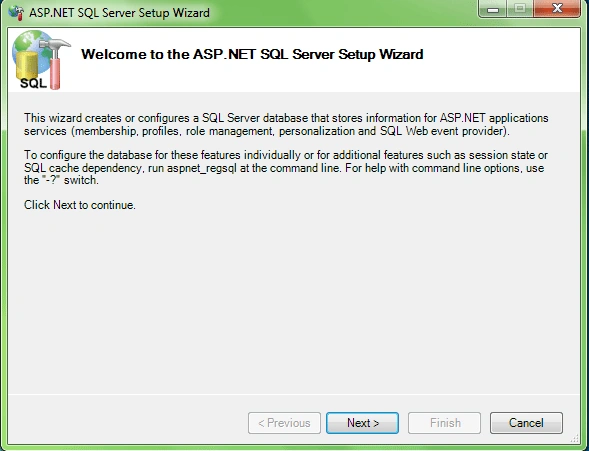
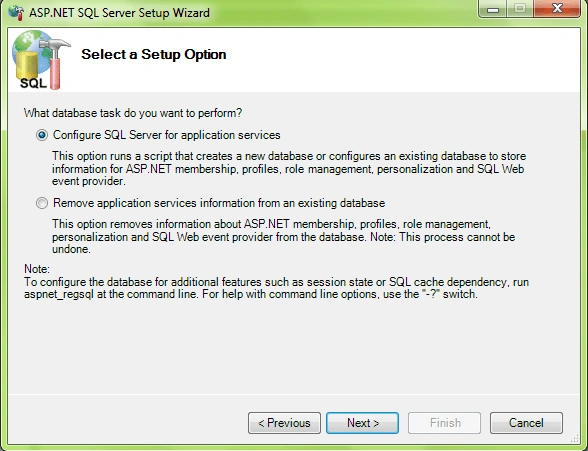
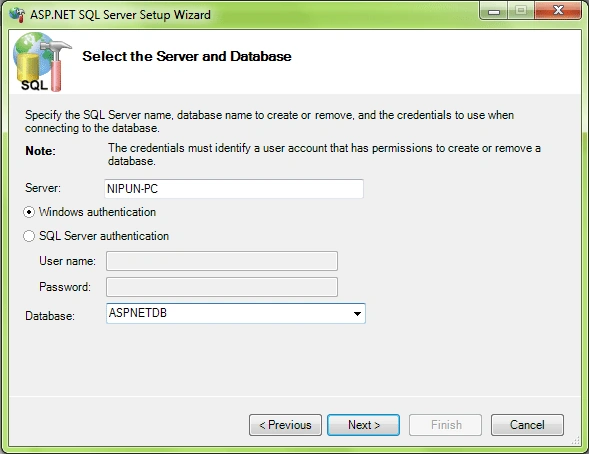
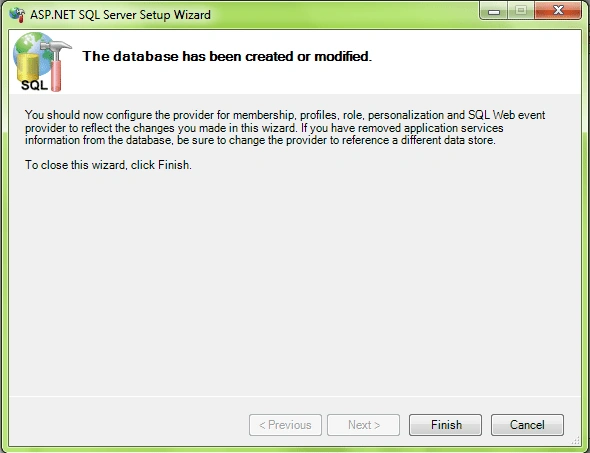
- Create Database to store Form Authentication Users and Roles:
- Configure membership and role providers and add users/roles:
a) Create a new ASP.NET website in VS2008 as below
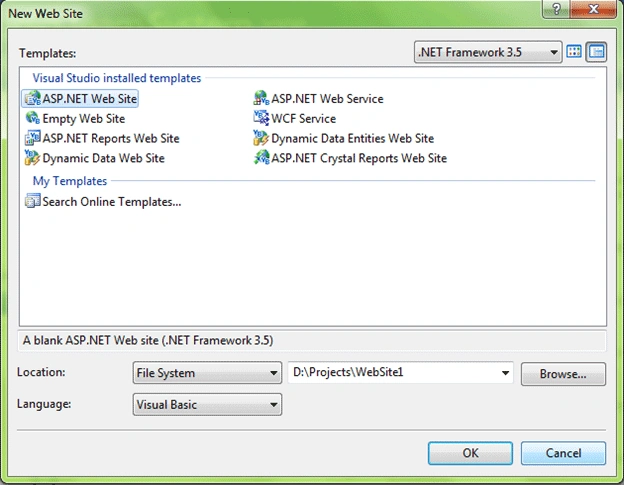
b) Add connection string to web.config file
<connectionStrings>
<clear/>
<add name="LocalSqlServer" connectionString="server=.;database=aspnetdb;Integrated Security=SSPI;" providerName="System.Data.SqlClient"/>
</connectionStrings>
c) Add membership and role providers
<membership defaultProvider="SqlMembershipProvider">
<providers>
<add connectionStringName="LocalSqlServer" passwordAttemptWindow="10"
enablePasswordRetrieval="false"
enablePasswordReset="true" requiresQuestionAndAnswer="false"
applicationName="/"
minRequiredPasswordLength="5" maxInvalidPasswordAttempts="5"
minRequiredNonalphanumericCharacters="0" requiresUniqueEmail="false"
passwordFormat="Hashed"
description="Stores and retrieves membership data from the Microsoft SQL Server database"
name="SqlMembershipProvider" type="System.Web.Security.SqlMembershipProvider, System.Web, Version=2.0.0.0, Culture=neutral, PublicKeyToken=b03f5f7f11d50a3a" />
</providers>
</membership>
<roleManager enabled="true" defaultProvider="SqlRoleProvider" >
<providers>
<add name="SqlRoleProvider"
type="System.Web.Security.SqlRoleProvider, System.Web, Version=2.0.0.0, Culture=neutral, PublicKeyToken=b03f5f7f11d50a3a"
connectionStringName="LocalSqlServer"
applicationName="/"/>
</providers>
</roleManager>d) Open the ASP.NET configuration
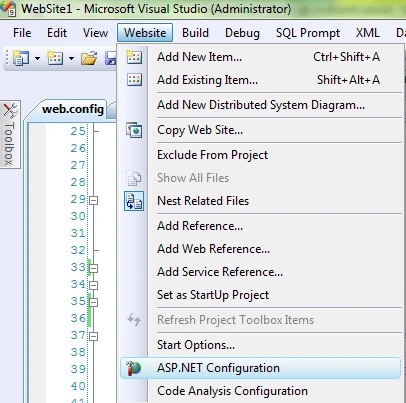
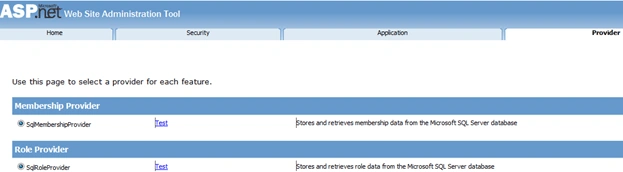
e) Go to provider tab and select/test the membership and role providers
f) Go to security tab and add few users and roles
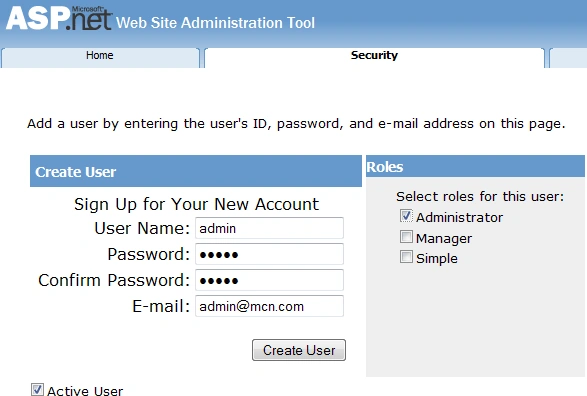
- Configure Central administration to support membership and role:
a) Open the Central Administration sites web.config (mine at C:\inetpub\wwwroot\wss\VirtualDirectories\11112)
b) Add connection string
<connectionStrings>
<clear/>
<add name="LocalSqlServer" connectionString="server=.;database=aspnetdb;Integrated Security=SSPI;" providerName="System.Data.SqlClient"/>
</connectionStrings>c) Add Membership provider
<membership defaultProvider="SqlMembershipProvider">
<providers>
<add connectionStringName="LocalSqlServer" passwordAttemptWindow="10"
enablePasswordRetrieval="false"
enablePasswordReset="true" requiresQuestionAndAnswer="false"
applicationName="/"
minRequiredPasswordLength="5" maxInvalidPasswordAttempts="5"
minRequiredNonalphanumericCharacters="0" requiresUniqueEmail="false"
passwordFormat="Hashed"
description="Stores and retrieves membership data from the Microsoft SQL Server database"
name="SqlMembershipProvider" type="System.Web.Security.SqlMembershipProvider, System.Web, Version=2.0.0.0, Culture=neutral, PublicKeyToken=b03f5f7f11d50a3a" />
</providers>
</membership>d) Add Role provider
<roleManager enabled="true" defaultProvider="AspNetWindowsTokenRoleProvider" >
<providers>
<add name="SqlRoleProvider"
type="System.Web.Security.SqlRoleProvider, System.Web, Version=2.0.0.0, Culture=neutral, PublicKeyToken=b03f5f7f11d50a3a"
connectionStringName="LocalSqlServer" applicationName="/" description="Stores and retrieves role data from the Microsoft SQL Server database"/>
</providers>
</roleManager>
e) Add People Picker Wildcard<PeoplePickerWildcards>
</PeoplePickerWildcards>
<clear />
<add key="SqlMembershipProvider" value="%" />
- Create new web application
a) Open Central Administration from Control Panel -> Administrative tools
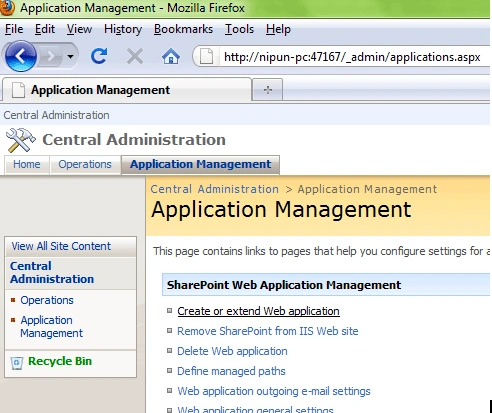
b) Go to Application Management and click on "Create or Extend web application"
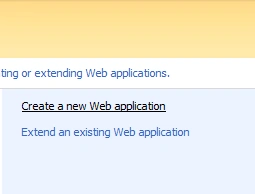
c) Then select Create new application
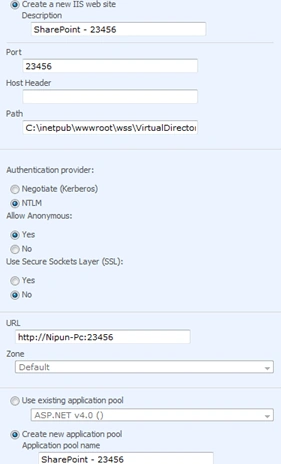
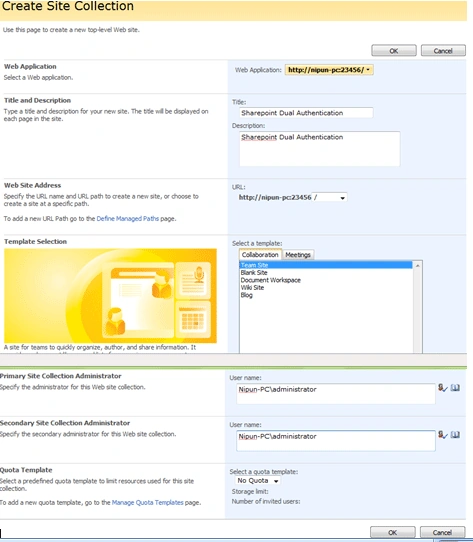
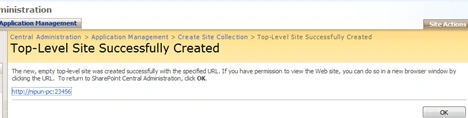
- Create Site Collection
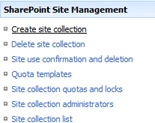
Open the Application management in central administration and create a site collection
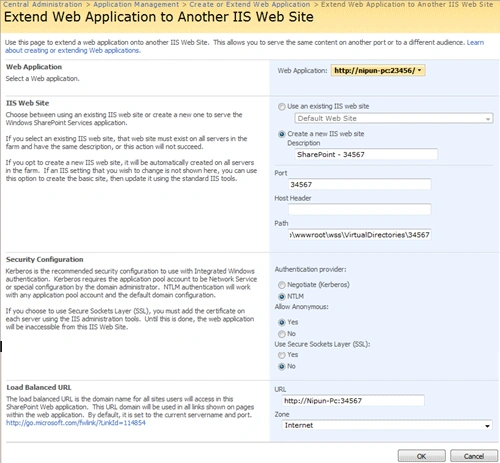
- Extend an Existing Web Application
Go to Central administration -> Application management - > create or Extend existing web application - > Extend existing web application
-
Configure the web.config of site and extended site to support membership and
roles
In my case two sites are at C:\inetpub\wwwroot\wss\VirtualDirectories\23456
And C:\inetpub\wwwroot\wss\VirtualDirectories\34567
You need to update the web.config's to have connection, membership and role settings similar in step 2.
- Enable Form authentication on one web application
a) Go to Central administration -> Application management - > Authentication providers
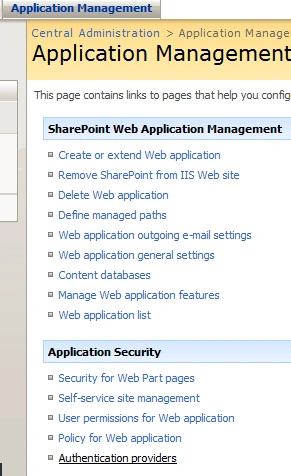

b) Select Internet
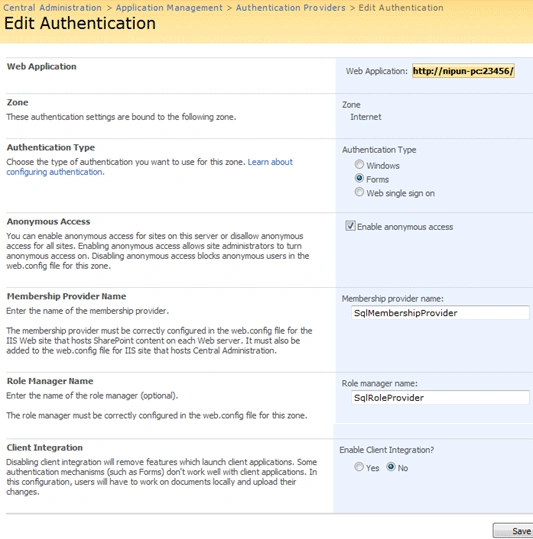
c) Fill the Membership provider name and Role manager name with SqlMembershipProvider and SqlRoleProvider respectively and save.
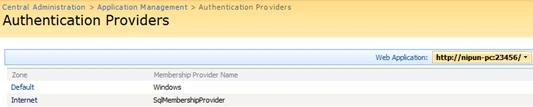
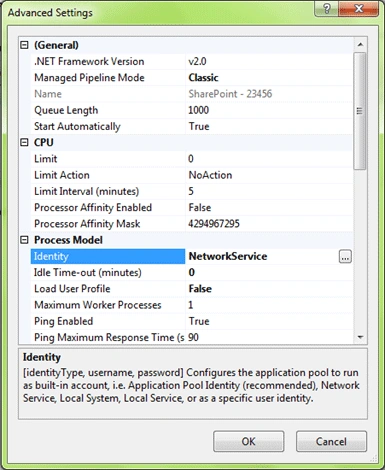
- Configure Authentication for site to be form based:
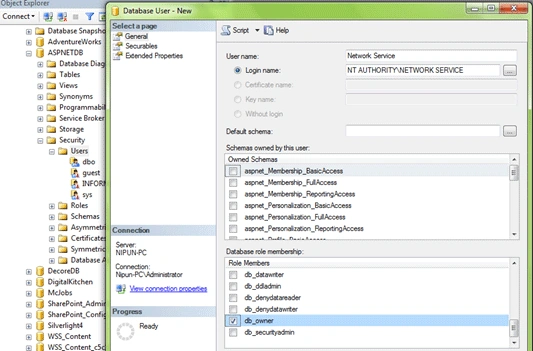
a) Get the application pool identity of your sharepoint website
b) And add that user to the Sql server
- Add members from Sql membership provider
Open your sharepoint website -> go to SiteActions -> Site Settings -> Users and Permissions -> People and groups and add the users you want to have access to the site that belongs to SqlMembershipProvider
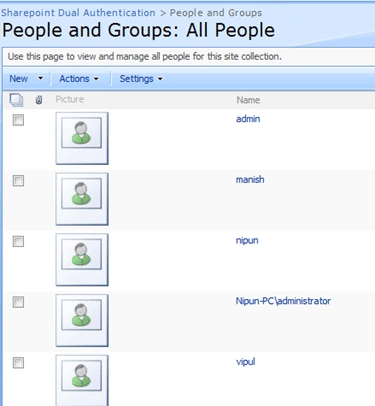
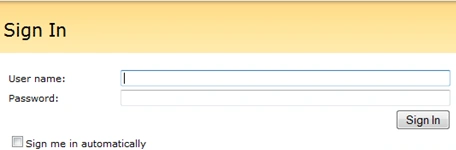
- Finally you can access the same site using dual authentication
- Allow anonymous access to Sharepoint site
Open the sharepoint site -> Site Settings -> Site Permissions -> Users and Permissions -> Advanced permissions -> Settings -> Anonymous access
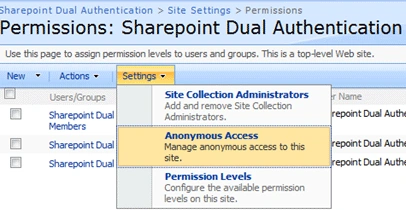
Select Entire website
Now you can browse the whole web site without logging in but, in read only mode.
SairamPosted Oct 29, 2010, 8:37 AM
UPON CREATING FORM BASED AUTHENTICATION .I AM GETTING THE ERROR WHEN I CLICK ON "ASP.CONFIGURATION" FROM WEBSITE MENU, IN VISUAL STUDIO ENVIRONMENT ,AND THEN BY CLICKING ON SECURITY TAB,I AM GETTING BELOW ERROR There is a problem with your selected data store. This can be caused by an invalid server name or credentials, or by insufficient permission. It can also be caused by the role manager feature not being enabled. Click the button below to be redirected to a page where you can choose a new data store. The following message may help in diagnosing the problem: Unrecognized configuration section membership. (E:\sharepointexe\formauthentication\web.config line 34) In line 34 i have written the coding as " <membership defaultProvider="AspNetSqlMembershipProvider">" Can u provide solution for this issue...