

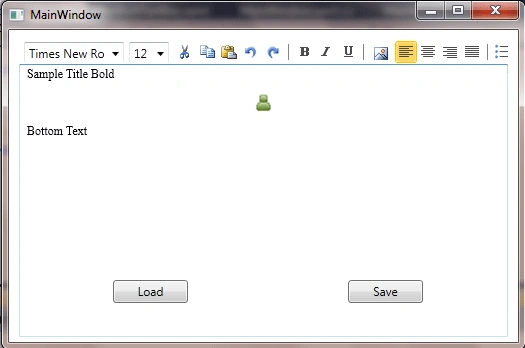
Create a WPF window and add RichTextBox to it.
Add 3 buttons to the window->
- For FileOpenDialog to insert image to the RichTextBox
- To save the content to the database
- To retrieve content from the database
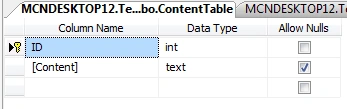
Create a Table in your database with one column type TEXT
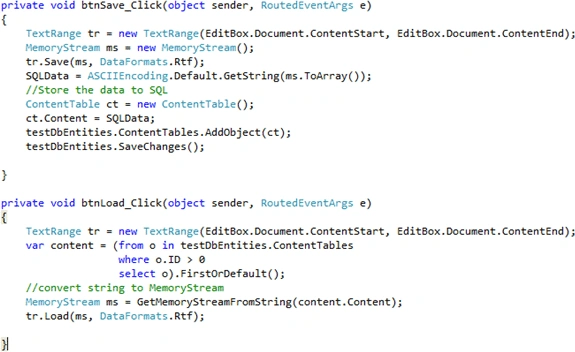
Add the following code to the above added buttons

medy molazadehPosted Oct 11, 2017, 3:49 AM
May I send the source of this project to me. I'm a beginner
Ganesh PawarPosted Apr 20, 2017, 2:45 AM
Can not find the richtextbox.document property
Pablo IntilePosted Feb 17, 2016, 2:29 PM
please, can you send me your code to [email protected]
Nguy?n Ðình Nh?tPosted Dec 17, 2014, 3:10 PM
Please can you send me your code to [email protected]
Hwang JunPosted Sep 12, 2014, 8:05 AM
Could you send me your code to [email protected]
puneeth CSPosted May 21, 2014, 3:16 AM
Please can you send me your code to [email protected]
ruiz ruizPosted Apr 7, 2014, 11:24 PM
Could pass me your code?? my mail is [email protected]