SIGN UP MEMBER LOGIN:    
ARTICLE

Ellipse in WPF

Posted by Purushottam Rathore Articles | WPF with C# August 12, 2010
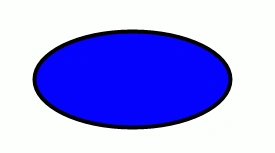
This is a simple article to represent how to create Ellipse in WPF.
Reader Level:

Ellipse in WPF:


<Ellipse Width="190" Height="90">

    <Ellipse.Fill>

        <LinearGradientBrush>

            <GradientStop Offset="0" Color="Wheat"/>

            <GradientStop Offset="1" Color="White" />

        </LinearGradientBrush>

    </Ellipse.Fill>

</Ellipse>
 

How to use Ellipse on button's background?

<Button Height="100" Grid.Row="1" Grid.Column="1" Width="200">

    <Ellipse Width="190" Height="90">

        <Ellipse.Fill>

            <LinearGradientBrush>

                <GradientStop Offset="0" Color="Wheat"/>

                <GradientStop Offset="1" Color="White" />

            </LinearGradientBrush>

        </Ellipse.Fill>

    </Ellipse>

</Button>


Now I am taking a simple example to show how to create Ellipse on button's background and also how to show the message on messagebox using WPF.

Example:

MainWindow.xaml:

<Window x:Class="test_WPF.MainWindow"

        xmlns="http://schemas.microsoft.com/winfx/2006/xaml/presentation"

        xmlns:x="http://schemas.microsoft.com/winfx/2006/xaml"

        Title="MainWindow" Height="350" Width="525">

    <Grid>

        <Grid.RowDefinitions>

            <RowDefinition Height="58" />

            <RowDefinition Height="122" />

            <RowDefinition Height="131*" />

        </Grid.RowDefinitions>

        <Grid.ColumnDefinitions>

            <ColumnDefinition MinWidth="50" />

            <ColumnDefinition Width="Auto" />

            <ColumnDefinition Width="*" />

        </Grid.ColumnDefinitions>

        <TextBlock Text="Enter Name:" Grid.Row="0" Grid.Column="0" />

        <TextBox x:Name="txtName" Grid.Row="0" Grid.Column="1" MinWidth="50"/>

        <Button Height="100" Grid.Row="1" Grid.Column="1" Width="200" Click="Button_Click">

            <Ellipse Width="190" Height="90">

                <Ellipse.Fill>

                    <LinearGradientBrush>

                        <GradientStop Offset="0" Color="Wheat"/>

                        <GradientStop Offset="1" Color="White" />

                    </LinearGradientBrush>

                </Ellipse.Fill>

            </Ellipse>

        </Button>

    </Grid>

</Window>


Design view:


WPF1.png
 

MainWindow.xaml.cs:

using System;

using System.Collections.Generic;

using System.Linq;

using System.Text;

using System.Windows;

using System.Windows.Controls;

using System.Windows.Data;

using System.Windows.Documents;

using System.Windows.Input;

using System.Windows.Media;

using System.Windows.Media.Imaging;

using System.Windows.Navigation;

using System.Windows.Shapes;


namespace test_WPF

{

    /// <summary>

    /// Interaction logic for MainWindow.xaml

    /// </summary>

    public partial class MainWindow : Window

    {

        public MainWindow()

        {

            InitializeComponent();


        }

        private void Button_Click(object sender, RoutedEventArgs e)

        {

            MessageBox.Show(string.Format("Hello {0}", this.txtName.Text));

        }

    }

}


Output: Now debug this application and enter your name then the message box shows as follows:


WPF2.png

Login to add your contents and source code to this article
share this article :
post comment
 

Puru,
Move this to WPF section. All WPF related articles should be published in WPF category.

Posted by Mahesh Chand Aug 12, 2010
Team Foundation Server Hosting
Become a Sponsor
PREMIUM SPONSORS
  • ceTE software specializes in components for dynamic PDF generation and manipulation. The DynamicPDF™ product line allows you to dynamically generate PDF documents, merge PDF documents and new content to existing PDF documents from within your applications. Visit DynamicPDF here
    Finally – a virtual platform that delivers next-generation Windows Server 2008 Hyper-V virtualization technology from a managed hosting partner you can truly depend on. Visit www.maximumasp.com/max for a FREE 30 day trial. Hurry offer ends soon. Climb aboard the MaxV platform and take advantage of High Availability, Intelligent Monitoring, Recurrent Backups, and Scalability – with no hassle or hidden fees. As a managed hosting partner focused solely on Microsoft technologies since 2000, MaximumASP is uniquely qualified to provide the superior support that our business is built on. Unparalleled expertise with Microsoft technologies lead to working directly with Microsoft as first to offer IIS 7 and SQL 2008 betas in a hosted environment; partnering in the Go Live Program for Hyper-V; and product co-launches built on WS 2008 with Hyper-V technology.
Nevron Gauge for SharePoint
Become a Sponsor