

DropShadow is an extender which applies a "Drop Shadow" to a Panel.
The aspx code is:
<%@ Page Language="C#" AutoEventWireup="true" CodeFile="Default.aspx.cs" Inherits="_Default" %>
<!DOCTYPE html PUBLIC "-//W3C//DTD XHTML 1.0 Transitional//EN" "http://www.w3.org/TR/xhtml1/DTD/xhtml1-transitional.dtd">
<html xmlns="http://www.w3.org/1999/xhtml">
<head runat="server">
<title>Ajax :: DropShadowExtender</title>
</head>
<body>
<form id="form1" runat="server">
<asp:ScriptManager ID="ScriptManager1" runat="server">
</asp:ScriptManager>
<div>
<table cellpadding="0" cellspacing="0" width="50%" align="center">
<tr>
<td>
<asp:Panel ID="PanelLoginControl" runat="server" Height="190px" Width="395px" BackColor="#00AEEF">
<div>
<table cellspacing="3" width="98%" align="center" style="margin: 0px 5px 0px 5px;">
<tr>
<td align="center" style="font-weight: bold;">
AJAX: A Good Control To Make Shadow around a panel
</td>
</tr>
</table>
</div>
</asp:Panel>
</td>
</tr>
</table>
</div>
<div>
<ajaxToolkit:DropShadowExtender ID="DSExtender" runat="server" Opacity="0.30" Radius="4"
Rounded="true" TargetControlID="PanelLoginControl">
</ajaxToolkit:DropShadowExtender>
</div>
</form>
</body>
</html>
When I run application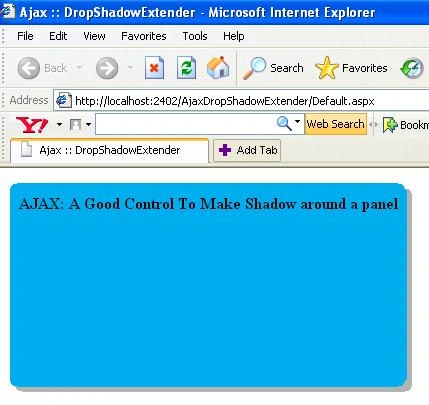
Figure 1.
Here If I change Property of ShadowExtender control like
Rounded="false" Then Result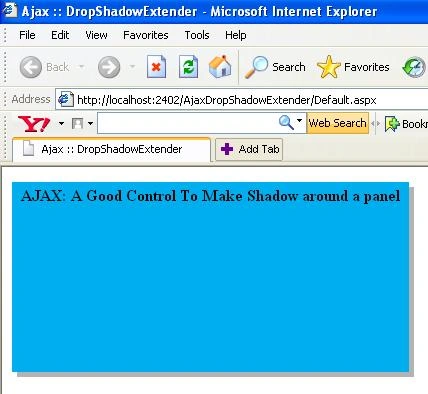
Figure 2.
If I set
Opacity="0.90" Then Result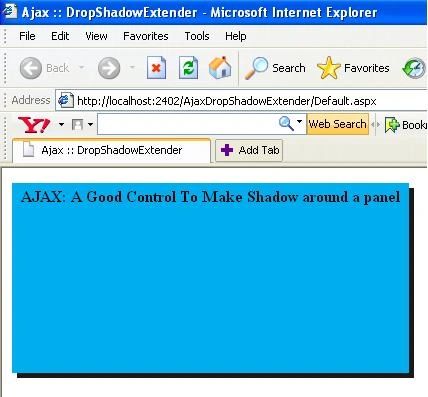
Figure 3.
Gowtham RajamanickamPosted Apr 19, 2016, 6:46 AM
good one...