

Below, is the aspx code.
<%@ Page Language="C#" AutoEventWireup="true" CodeFile="Default.aspx.cs" Inherits="_Default" %>
<!DOCTYPE html PUBLIC "-//W3C//DTD XHTML 1.0 Transitional//EN" "http://www.w3.org/TR/xhtml1/DTD/xhtml1-transitional.dtd">
<html xmlns="http://www.w3.org/1999/xhtml">
<head runat="server">
<title>Export Data Grid Data:: TO Excel, Word , Notepad</title>
</head>
<body>
<form id="form1" runat="server">
<table cellpadding="10" cellspacing="10" width="100%" align="center" style="background: #33CCFF;">
<tr>
<td>
<asp:Button ID="btnExcel" runat="server" Text="Export to Excel" OnClick="btnExcel_Click1">
</asp:Button>
<asp:Button ID="btnWord" runat="server" Text="Export to Word" OnClick="btnWord_Click1">
</asp:Button>
<asp:Button ID="btnText" runat="server" Text="Export to Text File" OnClick="btnText_Click1">
</asp:Button>
</td>
</tr>
<tr>
<td>
<asp:DataGrid ID="myDataGrid" runat="server" AutoGenerateColumns="true" CellPadding="4"
ForeColor="#333333" GridLines="None">
<FooterStyle BackColor="#5D7B9D" Font-Bold="True" ForeColor="White" />
<EditItemStyle BackColor="#999999" />
<SelectedItemStyle BackColor="#E2DED6" Font-Bold="True" ForeColor="#333333" />
<PagerStyle BackColor="#284775" ForeColor="White" HorizontalAlign="Center" />
<AlternatingItemStyle BackColor="White" ForeColor="#284775" />
<ItemStyle BackColor="#F7F6F3" ForeColor="#333333" />
<HeaderStyle BackColor="#5D7B9D" Font-Bold="True" ForeColor="White" />
</asp:DataGrid>
</td>
</tr>
</table>
</form>
</body>
</html>
Bind this data grid according to your need.
This is the aspx.cs:
using System;
using System.Collections;
using System.ComponentModel;
using System.Data;
using System.Drawing;
using System.Web;
using System.Web.SessionState;
using System.Web.UI;
using System.Web.UI.WebControls;
using System.Web.UI.HtmlControls;
using System.IO;
using System.Text;
using System.Data.SqlClient;
using System.Configuration;
public partial class _Default : System.Web.UI.Page
{
SqlDataAdapter da;
DataSet ds = new DataSet();
SqlConnection con;
SqlCommand cmd = new SqlCommand();
protected void Page_Load(object sender, EventArgs e)
{
if (!Page.IsPostBack)
{
Binddata();
}
}
public void Binddata()
{
con = new SqlConnection("server=.;uid=sa;pwd=wintellect;database=Mydata;");
cmd.CommandText = "select * from User";
cmd.Connection = con;
da = new SqlDataAdapter(cmd);
da.Fill(ds);
con.Open();
cmd.ExecuteNonQuery();
myDataGrid.DataSource = ds;
myDataGrid.DataBind();
con.Close();
}
//To Import Datagrid in Excel File
protected void btnExcel_Click1(object sender, EventArgs e)
{
Response.Clear();
Response.AddHeader("content-disposition", "attachment;filename=FileName.xls");
Response.Charset = "";
Response.Cache.SetCacheability(HttpCacheability.NoCache);
Response.ContentType = "application/vnd.xls";
System.IO.StringWriter stringWrite = new System.IO.StringWriter();
System.Web.UI.HtmlTextWriter htmlWrite = new HtmlTextWriter(stringWrite);
myDataGrid.RenderControl(htmlWrite);
Response.Write(stringWrite.ToString());
Response.End();
}
//To Import Datagrid in Word File
protected void btnWord_Click1(object sender, EventArgs e)
{
Response.Clear();
Response.AddHeader("content-disposition", "attachment;filename=FileName.doc");
Response.Charset = "";
Response.Cache.SetCacheability(HttpCacheability.NoCache);
Response.ContentType = "application/vnd.word";
System.IO.StringWriter stringWrite = new System.IO.StringWriter();
System.Web.UI.HtmlTextWriter htmlWrite = new HtmlTextWriter(stringWrite);
myDataGrid.RenderControl(htmlWrite);
Response.Write(stringWrite.ToString());
Response.End();
}
//To Import Datagrid in Text File
protected void btnText_Click1(object sender, EventArgs e)
{
con = new SqlConnection("server=.;uid=sa;pwd=wintellect;database=Mydata;");
cmd.CommandText = "select * from User";
cmd.Connection = con;
da = new SqlDataAdapter(cmd);
da.Fill(ds);
con.Open();
cmd.ExecuteNonQuery();
StringBuilder str = new StringBuilder();
for (int i = 0; i <= ds.Tables[0].Rows.Count - 1; i++)
{
for (int j = 0; j <= ds.Tables[0].Columns.Count - 1; j++)
{
str.Append(ds.Tables[0].Rows[i][j].ToString());
}
str.Append("<BR>");
}
Response.Clear();
Response.AddHeader("content-disposition", "attachment;filename=FileName.txt");
Response.Charset = "";
Response.Cache.SetCacheability(HttpCacheability.NoCache);
Response.ContentType = "application/vnd.text";
System.IO.StringWriter stringWrite = new System.IO.StringWriter();
System.Web.UI.HtmlTextWriter htmlWrite = new HtmlTextWriter(stringWrite);
Response.Write(str.ToString());
Response.End();
}
}
When you run the application;
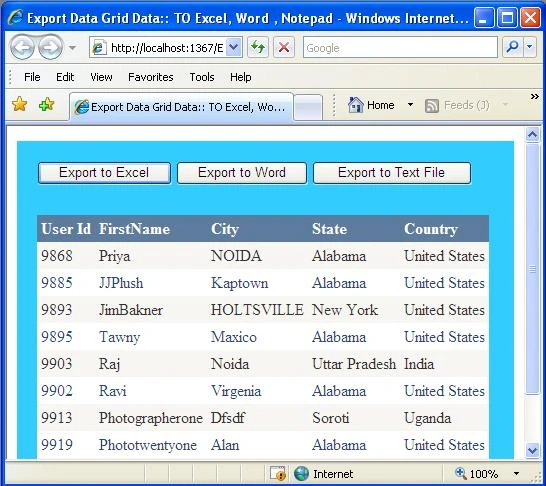
Image 1.
When it is exported to Excel;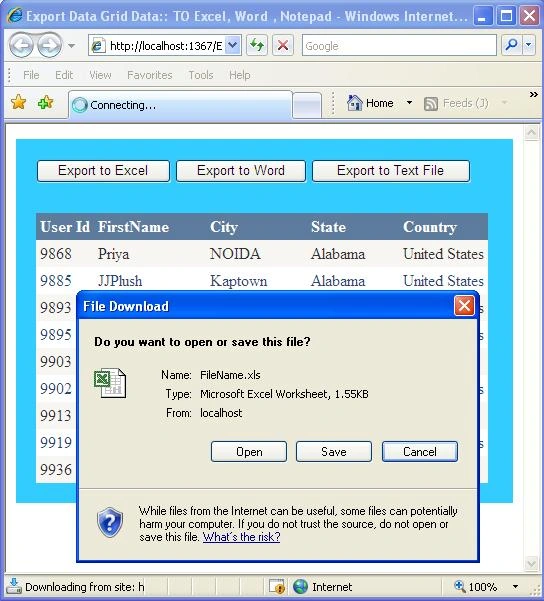
Image 2.
When the data grid is exported to Word file;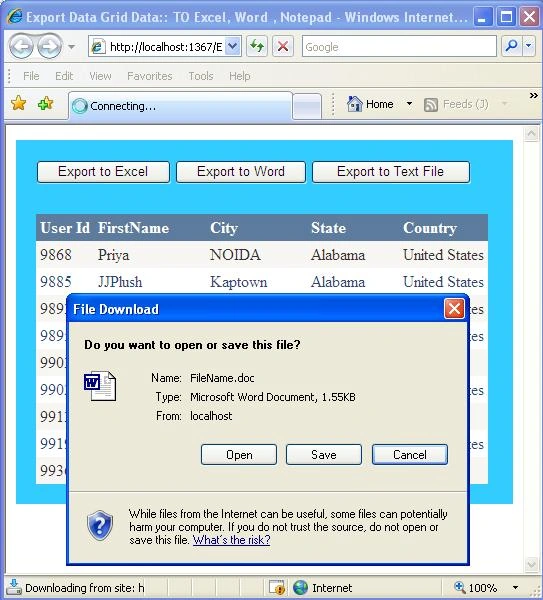
Image 3.
And, when it is exported to Text file;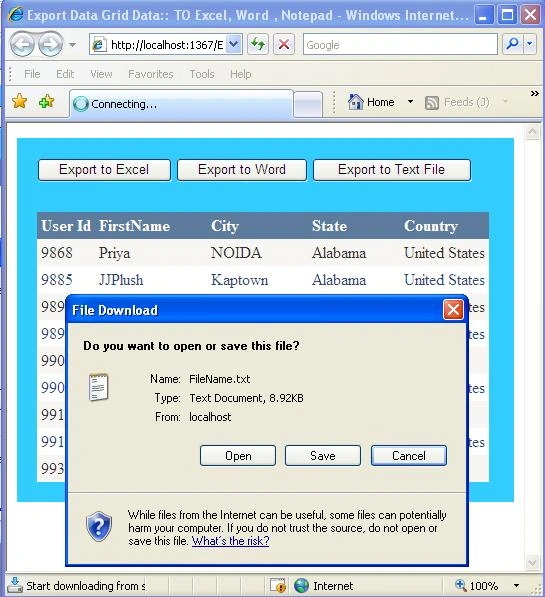
Sharon WhitePosted Jan 29, 2011, 10:08 PM
Your method is really useful. And I often use the third party add-in to save me time. Spire.DataExport works well. And recenlty, it published the free component. I have download it from http://www.e-iceblue.com/Download/download-dataexport-for-net-now.html to evaluate if it is really useful.
Dharmendra GaurPosted Nov 17, 2010, 11:11 PM
Thanks for posting this article Rahul, Keep it up...
Karthika PalaniswamyPosted Nov 21, 2009, 4:48 AM
Good Rahul.... very good... keep it up...
mustafa hadiPosted Sep 14, 2009, 7:57 AM
Hi I need to Export DataGrid View To Excel Using Visual Basic-6 Thank you
Vince MurphyPosted Jul 16, 2009, 10:41 PM
What changes would be needed to export to Office 2007 (e.g. where Excel uses an "xlsx" file extension). Is there a download for Powerpoint?
Sams SameerPosted Jul 3, 2009, 6:23 AM
thanks for help. Keep it up. good work