

While taking input from the user, it's necessary that the user should type input in a correct datatype,i.e., if an integer value is required, then the user should type integer value and if a string is required, then they should type string. In WPF, I am going to show how we can bound user to do that, by masking textbox.
This is my XAML code.
- <Window x:Class="MaskedTextBoxInWPF.MainWindow" xmlns="http://schemas.microsoft.com/winfx/2006/xaml/presentation" xmlns:x="http://schemas.microsoft.com/winfx/2006/xaml" Title="Masked Text Box In WPF" Height="350" Width="525">
- <Grid>
- <TextBlock Height="23" HorizontalAlignment="Left" Margin="98,80,0,0" Name="textBlock1" Text="Enter Value:" VerticalAlignment="Top" />
- <TextBox Height="23" HorizontalAlignment="Left" Margin="184,80,0,0" Name="textBoxValue" PreviewTextInput="textBoxValue_PreviewTextInput" DataObject.Pasting="textBoxValue_Pasting" VerticalAlignment="Top" Width="120" />
- </Grid>
- </Window>
Here, I use 2 properties -
- TextBoxPreviewTextInput="textBoxValue_PreviewTextInput"
- DataObject.Pasting="textBoxValue_Pasting"
This is XAML.cs code,
- using System;
- using System.Collections.Generic;
- using System.Linq;
- using System.Text;
- using System.Windows;
- using System.Windows.Controls;
- using System.Windows.Data;
- using System.Windows.Documents;
- using System.Windows.Input;
- using System.Windows.Media;
- using System.Windows.Media.Imaging;
- using System.Windows.Navigation;
- using System.Windows.Shapes;
- namespace MaskedTextBoxInWPF {
- ///<summary>
- /// Interaction logic for MainWindow.xaml
- ///</summary>
- publicpartialclassMainWindow: Window {
- public MainWindow() {
- InitializeComponent();
- }
- privatevoid textBoxValue_PreviewTextInput(object sender, TextCompositionEventArgs e) {
- e.Handled = !TextBoxTextAllowed(e.Text);
- }
- privatevoid textBoxValue_Pasting(object sender, DataObjectPastingEventArgs e) {
- if (e.DataObject.GetDataPresent(typeof(String))) {
- String Text1 = (String) e.DataObject.GetData(typeof(String));
- if (!TextBoxTextAllowed(Text1)) e.CancelCommand();
- } else e.CancelCommand();
- }
- privateBoolean TextBoxTextAllowed(String Text2) {
- returnArray.TrueForAll < Char > (Text2.ToCharArray(), delegate(Char c) {
- returnChar.IsDigit(c) || Char.IsControl(c);
- });
- }
- }
- }
When we run the application, this is the output.
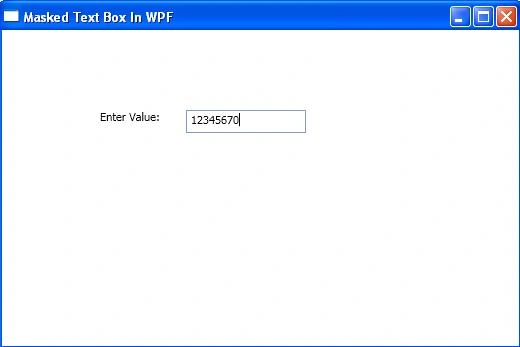
Image 1.
If a user tries to type string value in this textbox, then he/she can't type. It has the permission only to type an integer value.
J RPosted Feb 20, 2020, 3:51 AM
This is rubbish