A Masked div or modal popup window is a child window created from the parent window
which prevents the user from interacting with parent window before he returns to the parent application.
Here in this article I am going to show this by using image. Here I used a datalist in which I am showing some image, when user click on any image then that image will open in a large new window by making visible and disable old window. When user close this new large window then old all image window become active.
This is the aspx code.
<%@ Page Language="C#" AutoEventWireup="true" CodeFile="Default.aspx.cs" Inherits="_Default" %>
<!DOCTYPE html PUBLIC "-//W3C//DTD XHTML 1.0 Transitional//EN" "http://www.w3.org/TR/xhtml1/DTD/xhtml1-transitional.dtd">
<!DOCTYPE html PUBLIC "-//W3C//DTD XHTML 1.0 Transitional//EN" "http://www.w3.org/TR/xhtml1/DTD/xhtml1-transitional.dtd">
<html xmlns="http://www.w3.org/1999/xhtml">
<head id="Head1" runat="server">
<title>Image :: Masked Div/Modal popup</title>
<link href="StyleSheet.css" rel="stylesheet" type="text/css" />
<script language="javascript" type="text/javascript" src="JavaScript/Maskdiv.js"></script>
</head>
<body>
<form id="form1" runat="server">
<div id="MaskedDiv" class="MaskedDiv">
</div>
<div id="ModalPopupDiv" class="ModalPopup">
<table width="100%" cellpadding="2" cellspacing="0" border="0">
<tr>
<td style="width: 98%; background-color: #D7EDF7; color: White; font-weight: bold;"
align="right" valign="top">
</td>
</tr>
<tr>
<td style="width: 98%; background-color: #D7EDF7; color: White; font-weight: bold;"
align="center" valign="middle">
<img id="imgMaskShow" runat="server" />
</td>
</tr>
<tr>
<td style="width: 98%; background-color: #D7EDF7; color: Black; font-weight: bold;"
align="right" valign="top">
<a href="javascript:void(0);" onclick="javascript:CloseModelPopup();" style="color: Black;">
Close</a>
</td>
</tr>
</table>
</div>
<div align="center">
<table cellpadding="2" cellspacing="2" class="style1" style="background-color: #D7EDF7"
width="100%" align="center">
<tr>
<td class="style2">
Masked Div / Modal Popup Window</td>
</tr>
<tr>
<td class="style3">
A Masked div or modal popup window is a child window created from the parent window
which prevents the user from interacting with parent window before he returns to
the parent application. Modal windows are commonly used in applications to control
user awareness and to display critical notices.
</td>
</tr>
<tr>
<td class="style2" colspan="6">
<asp:DataList ID="MaskedDataList" runat="server" RepeatColumns="4" Width="100%">
<ItemTemplate>
<table border="0" cellpadding="0" cellspacing="0" height="150" width="150" align="center"
bgcolor="#F0F8E6">
<tr>
<td width="10" bgcolor="#F0F8E6">
</td>
<td valign="middle" bgcolor="white" height="150" width="150" align="center">
<a href="javascript:void(0);">
<img src='<%# getSRC(Container.DataItem) %>' id="ImgShow" runat="server" align="top"
style="border: solid 1px Gray;" height="150" width="170" title='<%# DataBinder.Eval(Container.DataItem, "Image")%>'
onclick="javascript:OpenModelPopup(this);">
</a>
</td>
<td width="10" bgcolor="#F0F8E6">
</td>
</tr>
</table>
</ItemTemplate>
</asp:DataList>
</td>
</tr>
</table>
</div>
</form>
</body>
</html>
Here on the laod event I am filling datalist through a XML file.
DataSet ds = new DataSet();
protected void Page_Load(object sender, EventArgs e)
{
ds.ReadXml(Server.MapPath("DefaultPageImagesXMLFile.xml"));
MaskedDataList.DataSource = ds.Tables[0];
MaskedDataList.DataBind();
}
public string getSRC(object imgSRC)
{
DataRowView dRView = (DataRowView)imgSRC;
return ResolveUrl(dRView["Image"].ToString());
}
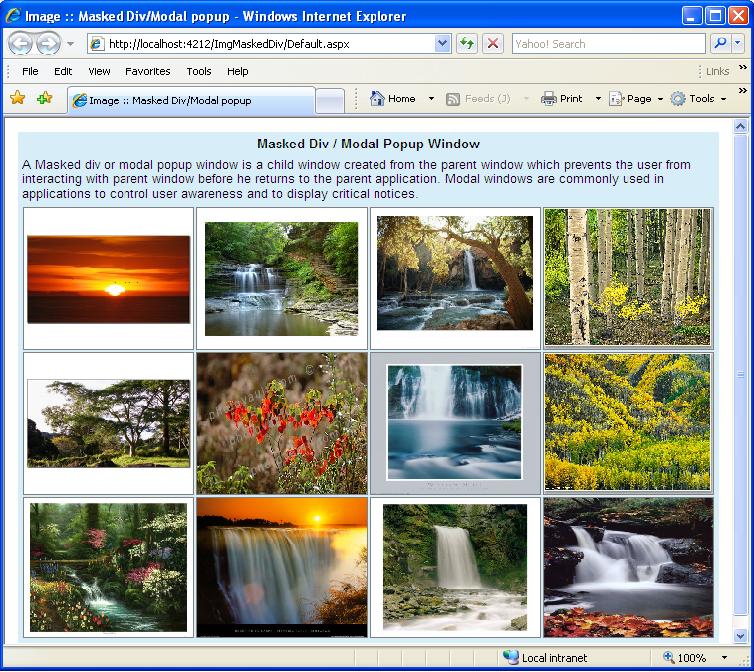
Figure 1.
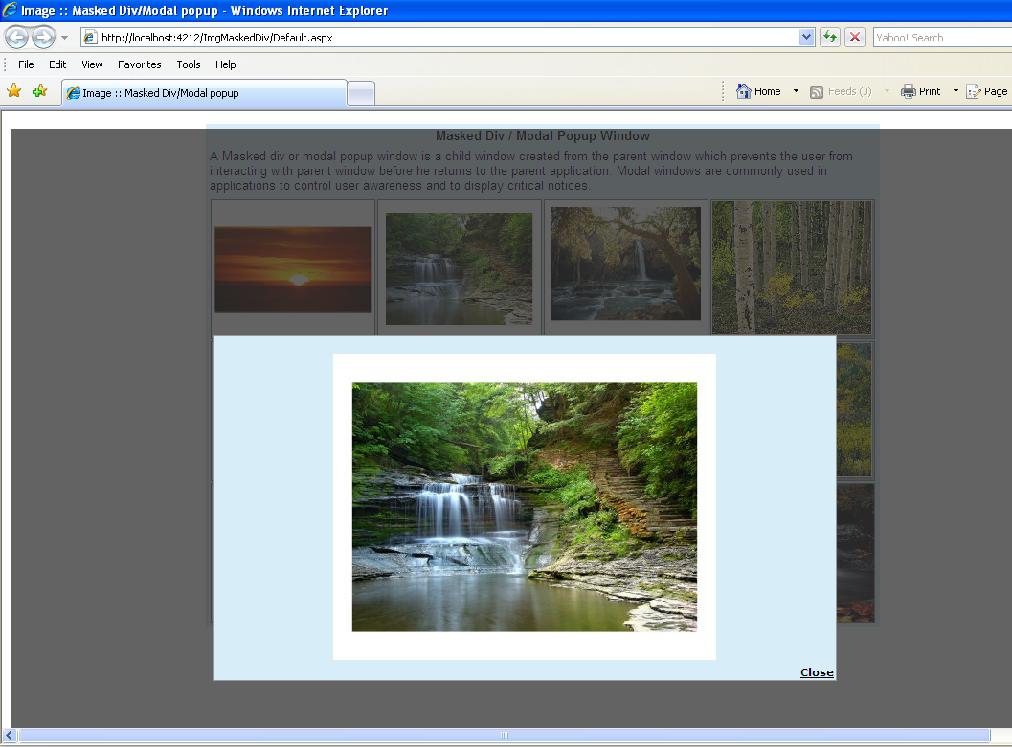
Figure 2.