

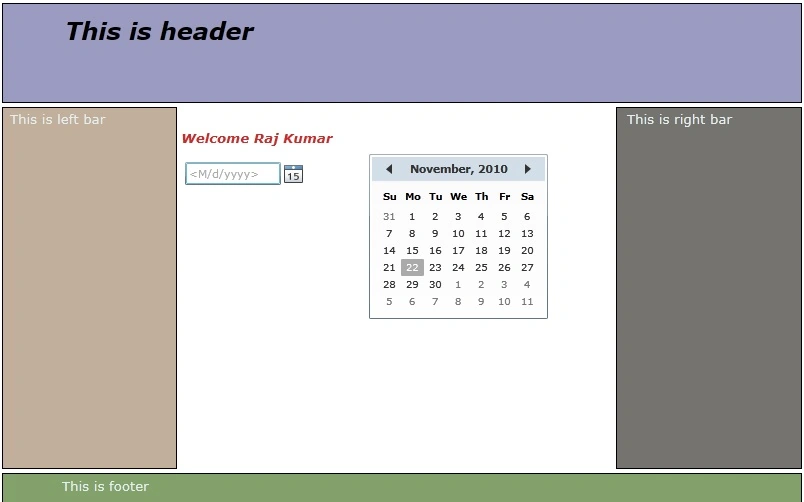
Silverlight 4 comes with tools, controls and functionality that is impossilbe to implement in ASP.NET. Companies are already building cool Silverlight controls. Currently, I am working on a Website where we have to build some Silverlight custom controls and integrate these controls with ASP.NET 4.0 application. First of all let's make a new Silverlight project and put whatever you like in it; you can use my code for testing. Here is my MainPage.xaml <UserControl x:Class="SLTestExample.MainPage" Now just run the application to see the result.
Image 1.
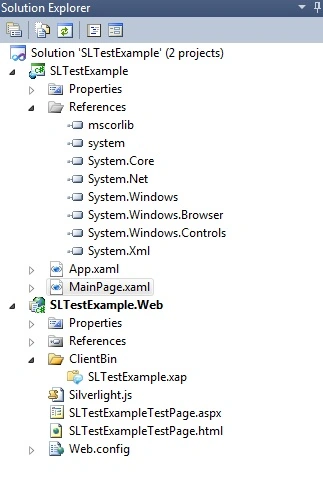
As you can see silverlight application url looks like this.
Image 2.
Image 3. In Web project you can see .xap file in ClientBin folder. We are done here with silverlight application. Now Make a new ASP.NET website. And add that .xap file using Add Existing Item.
Image 4.
Now put this code to the .aspx page.
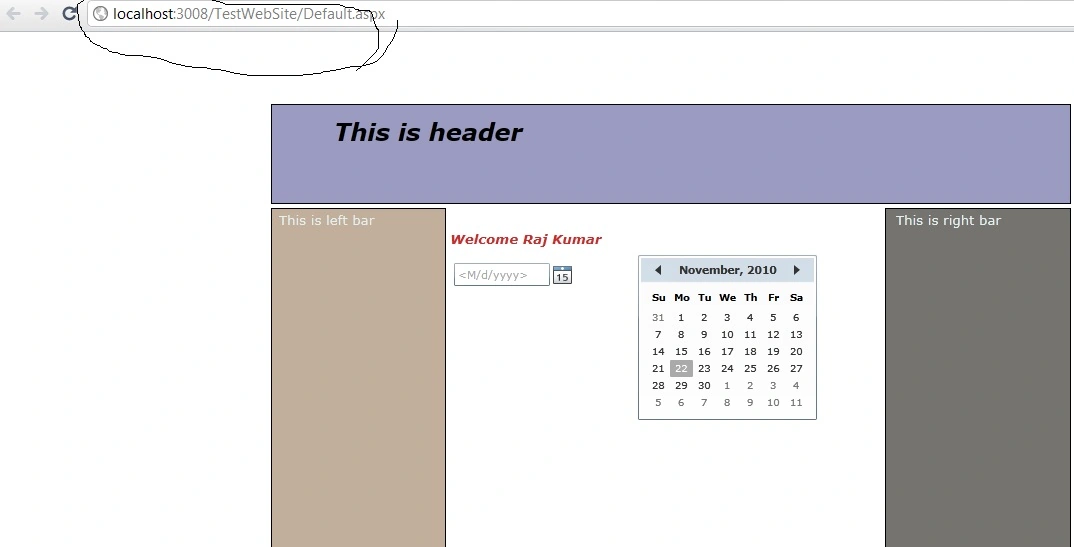
<body> And finally run the application and see the result.
Image 5.
We are done here.
This article describes how we can integrate and host Silverlight controls in an ASP.NET application.
xmlns="http://schemas.microsoft.com/winfx/2006/xaml/presentation"
xmlns:x="http://schemas.microsoft.com/winfx/2006/xaml"
xmlns:d="http://schemas.microsoft.com/expression/blend/2008"
xmlns:mc="http://schemas.openxmlformats.org/markup-compatibility/2006"
mc:Ignorable="d"
xmlns:sdk="http://schemas.microsoft.com/winfx/2006/xaml/presentation/sdk">
<Grid x:Name="LayoutRoot" Background="White" Margin="-146,-105,-145,-109" Height="500" Width="800">
<sdk:DatePicker Height="23" HorizontalAlignment="Left" Margin="183,159,0,0" Name="datePicker1" VerticalAlignment="Top" Width="120" />
<sdk:Calendar Margin="312,149,200,73" d:LayoutOverrides="Width"/>
<TextBlock HorizontalAlignment="Left" TextWrapping="Wrap" Text="Welcome Raj Kumar" VerticalAlignment="Top" Margin="179,125,0,0" Width="158" Foreground="#FFC82C2C" FontWeight="Bold" FontStyle="Italic" FontSize="13.333"/>
<Rectangle Fill="#FF9B9BC2" Height="100" Stroke="Black" VerticalAlignment="Top"/>
<Rectangle Fill="#FF83A16B" Height="30" Stroke="Black" VerticalAlignment="Bottom"/>
<Rectangle Fill="#FFC2AF9B" HorizontalAlignment="Left" Stroke="Black" Width="175" Margin="0,104,0,34"/>
<Rectangle Fill="#FF747370" HorizontalAlignment="Right" Stroke="Black" Width="186" Margin="0,104,0,34"/>
<TextBlock HorizontalAlignment="Left" TextWrapping="Wrap" Text="This is header" VerticalAlignment="Top" Margin="63,11,0,0" Width="263" FontSize="24" FontWeight="Bold" FontStyle="Italic"/>
<TextBlock HorizontalAlignment="Left" TextWrapping="Wrap" Text="This is footer" VerticalAlignment="Bottom" Margin="60,0,0,7" Width="263" FontSize="13.333" Foreground="#FFE5EFEF"/>
<TextBlock HorizontalAlignment="Left" TextWrapping="Wrap" Text="This is left bar" VerticalAlignment="Top" Margin="8,106,0,0" Width="157" FontSize="13.333" Foreground="#FFE5EFEF"/>
<TextBlock HorizontalAlignment="Right" TextWrapping="Wrap" Text="This is right bar" VerticalAlignment="Top" Margin="0,106,18,0" Width="157" FontSize="13.333" Foreground="#FFE5EFEF"/>
</Grid>
</UserControl>


<form id="form1" runat="server">
<div id="silverlightControlHost">
<object data="data:application/x-silverlight-2," type="application/x-silverlight-2" width="100%" height="100%">
<param name="source" value="ClientBin/SLTestExample.xap"/>
<param name="onError" value="onSilverlightError" />
<param name="background" value="white" />
<param name="minRuntimeVersion" value="3.0.40818.0" />
<param name="autoUpgrade" value="true" />
<a href="http://go.microsoft.com/fwlink/?LinkID=149156&;v=3.0.40818.0" style="text-decoration:none">
<img src="http://go.microsoft.com/fwlink/?LinkId=161376" alt="Get Microsoft Silverlight" style="border-style:none"/>
</a>
</object><iframe id="_sl_historyFrame" style="visibility:hidden;height:0px;width:0px;border:0px"></iframe></div>
</form>
</body>
aaron skudderPosted Sep 23, 2011, 10:25 PM
Server error A page can have only one server-side form tag what am I doing wrong?