

This article explains how to authenticate an Instagram API and how to get user photos, user details and popular photos using the Instagram API.
Instagram
Instagram is an online mobile photo-sharing, video-sharing and social networking service that enables its users to take pictures and videos and share them in a variety of social networking platforms, such as Facebook, Twitter, Tumblr and Flickr. http://en.wikipedia.org/wiki/Instagram.
Authentication
First of all you need to register as a developer at http://instagram.com/developer/. Click on the Register Your Application button.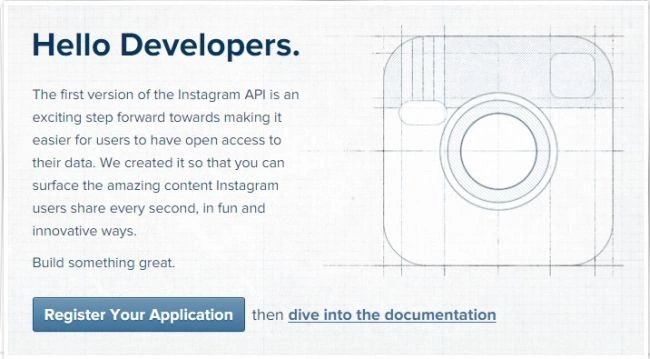
Now enter your application name, description, website, OAuth redirect URL and captha code and click the Register button.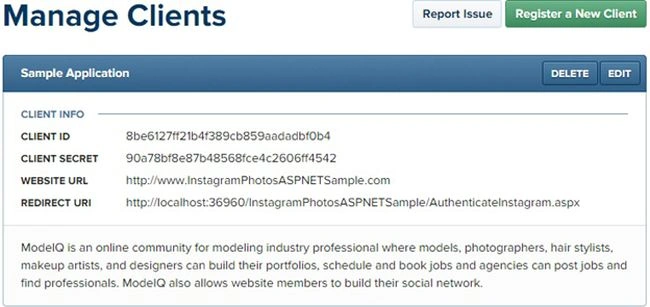
the next screen looks like this that has client id, client secret, website URL and redirect URI.
Keep these credentials in the web.config file.
- <appSettings>
- <add key="instagram.clientid" value="8be6127ff21b4f389cb859aadadbf0b4"/>
- <add key="instagram.clientsecret" value="90a78bf8e87b48568fce4c2606ff4542"/>
- <add key="instagram.redirecturi" value="http://localhost:36960/InstagramPhotosASPNETSample/AuthenticateInstagram.aspx"/>
- </appSettings>
- <h1> Instagram Authentication Sample</h1>
- <div>
- <asp:Button ID="btnAuthenticate" runat="server" Text="Authenticate Instagram" OnClick="btnAuthenticate_Click" />
- </div>
- Protected void btnAuthenticate_Click(object sender, EventArgs e)
- {
- var client_id = ConfigurationManager.AppSettings["instagram.clientid"].ToString();
- var redirect_uri = ConfigurationManager.AppSettings["instagram.redirecturi"].ToString();
- Response.Redirect("https://api.instagram.com/oauth/authorize/? client_id=" + client_id + "&redirect_uri=" + redirect_uri + "&response_type=code");
- }
That will do the following two things:
- That will open an Instagram login page if not logged into Instagram.
- If already logged into Instgram then that will redirect you to a given redirect page with a code in a query string.
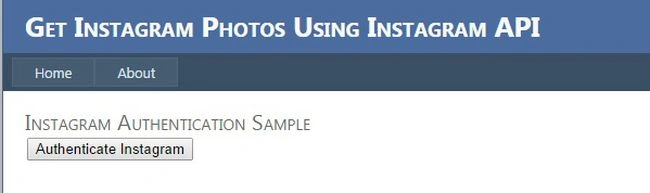
If not logged in: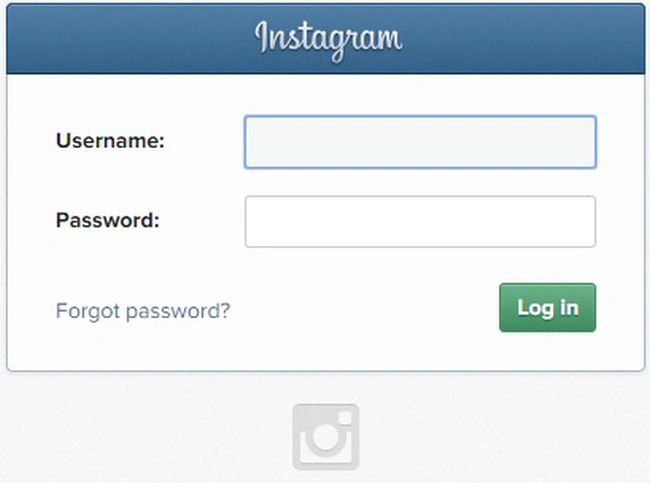
If the user is logged in: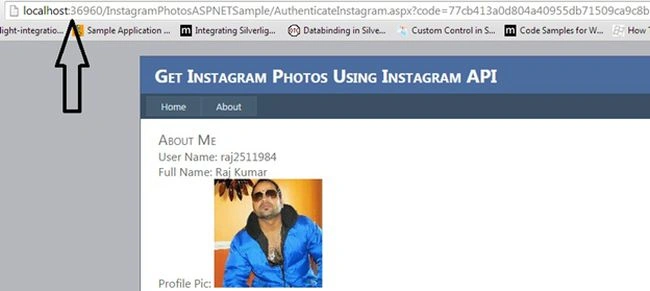
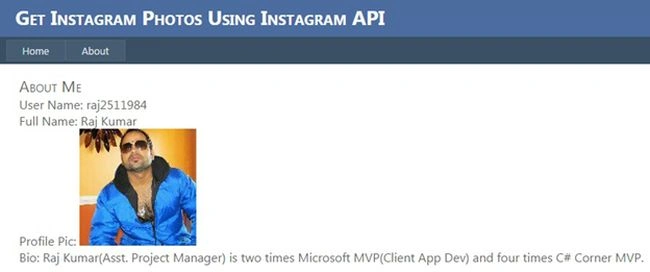
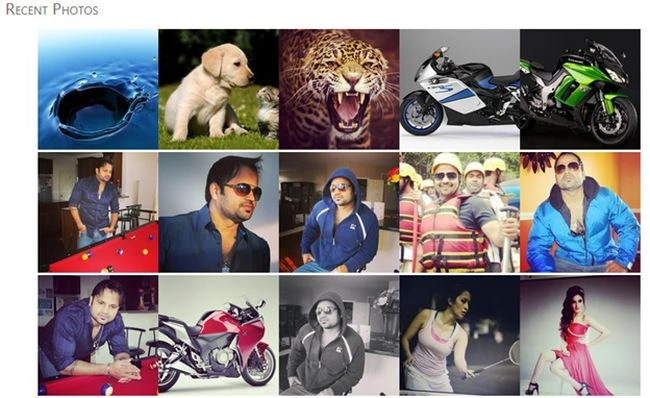
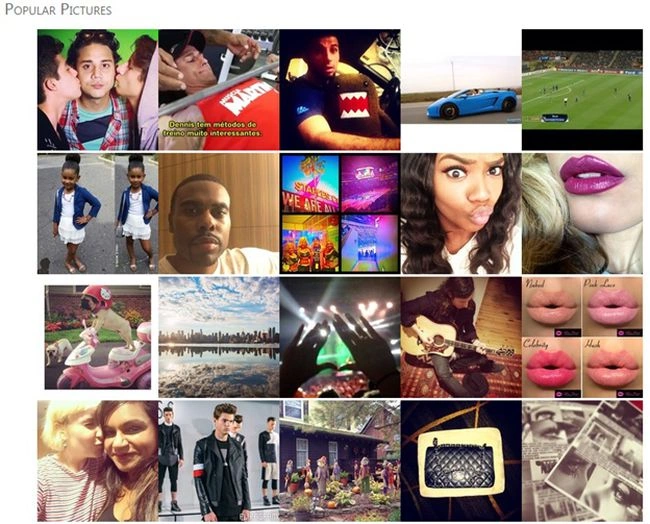
Now let's get the data from Instagram, like recent photos, popular photos and user details.
To get the data using the API then we need an access token first, so let's get the access token.
Get Access Token
The Instagram Access Token is a long number that grants other applications access to your Instagram feed. This allows us to display your awesome Instagram photos on your blog. You can grab your access token by clicking here and authorizing Instagram access. Tumblr General.
For the most part, Instagram's API only requires the use of a client_id. A client_id simply associates your server, script or program with a specific application. However, some requests require authentication, specifically requests made on behalf of a user. Authenticated requests require an access_token. These tokens are unique to a user and should be stored securely. Access tokens may expire at any time in the future.
Note that in many situations, you may not need to authenticate users at all. For instance, you may request popular photos without authentication (in other words you do not need to provide an access_token; just use your client ID with your request). We only require authentication in cases where your application is making requests on behalf of a user (commenting, liking, browsing a user's feed, and so on).
http://instagram.com/developer/authentication/
Get access-token programmatically:
- static string code = string.Empty;
- protected void Page_Load(object sender, EventArgs e)
- {
- if (!String.IsNullOrEmpty(Request["code"]) && !Page.IsPostBack)
- {
- code = Request["code"].ToString();
- GetDataInstagramToken();
- }
- }
- //Function used to get instagram user id and access token
- public void GetDataInstagramToken()
- {
- var json = "";
- try
- {
- NameValueCollection parameters = new NameValueCollection();
- parameters.Add("client_id", ConfigurationManager.AppSettings["instagram.clientid"].ToString());
- parameters.Add("client_secret", ConfigurationManager.AppSettings["instagram.clientsecret"].ToString());
- parameters.Add("grant_type", "authorization_code");
- parameters.Add("redirect_uri", ConfigurationManager.AppSettings["instagram.redirecturi"].ToString());
- parameters.Add("code", code);
- WebClient client = new WebClient();
- var result = client.UploadValues("https://api.instagram.com/oauth/access_token", "POST", parameters);
- var response = System.Text.Encoding.Default.GetString(result);
- // deserializing nested JSON string to object
- var jsResult = (JObject)JsonConvert.DeserializeObject(response);
- string accessToken = (string)jsResult["access_token"];
- int id = (int)jsResult["user"]["id"];
- //This code register id and access token to get on client side
- Page.ClientScript.RegisterStartupScript(this.GetType(), "GetToken", "<script>var instagramaccessid=\"" + @"" + id + "" + "\"; var instagramaccesstoken=\"" + @"" + accessToken + "" + "\";</script>");
- }
- catch (Exception ex)
- {
- throw;
- }
- }
- // deserializing nested JSON string to object
- var jsResult = (JObject)JsonConvert.DeserializeObject(response);
- string accessToken = (string)jsResult["access_token"];
- int id = (int)jsResult["user"]["id"];
- // deserializing nested JSON string to object
- AuthToken user = JsonConvert.DeserializeObject<AuthToken>(response);
- accessToken = user.AccessToken;
- id = user.User.ID;
Get Basic Details
- <div>
- <h1>
- About Me</h1>
- <div style="font-size: medium;">
- User Name:
- <label id="usernameLabel">
- </label>
- </div>
- <div style="font-size: medium;">
- Full Name:
- <label id="nameLabel">
- </label>
- </div>
- <div style="font-size: medium;">
- Profile Pic:
- <img id="imgProfilePic" />
- </div>
- <div style="font-size: medium;">
- Bio:
- <label id="bioLabel">
- </label>
- </div>
- </div>
- <script src="Scripts/jquery-1.4.1.min.js" type="text/javascript"></script>
- $(document).ready (function () {
- GetUserDetails();
- });
- //Get user details
- function GetUserDetails() {
- $.ajax({
- type: "GET",
- async: true,
- contentType: "application/json; charset=utf-8",
- url: 'https://api.instagram.com/v1/users/' + instagramaccessid + '?access_token=' + instagramaccesstoken,
- dataType: "jsonp",
- cache: false,
- beforeSend: function () {
- $("#loading").show();
- },
- success: function (data) {
- $('#usernameLabel').text(data.data.username);
- $('#nameLabel').text(data.data.full_name);
- $('#bioLabel').text(data.data.bio);
- document.getElementById("imgProfilePic").src = data.data.profile_picture;
- }
- });
- }
Get Recent Photos
- <div>
- <h1>
- Recent Photos</h1>
- <div id="PhotosDiv">
- <ul id="PhotosUL">
- </ul>
- </div>
- </div>
- <div style="clear:both;"></div>
- //Get photos
- function GetInstagramPhotos() {
- $("#PhotosUL").html("");
- $.ajax({
- type: "GET",
- async: true,
- contentType: "application/json; charset=utf-8",
- //Recent user photos
- url: 'https://api.instagram.com/v1/users/' + instagramaccessid + '/media/recent?access_token=' + instagramaccesstoken,
- //Most popular photos
- //url: "https://api.instagram.com/v1/media/popular?access_token=" + instagramaccesstoken,
- //For most recent pictures from a specific location:
- //url: "https://api.instagram.com/v1/media/search?lat=[LAT]&lng=[LNG]&distance=[DST]?client_id=[ClientID]&access_token=[CODE]",
- //For min and max images
- //url: "https://api.instagram.com/v1/users/"+ userId+ "/media/recent/"+ "?access_token="+ token+ "&count=" + mediaCount+ "&max_id=" + mOldestId",
- //By Tags
- //url: "https://api.instagram.com/v1/tags/coffee/media/recent?client_id=[]&access_token=[]",
- //To get a user’s detail
- //url: "https://api.instagram.com/v1/users/usert_id/?access_token=youraccesstoken",
- dataType: "jsonp",
- cache: false,
- beforeSend: function () {
- $("#loading").show();
- },
- success: function (data) {
- $("#loading").hide();
- if (data == "") {
- $("#PhotosDiv").hide();
- } else {
- $("#PhotosDiv").show();
- for (var i = 0; i < data["data"].length; i++) {
- $("#PhotosUL").append("<li style='float:left;list-style:none;'><a target='_blank' href='" + data.data[i].link + "'><img src='" + data.data[i].images.thumbnail.url + "'></img></a></li>");
- }
- }
- }
- });
- }
- <script src="Scripts/jquery-1.4.1.min.js" type="text/javascript"></script>
- <script type="text/javascript">
- $(document).ready(function () {
- GetInstagramPhotos();
- });
Get Popular Photos
- <div>
- <h1>
- Popular Pictures</h1>
- <div id="PopularPhotosDiv">
- <ul id="photosUL1">
- </ul>
- </div>
- </div>
- //Get popular pictures
- function GetPopularPhotos() {
- $("#photosUL1").html("");
- $.ajax({
- type: "GET",
- async: true,
- contentType: "application/json; charset=utf-8",
- //Most popular photos
- url: "https://api.instagram.com/v1/media/popular?access_token=" + instagramaccesstoken,
- dataType: "jsonp",
- cache: false,
- beforeSend: function () {
- $("#loading").show();
- },
- success: function (data) {
- $("#loading").hide();
- if (data == "") {
- $("#PopularPhotosDiv").hide();
- } else {
- $("#PopularPhotosDiv").show();
- for (var i = 0; i < data["data"].length; i++) {
- $("#photosUL1").append("<li style='float:left;list-style:none;'><a target='_blank' href='" + data.data[i].link + "'><img src='" + data.data[i].images.thumbnail.url + "'></img></a></li>");
- }
- }
- }
- });
- }
- <script src="Scripts/jquery-1.4.1.min.js" type="text/javascript"></script>
- <script type="text/javascript">
- $(document).ready(function () {
- GetPopularPhotos();
- });
Conclusion
This article explained a few things, like Instagram authentication, getting recent photos, getting popular photos and user details. For more details please download the attached sample Zip file. If you have any question or comments, please post a comment in the C# Corner comments section.
Imam NPosted Sep 16, 2018, 11:20 PM
Hi. How to get a Videos in this Code?
Alejandro VirgiliPosted May 10, 2017, 1:38 PM
Hi Raj could you do an example in mvc plz.. I'm having problem in the redirect it should go back to controller so i can send in to a view.
Yogendra GuptaPosted Mar 7, 2017, 5:01 AM
Hello, What is code parameter? This is not explain on the instagram documentation ?? can you please guide us for data parameter.
Xavier .Posted Jan 4, 2017, 11:40 AM
What is the code parameter ?This is not explain on the instagram documentation.What is ? How can i provide it ? When i give a value to this parameter the server response is { "code": 400, "error_message": "Matching code was not found or was already used.", "error_type": "OAuthException" } Can somebody help ?
Max BadijPosted Nov 29, 2016, 4:20 PM
I have an error {"code": 400, "error_type": "OAuthException", "error_message": "Redirect URI does not match registered redirect URI"}
Tay ErnPosted Jan 13, 2016, 10:35 PM
Page.ClientScript.RegisterStartupScript(this.GetType(), "GetToken", "<script>var instagramaccessid=\"" + @"" + id + "" + "\"; var instagramaccesstoken=\"" + @"" + accessToken + "" + "\";</script>"); I'm getting error at this line: An object reference is required for the non-static field, method, or property 'System.Web.UI.Page.ClientScript.get'
Mr. AhsanPosted Dec 23, 2015, 4:39 AM
How can i make an auto liker C# app .. which auto like the specific posts ..
Lisss ForPosted Dec 10, 2015, 12:10 AM
watch out guys. One always takes risks when uploading thirdparty dlls
Lisss ForPosted Dec 10, 2015, 12:02 AM
no need using Newtonsoft.json namespace and waste time loading the dll. Easy to use built-in .net 4 System.Web.Script.Serialization namespace. It goes like this: // deserializing nested JSON string to object var serializer = new JavaScriptSerializer();dynamic jsResult = serializer.Deserialize<object>(response); string accessToken = jsResult["access_token"]; Dictionary<string, object> user = jsResult["user"]; object value = 0; user.TryGetValue("id",out value); string id = Convert.ToString(value); //This code register id and access token to get on client side. All code below this very line stays unchanged as it was supplied by Raj Kumar. Thank you for your posts
Shahzaib Idrees BaluchPosted Jul 17, 2015, 5:19 PM
// deserializing nested JSON string to object var jsResult = (JObject)JsonConvert.DeserializeObject(response); string accessToken = (string)jsResult["access_token"]; int id = (int)jsResult["user"]["id"]; Where Should i put this ???
Yuvraj BabrahPosted Feb 25, 2015, 3:08 AM
There's an easy C# API available as well on github (https://github.com/yuvrajb/InstaAPI) and codeplex (https://instaapi.codeplex.com/)
Monika JainPosted Jan 29, 2015, 12:02 AM
how to do above in VB?
Kuan Yee LeePosted Nov 27, 2014, 6:21 AM
thanks alot
Sunny SharmaPosted Sep 27, 2014, 4:36 AM
nice share Raj Sir!
Sandeep VemulaPosted Sep 24, 2014, 8:46 AM
good article
Vithal WadjePosted Sep 23, 2014, 1:14 PM
very useful
Mahesh ChandPosted Sep 23, 2014, 6:20 AM
Good one