

This article will demonstrates how to connect to facebook from localhost and fetch saved information from facebook on localhost.
First of all setup a new application on facebook and fill application essential information.
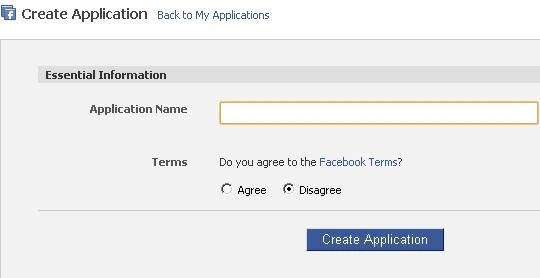
Image 1.
First step you need to fill application name and accept facebook terms and condition.
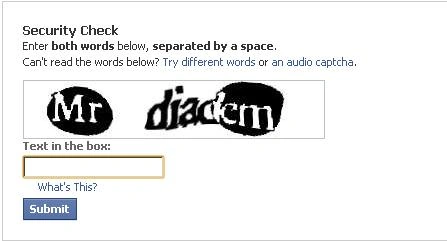
Image 2.
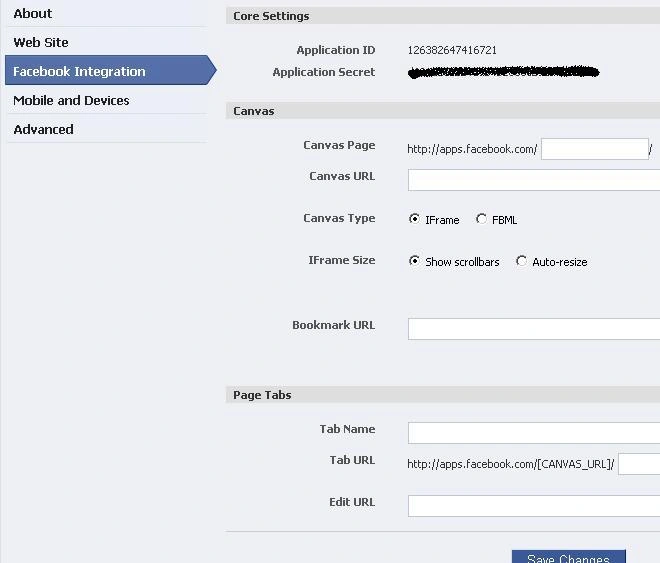
Image 3.
Now this is the final step. Here you need to fill some information about canvas page, canvas url and click save changes. After save changes you will see this window.
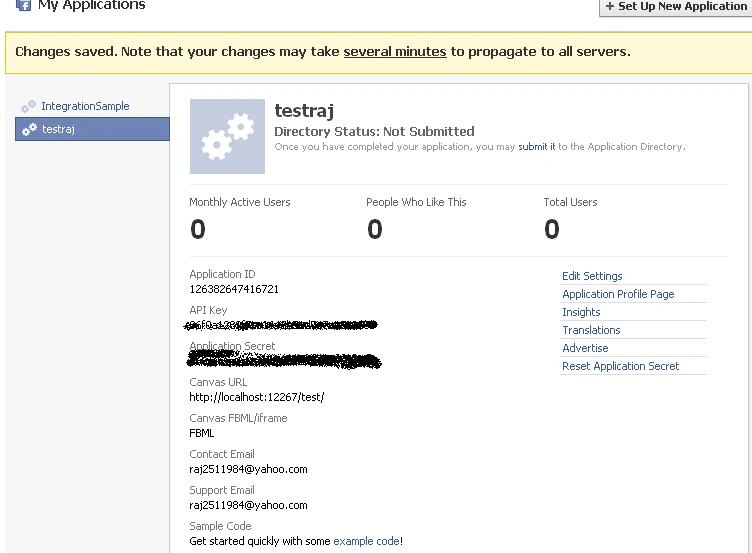
Image 4.
Here you can edit setting and you can delete application also. So we are done here with facebook now let's start work on local host…
Note - Copy Application ID, API Key, Application Secret.
First of all download facebook developer toolkit from this link http://facebooktoolkit.codeplex.com/
Now make a new asp.net website and add key in web.config appsetting tag.
<appSettings>
<add key="APIKey" value=""></add>
<add key="Secret" value=""></add>
<add key="Callback" value="http://www.modelingcorner.com/"></add>
</appSettings>
Add reference of facebook.web.dll in application.
Add a new html page and copy this script inside body tag.
<script src="http://static.ak.facebook.com/js/api_lib/v0.4/XdCommReceiver.debug.js"
type="text/javascript"></script>
Put this on default page.
<form id="form1"
runat="server">
<div id="login">
<h1>Facebook Connect Sample</h1> <br />
<asp:Panel ID="pnlLogin"
runat="server">
<fb:login-button length="long"
onlogin="window.location.reload()"></fb:login-button><br />
</asp:Panel><br />
<asp:label id="lblMessage"
runat="server"
text="Not
authenticated. Click Button to authenticate"></asp:label>
<br />
<asp:label id="lblDOB" runat="server"></asp:label>
<br />
<asp:label id="lblSex" runat="server"></asp:label>
<br />
<br />
<asp:Image ID="imgProfilePic"
runat="server"
AlternateText=""
Visible="false"
/>
</div>
</form>
<script type="text/javascript">
FB.init("cbb204d4cca28ad9694b786af8b1e7b2", "fb_receiver.htm");
</script>
using facebook;
using facebook.web;
protected void Page_Load(object sender, EventArgs
e)
{
if (fbConnect.isConnected())
{
API api = new API();
api.ApplicationKey
= fbConnect.ApiKey;
api.SessionKey
= fbConnect.SessionKey;
api.Secret = fbConnect.SecretKey;
api.uid = fbConnect.UserID;
pnlLogin.Visible
= false;
string fullName =
api.users.getInfo().first_name.ToUpper() + "
" + api.users.getInfo().last_name.ToUpper();
lblMessage.Text
= "<b>Welcome:</b> " +
fullName;
lblDOB.Text = "<b>About Me:</b> " +
api.users.getInfo().about_me.ToUpper();
lblSex.Text = "<b>Sex:</b> " +
api.users.getInfo().sex.ToUpper();
imgProfilePic.Visible
= true;
imgProfilePic.ImageUrl
= api.users.getInfo().pic_big;
}
else
{
pnlLogin.Visible = true;
}
}
Now run the application and check result.
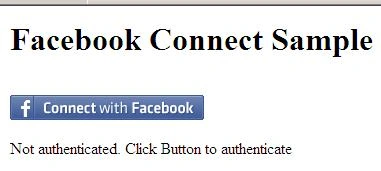
Image 5.
Now click on Connect with Facebook button.
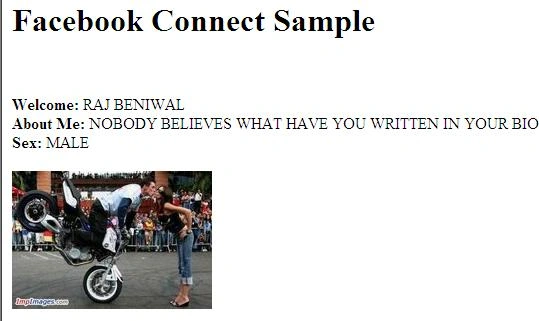
Image 6.
Raj KumarPosted Mar 8, 2013, 1:07 AM
wat error?
manoj sahPosted Mar 7, 2013, 3:48 AM
error
Krishnakant JoshiPosted Oct 19, 2010, 4:44 AM
Hey thanks Raj.. this is wat i was searchin... !!!
sasi kumarPosted Oct 18, 2010, 6:44 AM
ok...But final coming as An error occurred. Please try again later.
Ibrahim ErsoyPosted Oct 18, 2010, 5:42 AM
Thats what i was looking for! Thank you for writing, Raj