

So, let's start without any delay by looking at an example where we will create a console application that can read the contents of a text file and display it on the console window.
In my E:\ drive, I have a folder called “Test” that has a text file named “HandlingException”.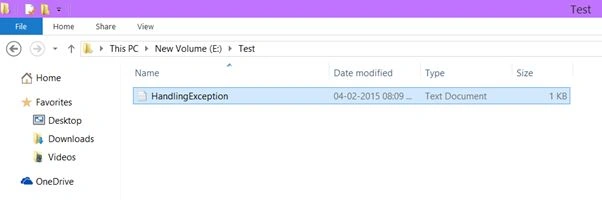
The following is the content in that file.
We will write a C# program that will read the preceding contents and display it on the console window.
Let's flip to Visual Studio
Currently in my project, I have a class named “Program” that has a Main method.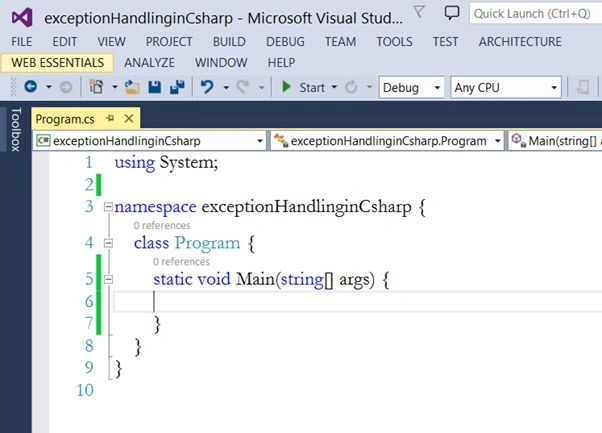
If we want to read from or write to a file, then we need to use some classes and their members that are present in the System.IO namespace.
So, import System.IO namespace into your project.
- using System;
- using System.IO;
- namespace exceptionHandlinginCsharp {
- class Program {
- static void Main(string[] args) {
- }
- }
- }
What this class basically does is, it goes out to the file and then reads the contents of the file and streams it out for us.
So, let's create an instance of the StreamReader class in our Main method.
- using System;
- using System.IO;
- namespace exceptionHandlinginCsharp {
- class Program {
- static void Main(string[] args) {
- //backslash has a special meaning, it is an escape sequence character. So, in order to disable it we use verbatim literal "@".
- string path = @"E:\Test\HandlingException.txt";
- //create an instance of StreamReader class and pass the path variable as a parameter argument in the StreamReader constructor.
- StreamReader sr = new StreamReader(path);
- }
- }
- }
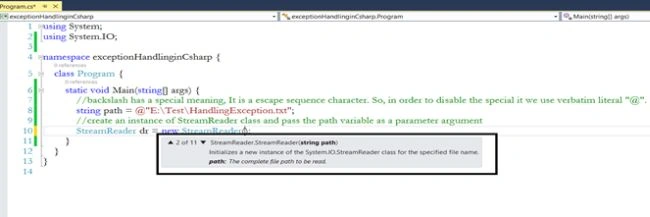
What we want to do is, we want the StreamReader object to read until the end of the file and for that we can use the ReadToEnd method.
- static void Main(string[] args) {
- string path = @"E:\Test\HandlingException.txt";
- StreamReader sr = new StreamReader(path);
- sr.ReadToEnd();
- }
- using System;
- using System.IO;
- namespace exceptionHandlinginCsharp {
- class Program {
- static void Main(string[] args) {
- string path = @"E:\Test\HandlingException.txt";
- StreamReader sr = new StreamReader(path);
- Console.WriteLine(sr.ReadToEnd());
- sr.Close();
- }
- }
- }
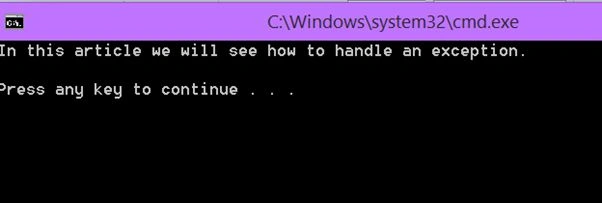
We have the contents of a file displayed on the console window.
Until now everything works fine. We have the expected output and we have also closed the connection successfully. So, the question that may occur to you is if everything works OK then why do we need exception handling?
But before moving any further, first let's understand what an exception is.
An exception is an unforeseen error that occurs during the execution of a program.
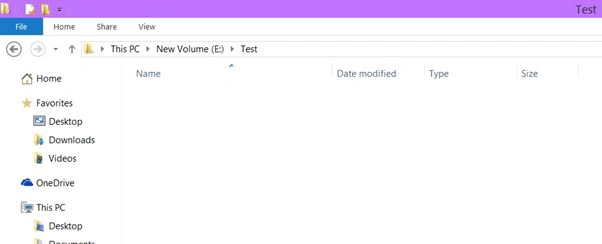
Now, let's say that by mistake someone (maybe you) deletes the HandlingException.txt file from the E:\ drive.
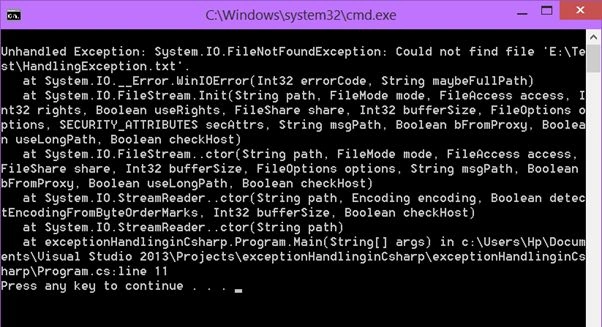
So, what will happen if you run the application now?
It will crash and will throw a FileNotFoundException. So, your application must be prepared to handle any kind of exception.
To handle any kind of exception, we can use try/catch/finally block.
- Try block: Contains the block of code that can throw an exception.
- Catch block: It will catch the exception thrown from the try block.
- Finally block: Can be used for closing the connection or releasing the resources.
- using System;
- using System.IO;
- namespace exceptionHandlinginCsharp {
- class Program {
- static void Main(string[] args) {
- //path of the file
- string path = @"E:\Test\HandlingException.txt";
- //create an object of StreamReader and assign the value as null
- StreamReader sr = null;
- //put the codes in the try block that can throw an exception
- try {
- sr = new StreamReader(path);
- Console.WriteLine(sr.ReadToEnd());
- }
- //the catch block will handle the exception
- catch (FileNotFoundException fileNotFoundEx) {
- //print a meaningful message to the front-end user. The FileName property gives the name of the file that cannot be found
- Console.WriteLine("File - " + fileNotFoundEx.FileName + " not found");
- }
- finally {
- //before closing the connection, check if the StreamReader object is null or not.
- //if it is not null then close the connection and if it is null then there is no point in closing the stream connection
- if (sr != null) {
- sr.Close();
- }
- }
- }
- }
- }
It is always a good practice to release or close the connection in the finally because not matter what, the finally block is always executed.
Run the application
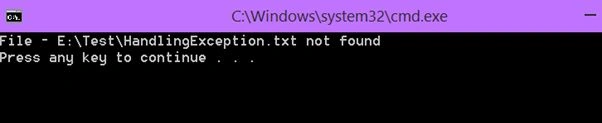
So, we have handled the exception.
But what if we change the directory name from test to test1 and what will happen if we run the application after the modification?
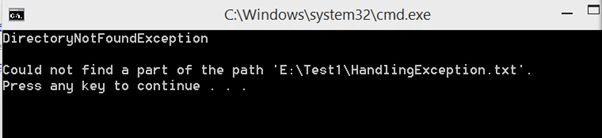
Our application will crash and again it will throw an exception and this time it will throw a DirectoryNotFoundException.
Changing the directory from Test to Test1.
string path = @"E:\Test1\HandlingException.txt";
Run the application
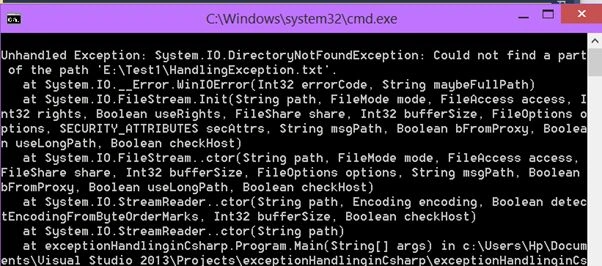
To handle the preceding exception, we can add another catch block and this time we will use the base Exception class object that can handle many kinds of exceptions because directly or indirectly every other exception class inherits from this base Exception class.
- using System;
- using System.IO;
- namespace exceptionHandlinginCsharp {
- class Program {
- static void Main(string[] args) {
- string path = @"E:\Test1\HandlingException.txt";
- StreamReader sr = null;
- try {
- sr = new StreamReader(path);
- Console.WriteLine(sr.ReadToEnd());
- }
- catch (FileNotFoundException fileNotFoundEx) {
- Console.WriteLine("File - " + fileNotFoundEx.FileName + " not found");
- }
- catch (Exception ex) {
- Console.WriteLine(ex.GetType().Name);
- Console.WriteLine("");
- Console.WriteLine(ex.Message);
- }
- finally {
- if (sr != null) {
- sr.Close();
- }
- }
- }
- }
- }
The Message property gives us some information about the reason for the exception.
Run the application
Note
An exception is actually a class present in the System namespace. This class has several properties that provide valuable information about exceptions.
The base exception catch block should always be last after all the specific exception blocks.
Gowtham RajamanickamPosted Mar 18, 2015, 3:39 AM
informative..