

Introduction
Visual studio 2010 has added many new features which help developer to work more
efficiently. In this article some basic features are explained which will be
helpful during
- Debugging
- Reverse Engineering
- Coding
- Pin the project to the start page of Visual Studio 2010.
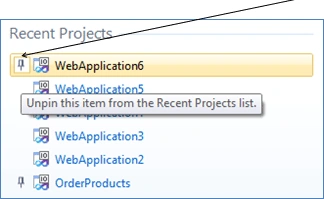
Once you pin the project in the start page it won't scroll off from the project list. Just hover to the left side of project name and click on pin.Verticle pin against the project means it won't scroll off and it will remain in the project list.
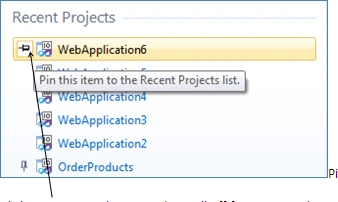
Click on Pin to so that it won't scroll off from project list. Click on Pin again to unpin project from the list. - Generate from Usage
Creates stub code based on code you typed and enables you to use classes, methods and properties before it is defined.
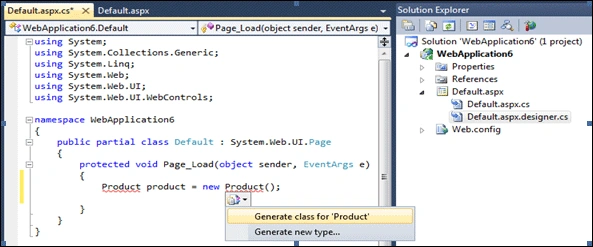
As shown below in default.aspx.cs class file just typed Product product = new Product ();
Since Product class is not created, you can click on option "Generate class for 'Product'".
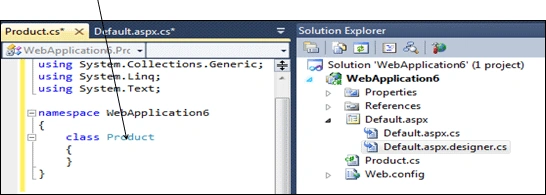
It creates class Product.
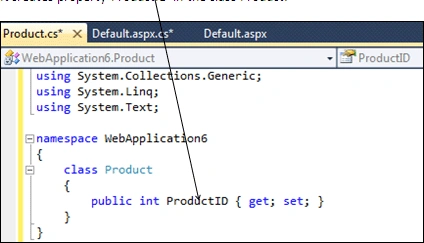
Next to create property, type product.ProductID = 1 and click on option
As shown below.
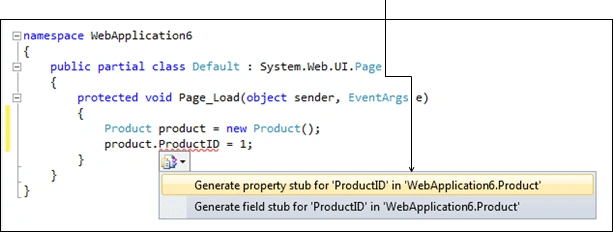
It creates property ProductID in the class Product.
Next to create method, type product.AddProduct ("Product1"); and click on option
As shown below.
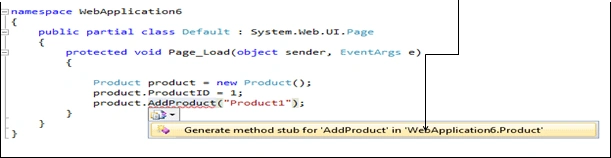
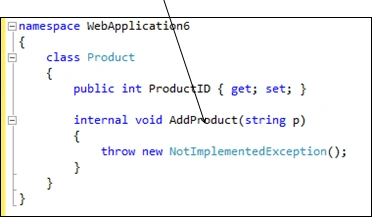
It creates method AddProduct, with input parameter of type string, in the class product.
- Navigate To/Quick Search
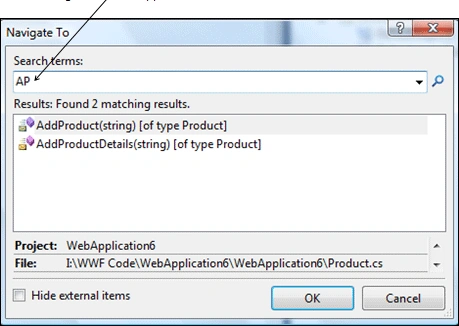
This is new way to search with in your project. Just press Ctrl +, and Navigate To window pops up. Here just type keyword you want to search and it shows in the list with its type in square brackets.
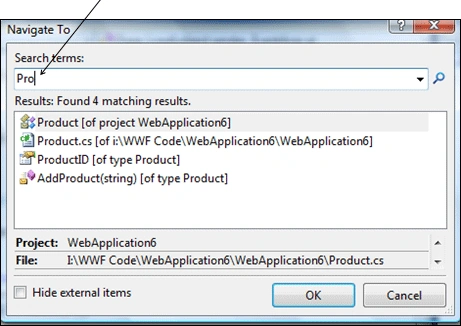
Clicking on item on list takes to that location and if you want to go back to the original location just press Ctrl + -.
Even it supports camel case searching as shown below. Here search keyword is AP and it shows items having A and P as upper case letters like AddProduct and AddProductDetails.
- Debugging: Add labels to break points.
While debugging you add labels to view the values, as shown below, by clicking the pin.
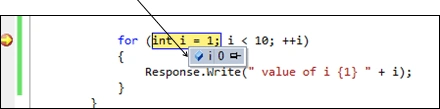
While debugging you can see the values are changing in labels as you debug.
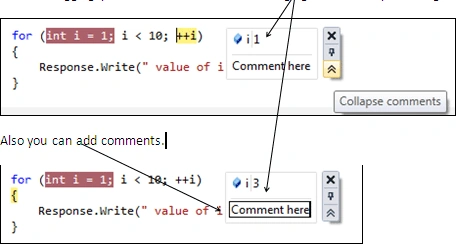
Also you can add comments.
- View Call Hierarchy
This feature is only available in C#. Using this feature one can view :
- All the calls to a method
- All the calls from a method
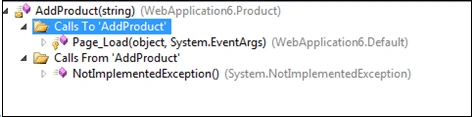
To use this feature right click on any method and select View Call Hierarchy or press CTRL + K + T as shown below.
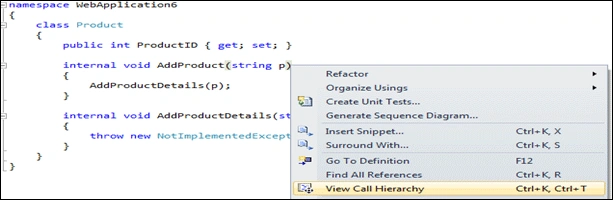
As shown below it shows both calls to and from AddProduct Method.
- Generate Sequence Diagram
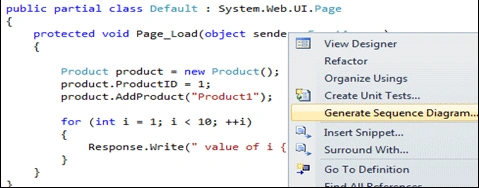
This feature is only available in Visual Studio 2010 Ultimate version. Just right click any method and select "Generate Sequence Diagram" as shown below.
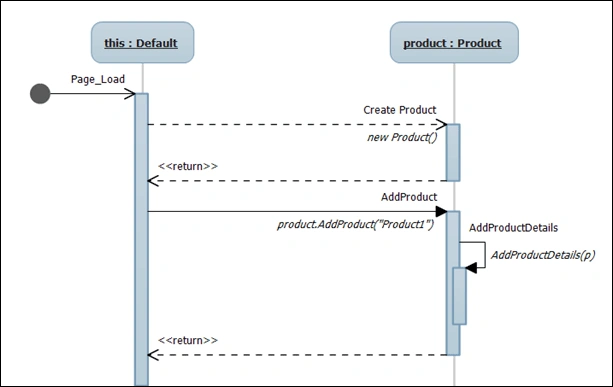
As shown below it generates sequence diagram.
Conclusion: Above are some of the new features that will definitely make day to
day life of developer easier.
Join the conversation! Your thoughts help the community grow.