

- Where I should keep my Content Database? In which Database Server? What's Database Recovery and Backup Plan?
- Which is the port I am going to use for this web application?
- Which Application Identity User? Do I have windows Service user?
- What is the SQL server Authentication mode?
- State Service Started?
Once those basic questions are documented we can start the process of creating the web application.
1. Go to SharePoint Central Admin site
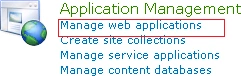
2. Got Application Management Section and Click on Manage Web Applications
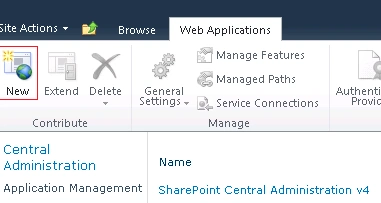
3. In Web Application Management Page click on New
4. In Web Application Creation Page
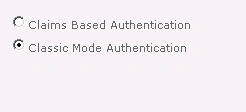
5. Set the Authentication Mode
6. Set IIS Site Settings
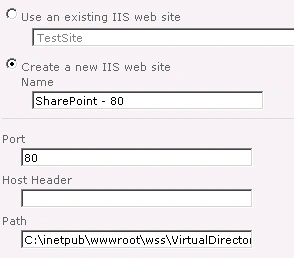
Specify the Name you want to see in IIS.
Specify host headers if you have anything.
Specify the path of virtual directory according to your organization standard.
7. Specify the Authentication provider
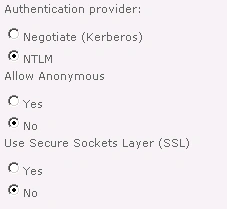
By default use authentication provider as NTLM otherwise make sure you need to use Kerboes. If you are using a secured socket layer then set it to yes.
8. Specify the zone and server URL.
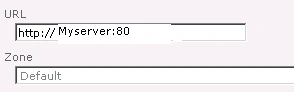
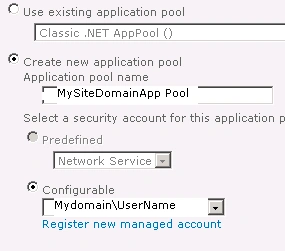
9. Specify the Application pool Name and Identity.
10. Specify the Database Server and Content DB.
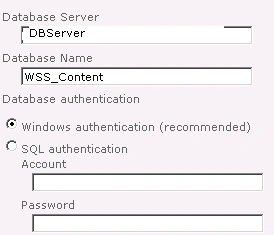
11. Specify the failover Database Server.

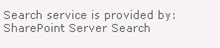
12. Specify the search service.
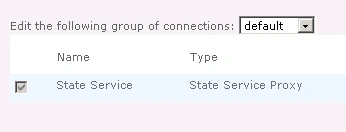
13. Specify the State Service.
14. Specify

15. Click OK.
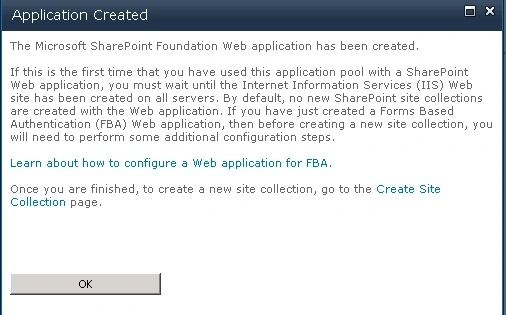
16. You will then get the Success screen.
Join the conversation! Your thoughts help the community grow.