

Introduction
Here I describe how you make a dll file which contains the icon set like "SHELL32.dll"
Step 1. Open New project as Class Library.
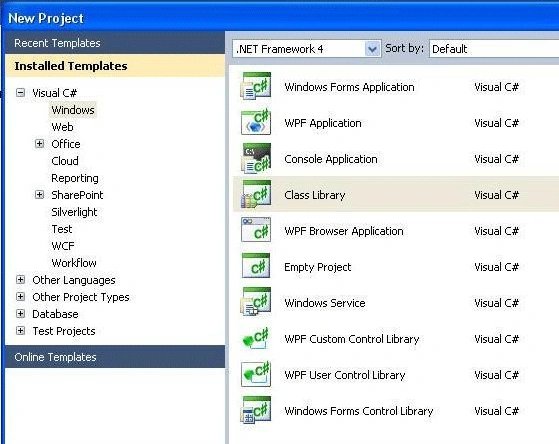
Step 2. After Opening the file will show like.
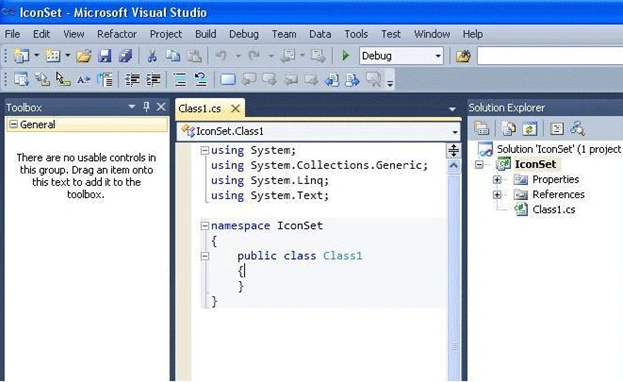
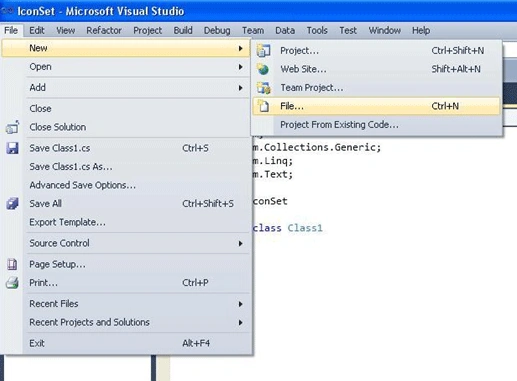
Step 3. Now open a file.
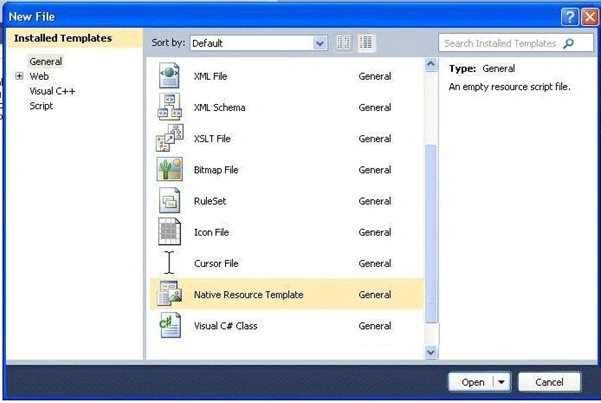
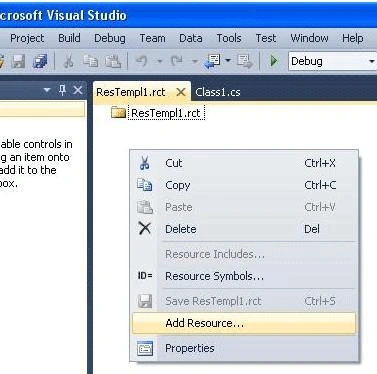
Step 4. Native ResourceTemplete File.
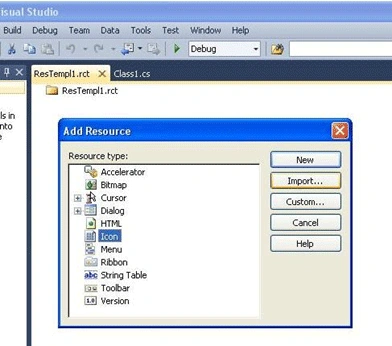
Step 5. Then Add resource.
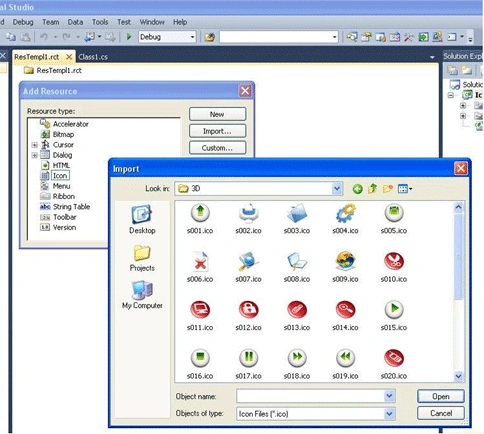
Step 6. Import Icon.
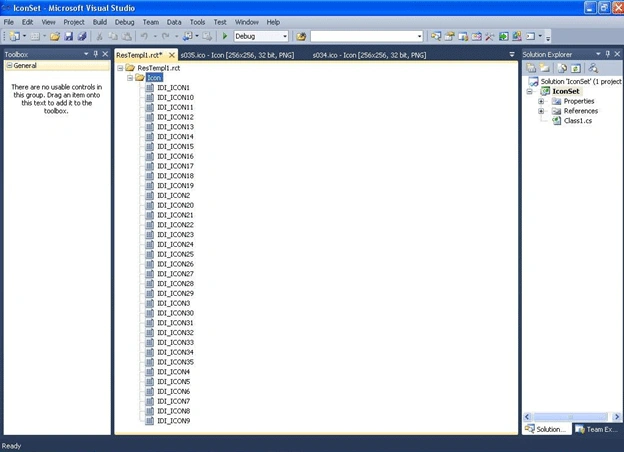
Step 7. Now again add resource for set version Information.
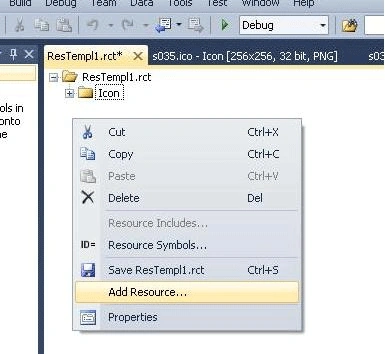
Step 8. The screen will like this.
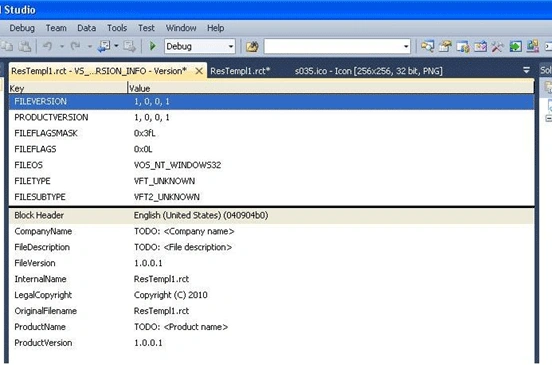
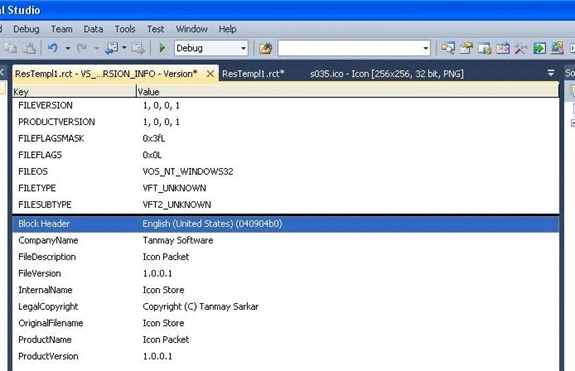
Step 9. Now you add your information like.
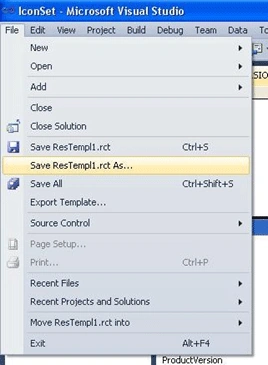
Step 10. Now save the resource file as.
Step 11. Must Select *.res file.
Step 12. Now open your main class project & chose Property.
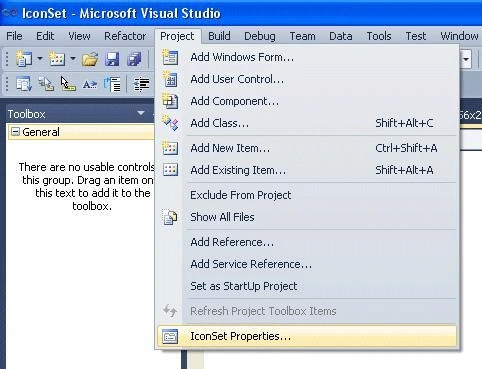
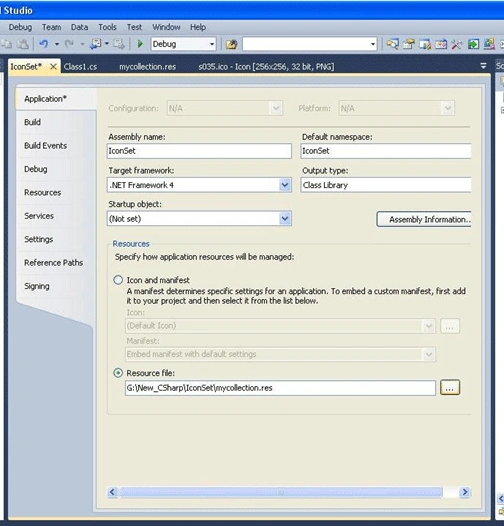
Step 13. Set resource file.
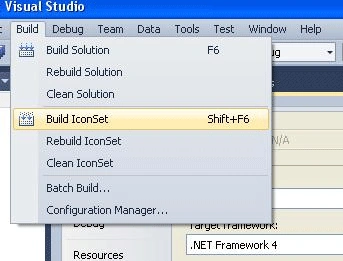
Step 14. Now Build.
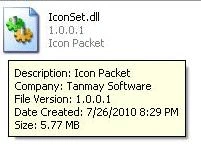
Step 15. You can see the application information will show on your dll.
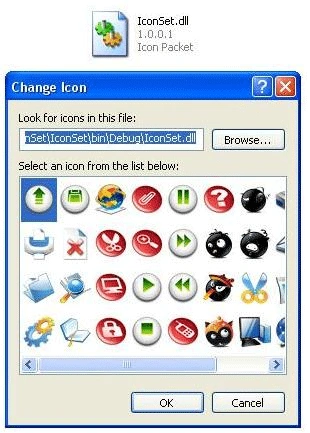
Step 16. And when you browse this dll to get icon you will see like.
That's it.
Now you can make a DLL which is a collection of icon.
Thank you,
Mubarrat HasanPosted Mar 30, 2021, 9:37 PM
I have successfully created the dll file. Thank you. Bye.
nwytg nwytgPosted Mar 19, 2019, 12:02 AM
What is "New project"?
Andrew BusseyPosted Jun 10, 2017, 7:23 PM
I can't make a native resource template in the 2015 version. Can someone direct me to the appropriate instructions?
Aggelos TzitzifasPosted Mar 30, 2013, 9:52 AM
How I Can Use it?
James FrimpongPosted Jan 23, 2013, 8:24 AM
Thanks very much for this tutorial.
gooddyPosted Aug 25, 2010, 3:02 PM
nice. but you must write how to get icon from this dll and put it on form.
Tanmay SarkarPosted Aug 24, 2010, 4:01 PM
Thank you Rishi...
rishi royPosted Aug 24, 2010, 3:50 PM
now shell32 is in our own hand. good tutorial.