
What is Spatial data?
Spatial data is Also known as Spatial data or geographic information it is the data or information that identifies the geographic location of features and boundaries on Earth, such as natural or constructed features, oceans, and more. Spatial data is usually stored as coordinates and topology, and those are representing as Point, Line, Polygon, and Raster. Spatial data is often accessed, manipulated, or analyzed using Technology called GIS(Geographic Information Systems )
Where Spatial data will store?
The Spatial data is commonly storing in different file formats, which we call "Geo-database".
What is Shape file?
The shape file is coined by ESRI(Environmental System Research Institute).The shape file stores individual data type(Polygon or line or Point). The shape file is a combination of different files (that is from 4 to 5 files combination)
- .shp
- .shx
- .dbf
- .xml
- .prj
Why Spatial data should store in RDBMS?
The shape files are a combination of files, if one file is missed, the shape file will not work. Those are just static files, these files suppose to store in a local disc, single-user access, and the file sometimes can be corrupted or misplaced. So that the data will be lost. The data should store in the database.
How to store shape file into the database(RDBMS)?
There are different steps involved ... that is
- Install PostrgreSQL (Open source)
Referred url ishttp://pginstaller.projects.postgresql.org/orhttp://askoh.net/misc/visualworks/installPostgreSQL/
- Install PostGIS
http://www.gpsfiledepot.com/tutorials/installing-and-setting-up-postgresql-with-postgis/
- Set Environment variables for shp2pgsql.exe
MyComputer --> Properties --> Advanced --> select Environment Variables
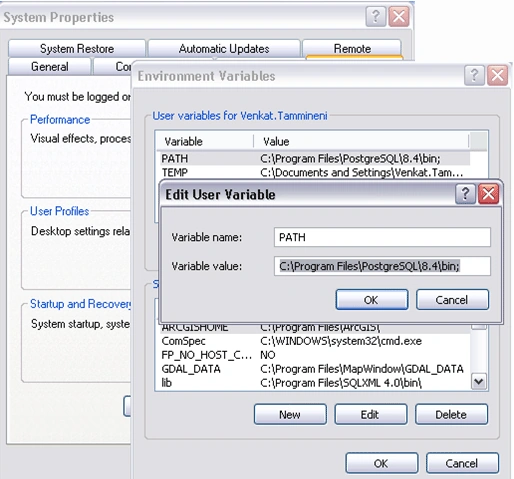 Set Path variable as an above screen.
Convert Shape file to PostgreSQL/POSTGIS
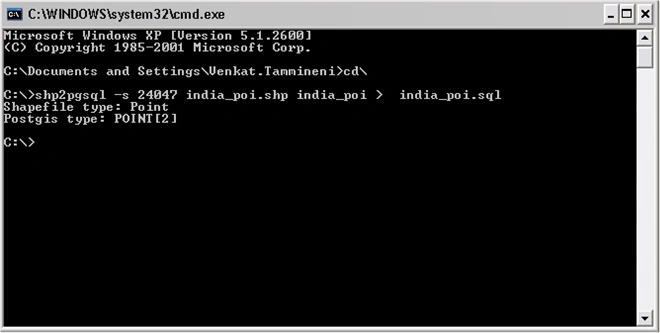
Run SQL Converted SQL file
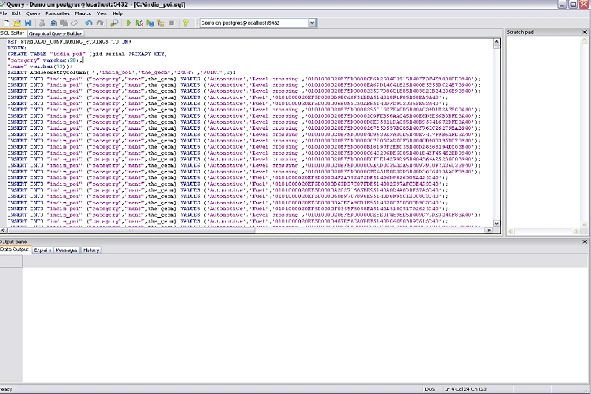
Run the above Query
Result of the converted table below screen:-
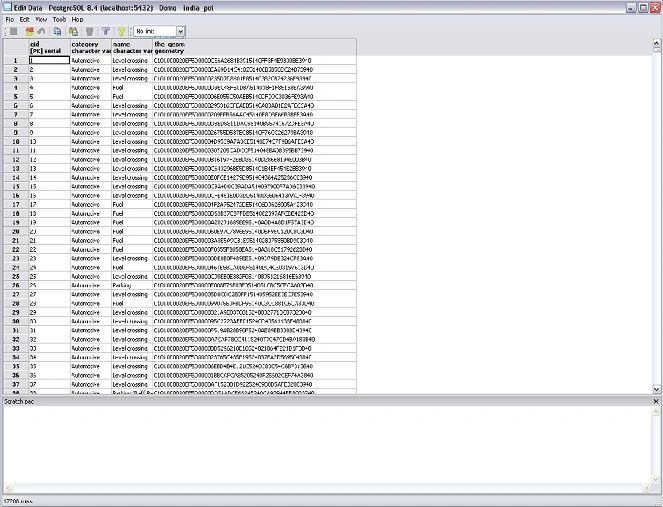
We can see the geometry column added in the table on the above screen.
vadmalPosted Apr 25, 2010, 1:50 AM
Good article. Last year I had a need to do this through a web application and came across some pretty unique issues. Here's how I solved them http://codemagician.wordpress.com/2010/04/24/importing-shapefile-into-postgresql-aspnet