

In this article I will explain how can we create and publish browser enabled
InfoPath form in SharePoint site.
Steps Involve
1. Step 1: Design info path form
2. Step 2: Publish InfoPath form
3. Step 3: Open form in SharePoint
Step 1 (Design Info Path Form)
- Open InfoPath 2007
Start>>Programs>>Microsoft Office>>InfoPath 2007.
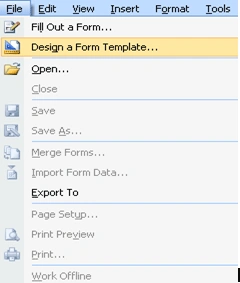
- Click On File menu and choose Design a
Form Template
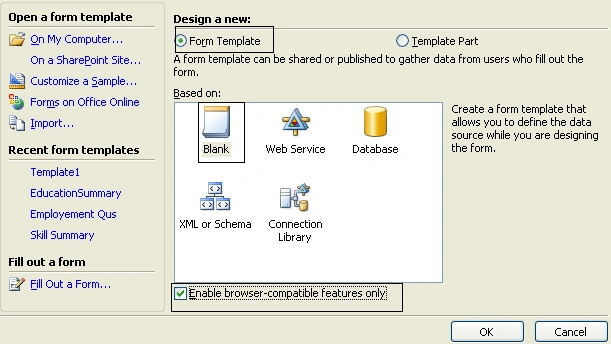
- In the design template window click on
Form Template radio button and select blank. Click on "Enable
browser-compatible futures only " to create browser based form
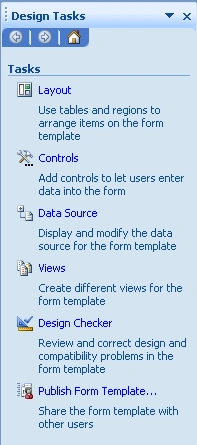
- Now Design the form using design task
window which will be appear in the right side.
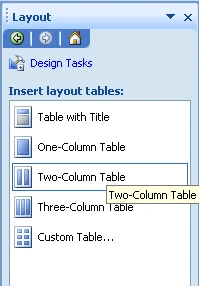
- Click Layout link to design layout of the
form.
- After design click on Controls on Design
Task pane to add control in your form.
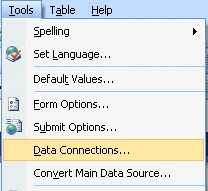
- Go to Tools menu and select Data
Connections
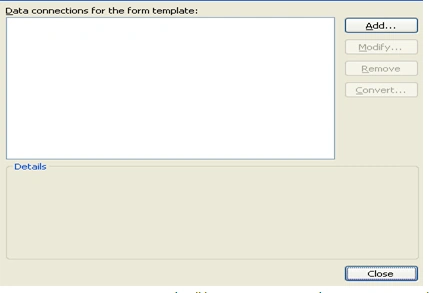
- In data connection window click on Add
button to create new data connection.
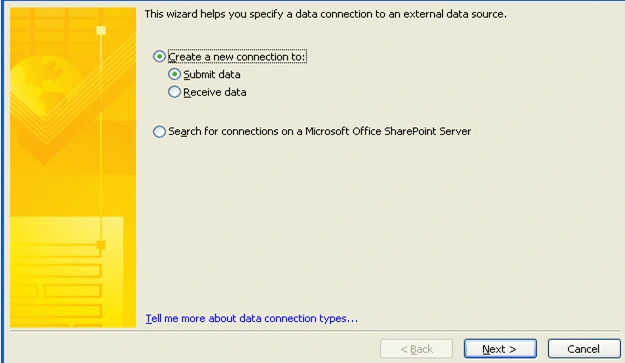
- Now Data Connection Wizard will be open to
create data connection. Click on Create New Connection radio button and
choose Submit Data, click on Next
- Select destination where you want to
submit data(In this article I will submit data in share point document
library). Select destination "To a document library on a SharePoint site"
and click on next button.
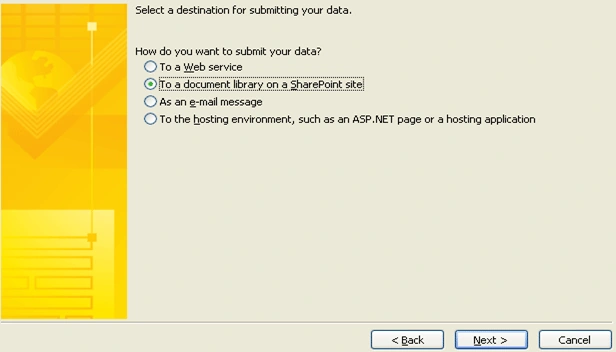
- Specify the URL of SharePoint document
library and file name. Click on next button
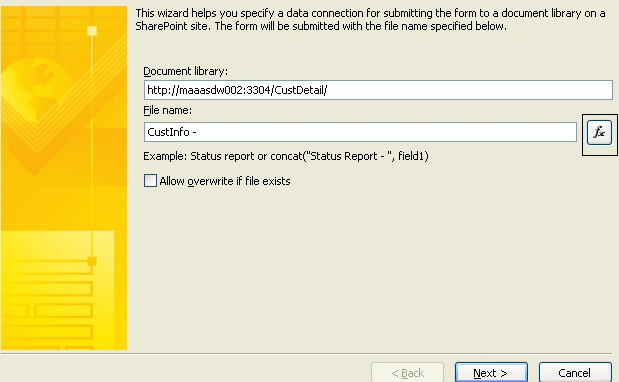
Steps for Creating dynamic file name:
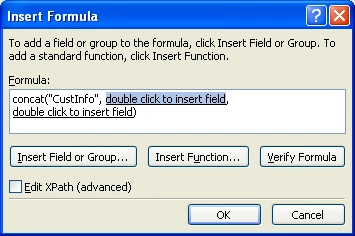
- Write "CustInfo" in File name text box and Click on "fx" button.
- A popup will be open to insert formula.
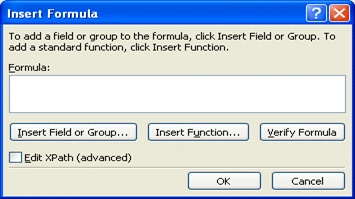
- Click on "Insert Function" button and
select Categories Text and function concat and click on Ok button .
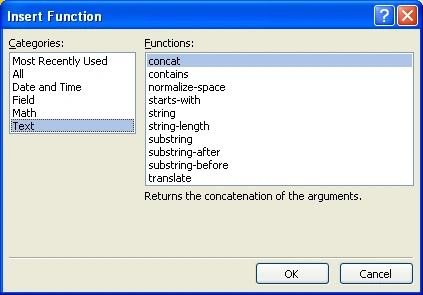
- Delete first text from concat function and
Double Click on next "double click to insert field" text and select CustName
Field. Delete next text also.
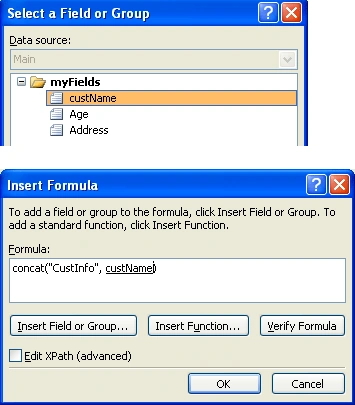
- Click on "OK" button.
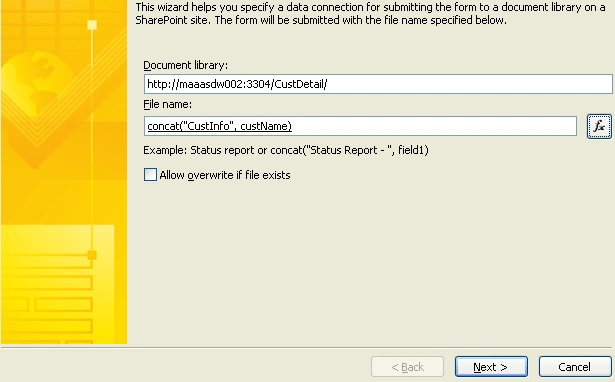
Dynamic form name created now click on next button.
- Specify the name of submit data
connection. And click on Finish button.
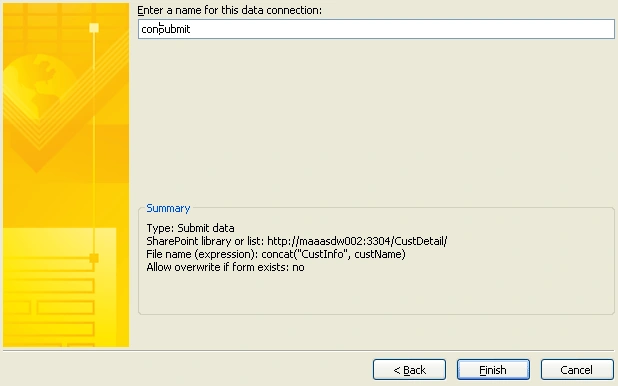
- Now new submit data connection will be
created. Click on Close button to close wizard.
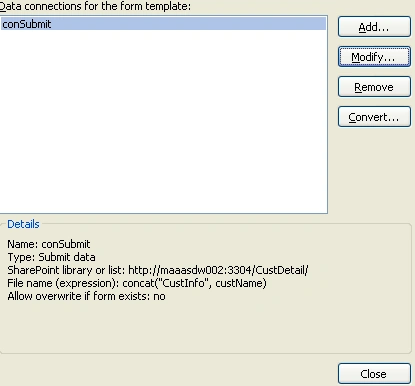
- Now go to Form Options Tools>>Form
Options. Uncheck show toolbar check boxes.
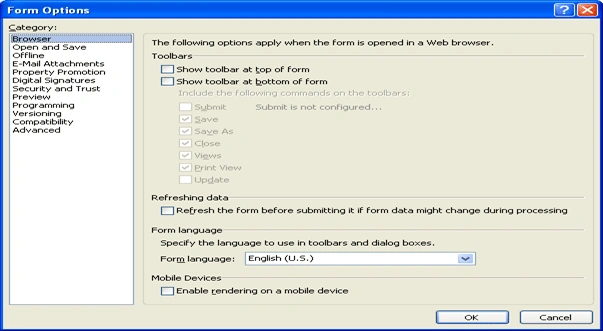
- Click on Ok button to save your changes.
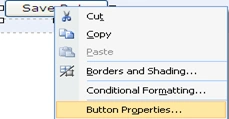
- Right click on button control (which you
have added in your form) and select button properties.
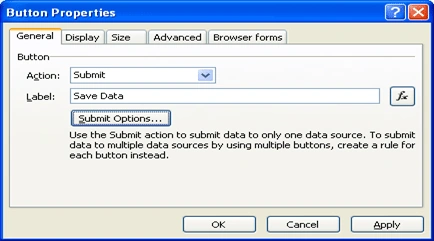
- Select Submit from the "Action" dropdown
and Change the label of button and click on "Submit Option" button. Click on
"Submit Option" button.
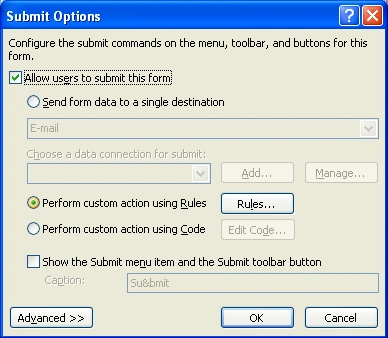
- From submit options popup, Click on "Allow
users to submit this form " check box, select "Perform custom action using
Rules" and click on "Rules" button.
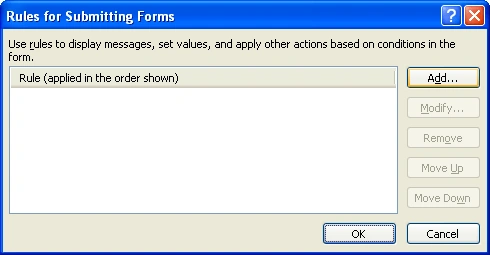
- From rules popup click on "Add" button for
adding rules.
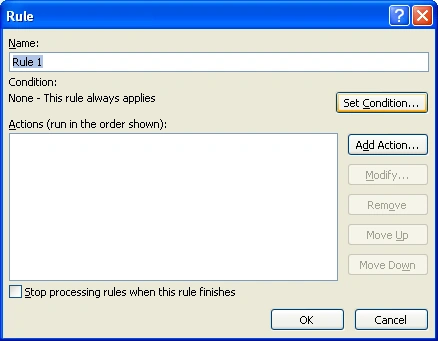
- From rule window click on "Set Condition"
button to add validation.
- From condition window select custName and
"is Not blank" from the dropdown list and click on "Ok" button.

- Now click on "Add Action" button to define
rule.
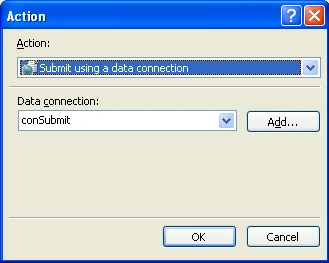
- From Add Action window select "Submit using a data connection" from Action dropdown and select name of submit data connection. Now click on "Ok" button.
Step 2 (Publishing Info Path Form)
- From the design task pane click on
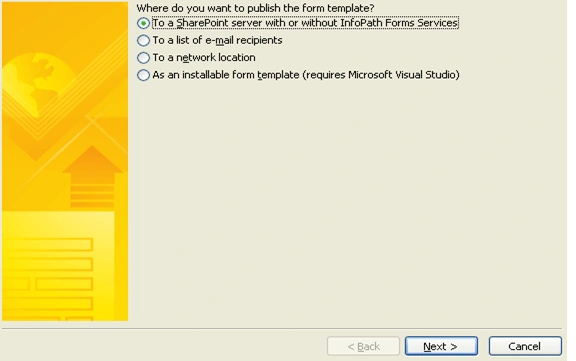
"Publish Form Template". From publishing wizard select ffirst option to
publish form in share point and click on next button.
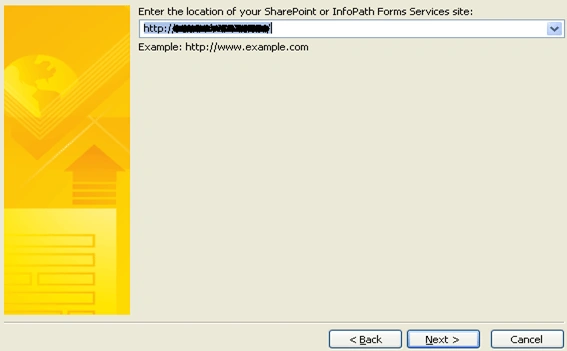
- Enter the URL of SharePoint site and click
on next button.
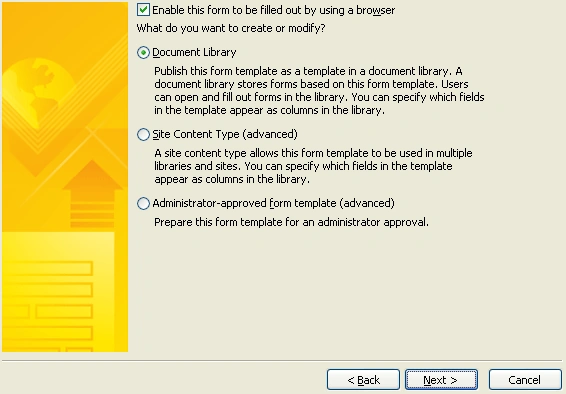
- From the next window select "Document
Library" and click on next button.
- From next window select "Create a new
document library" option and click on next button.

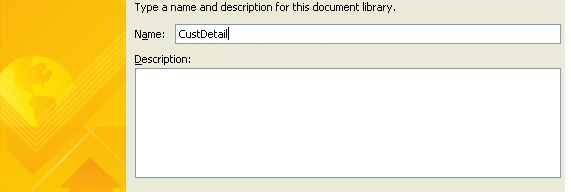
- Enter the name and description for new
Form Library and click on next button.
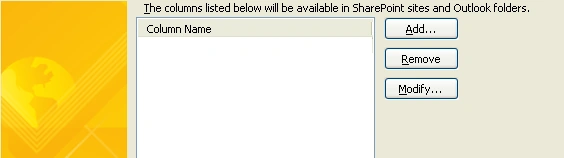
- Click on "Add" button to add column in
library.
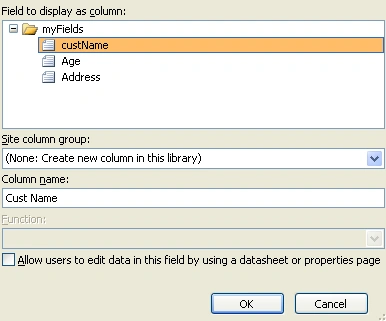
- Select field and enter the column name in
"Column name" text box and click on "Ok" to create column. (Do the same step
to create columns for Age and Address)

Click on Next button.
- Click on Publish button to publish form.
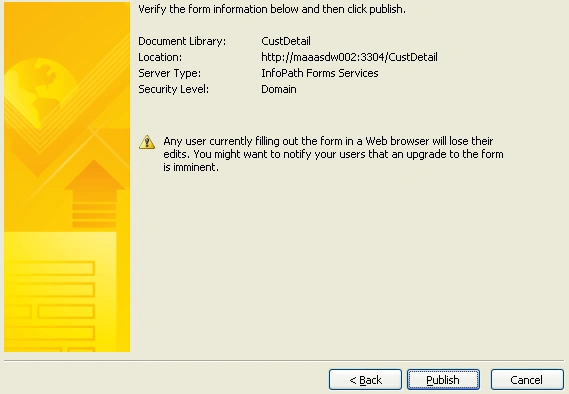
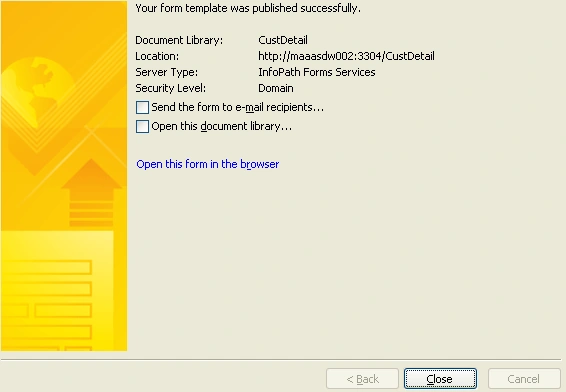
- Now form is published on SharePoint
library.
Step 3 (Open InfoPath form in SharePoint)
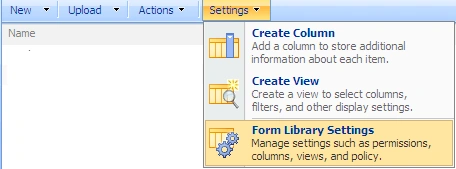
- Go to SharePoint site, open "CustDetail"
library, click on Settings and select "Form Library Settings".
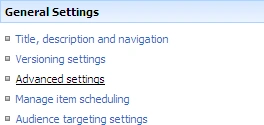
- Select "Advanced settings" from general
settings group.
- From Advance Settings window select
"Display as a web page" option from the "Browser Enabled Documents" section
and click on Ok butom.

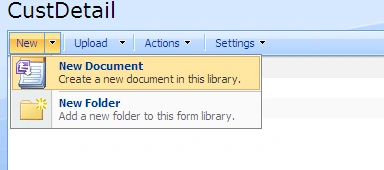
- Now go back to your document library click
on "New" menu and select "New Document" to open InfoPath form.
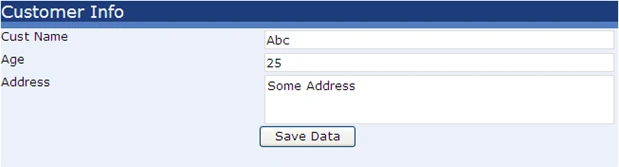
- Now InfoPath form will be open in the
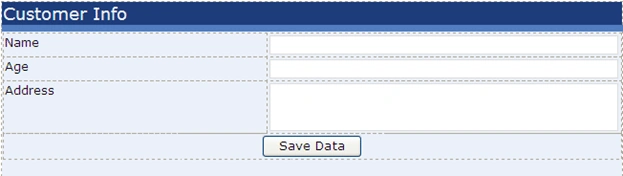
browser. Fill data and click on Save Data button to submit data in library.
- Go back to "CustDetail" to view your data.

Thanks for reading...
Mahesh ChandPosted Dec 14, 2010, 11:03 AM
Thanks for sharing.