

Introduction
The Metro Start Screen is the best feature of Windows 8 that contains a collection of Metro Apps and shortcuts for installed applications in the system. Metro Apps such as Mail, Messaging, Maps, News, Weather, etc. All of the Weather applications on the Start Screen is the best application in Windows 8. By these applications, you can get accurate weather information and forecasts. Weather apps also offer to get current and upcoming weather information for all over the world.
In this article, we are explaining how to set your current location to weather apps in Windows 8. By setting the current location, weather apps will show the current location weather information and upcoming weather information every time.
How to set your current location to weather apps in Windows 8?
Step 1
Go to the Start Screen and click on "Weather".
Step 2
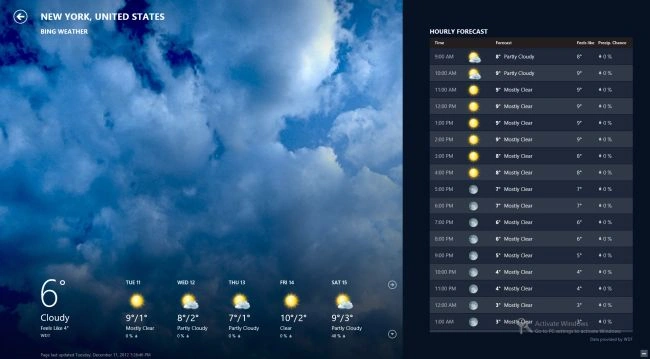
Weather apps will be open that show weather information.
Step 3
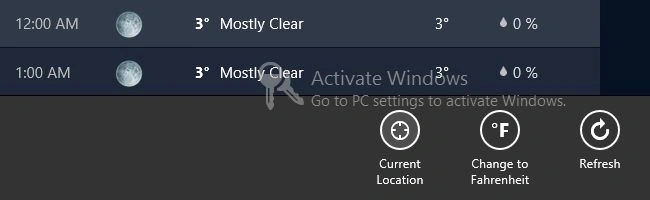
To show your current location weather information right-click and click on "Current Location" in bottom-right.
Step 4
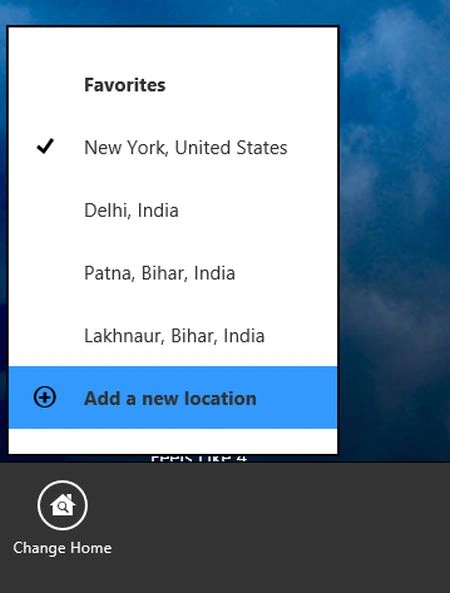
If you want weather apps to show weather information about another location then right-click and select "Change home" in the bottom-left and then click on "Add a new Location".
Step 5
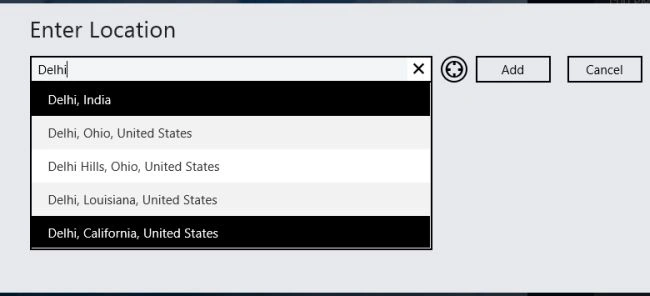
A window will appear; enter your location name and click on "Add".
Step 6
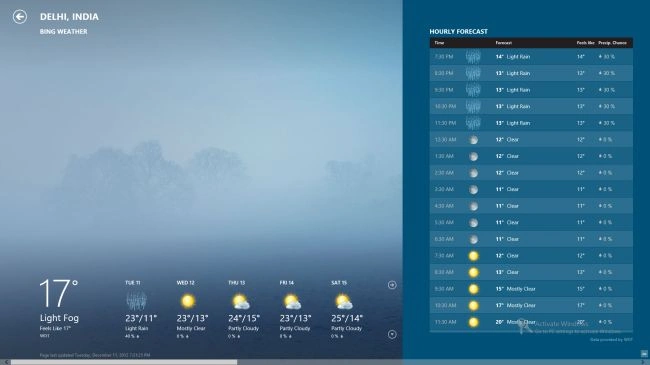
Weather information for the changed location will be shown.
Step 7
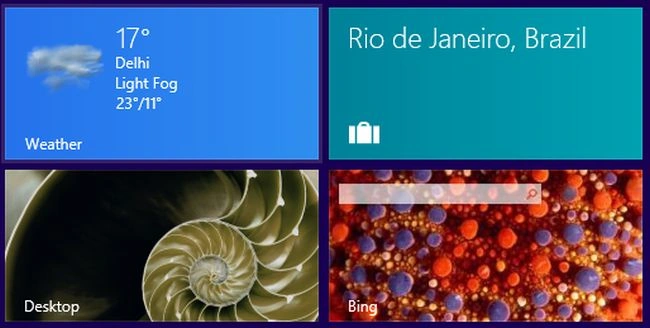
Now go to the Start Screen. Weather apps will show the changed location for every update of the weather information every time.
Summary
In this article, we learned about Add Current Location in Windows 8 Weather Apps.
Join the conversation! Your thoughts help the community grow.