

Introduction
Windows 8 provides a new security feature "Secure Boot" that protects the Windows boot configuration and Windows components The Early Launch Anti-Malware (ELAM) driver is loaded at the time of booting. The ELAM driver starts before other boot-started drivers and enables the evaluation of those drivers and helps the Windows Kernel decide whether key should be initialized and whether key should not be initialized.
The Boot driver are inclination based on classification that is returned from the ELAM driver according to an initialization policy. By default the policy initializes for good and Unknown and does not initialize for known bad drivers. If you want to prevent an Unknown driver from being initialized or enable a driver that is critical to the boot process then you can specify a custom policy through group policies.
The ELAM driver classifies the driver as follows-
- Good- The driver is signed and has not been tempered with.
- Bad- The driver has been identified as malware. It is recommended that you do not allow the known bad driver to be initialized.
- Bad- but required for boot: This driver is identified as malware but the computer cannot successfully boot without loading this driver.
- Unknown- This driver has not been determined to be your malware by a detection application and has not be classified by the ELAM driver.
How to configure the boot start driver initialization policy
Step 1
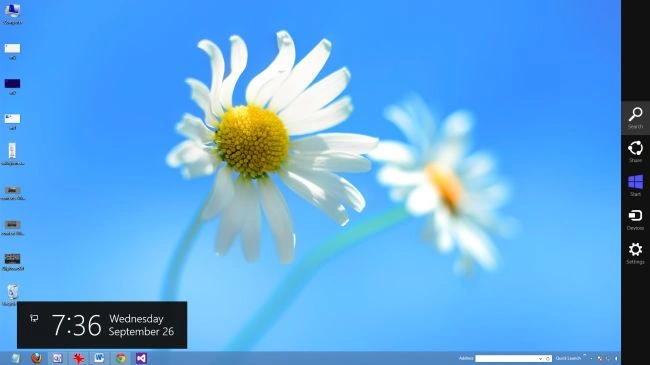
Move the cursor on the right-button and select "search".
Step 2
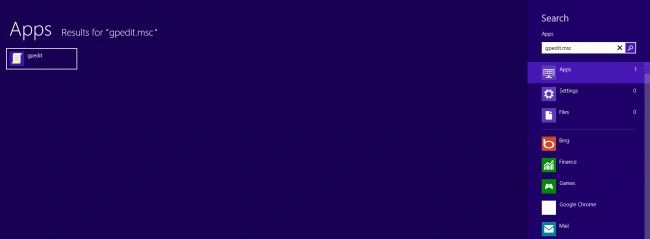
In search box type "gpedit.msc" and click on the window that is shown.
Step 3
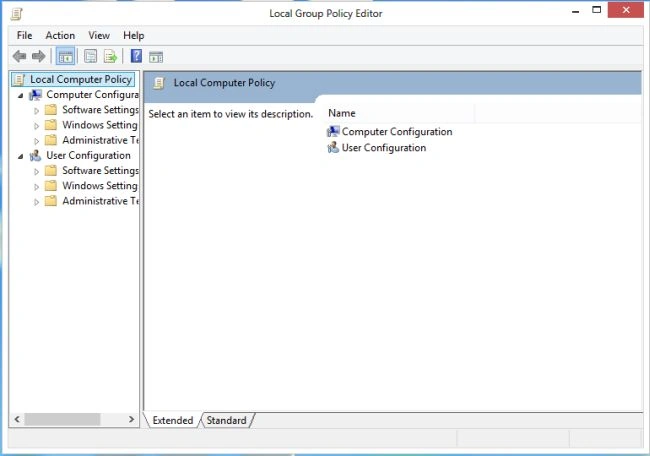
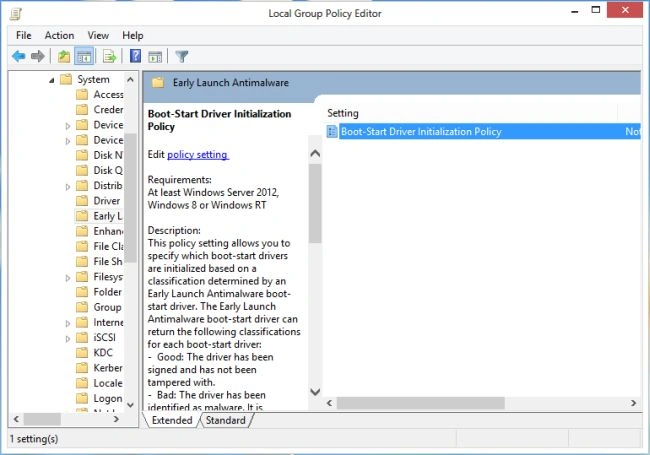
The "Local Group Policy Editor" window will be opened.
Step 4
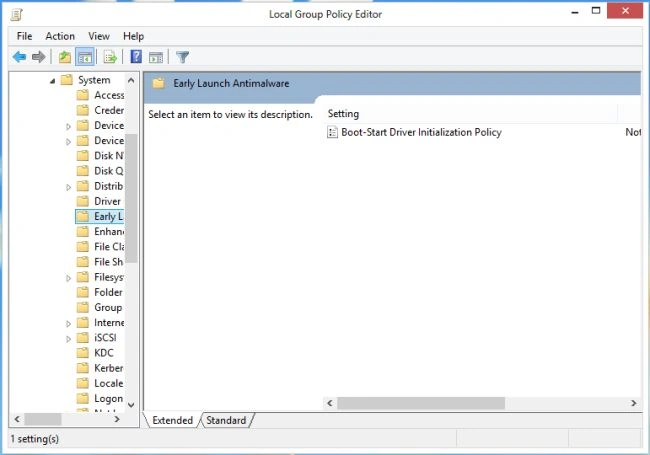
In the Local Group Policy Editor window click on "Administrative Template > System > Early Launch Anti-Malware".
Step 5
In this step click on "Boot Start Driver initialization policy" and then "Policy Setting".
Step 6
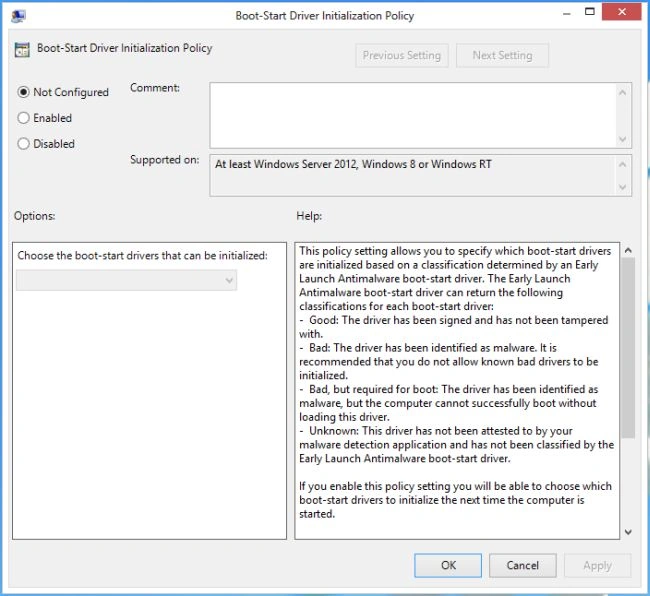
The Boot Start Start Driver Policy window will be opened.
Step 7
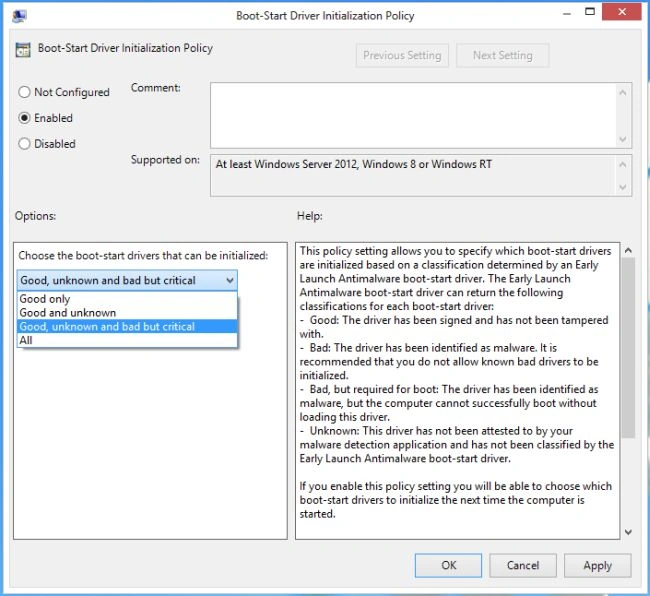
In this step click on "Enable" and choose the boot start driver, then click on "OK" to apply this setting.
Step 8
Restart your computer.
Summary
In this article, we learned about Early Launch Antimalware Boot Start Driver in Windows 8.
Join the conversation! Your thoughts help the community grow.