

Introduction
In Part I of this article series we have seen the basics of using Commands. In this article we will explore more on that.
Concepts of Command System
There are five concepts related to Command System:
-
Command Object
- An object identifying a particular Command, such as Copy or Paste.
-
Input Binding
- An association between a particular input (e.g. CTRL+C) and a Command (e.g. Copy)
-
Command Source
- The object that invoked the Command, such as a Button or Input Binding.
-
Command Target
- The UI element that will be asked to execute the Command.
-
Command Binding
- A declaration that a particular UI element knows how to handle a particular Command.
Let's modify our Application a bit. As follows: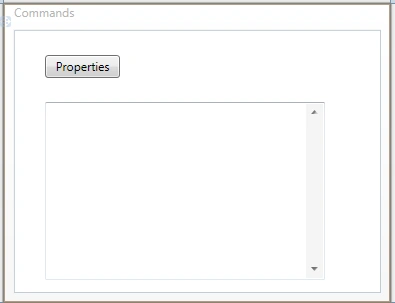
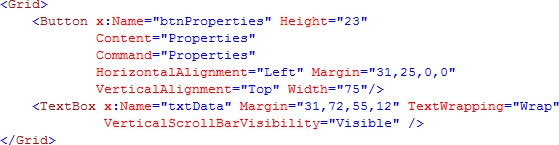
As you see above we have a Button that will display the properties when it is clicked.
Remember that in Windows ALT+ENTER is the Command that will execute the Command for displaying Properties.
Let's have implemented the concepts that we have just discussed about.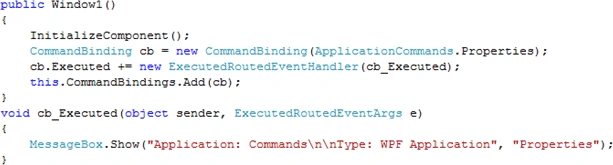
As you see from the above Code Display, we have a CommandBinding object that takes the argument as a Command.
On Executed event handler we have just displayed a MessageBox.
Let's run the application.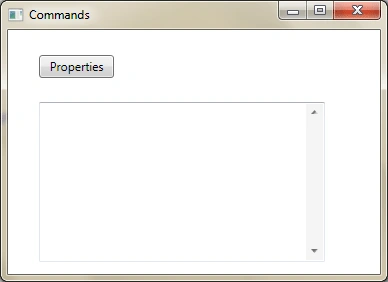
When we click on Properties Button the following Message Box is displayed.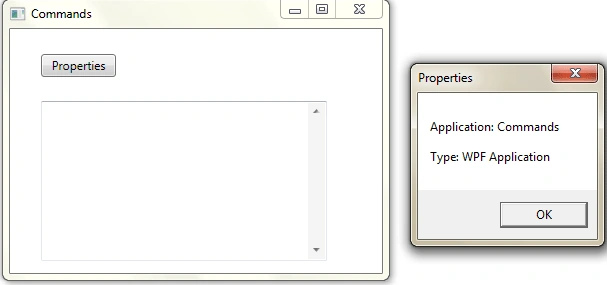
So we can have our own display if we want to display our custom Properties Window in this event handler.
Hope this article helps learning the CommandBinding concept.
rolandzPosted May 4, 2010, 9:17 AM
Hi, After your first part I was wondering that there might be quite nice and comprehensive article addressing commands in WPF in a short way. But now I got disappointed as the second part also does not introduce anything. Just few paragraphs loosely coupled with the subject. Why introduce another article which does not introduce any value to the existing materials? Why to make noise on the portals? I would like to read a good tutorial or programming technique presentation, maybe some specific problem discussion. I belive that the others would, too. Publishing such "articles" decreases value of the portal itself and discourages people to read.