4. Grab a Table Adapter control.
You may see another Table Adapter as shown below.
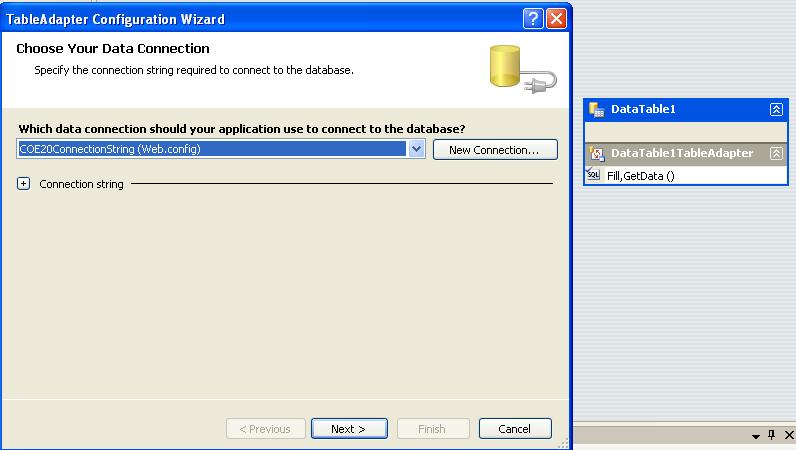
5. Create appropriate connection string or select already created one.
6. Click Next and tick "Use Sql Statements" and write a Query to select the rows. You can use the Query Builder for automatic queries and check the results there it self.
7. Rename DataTable1 to Sample (for an example). Which renames the adapter also.
8. After successful creation of the sql query which creates a Method by default say GetData().
Right-click on the App_Code and select Add->Add New Item to add a new Class file called "AssignValues.cs" to the project.
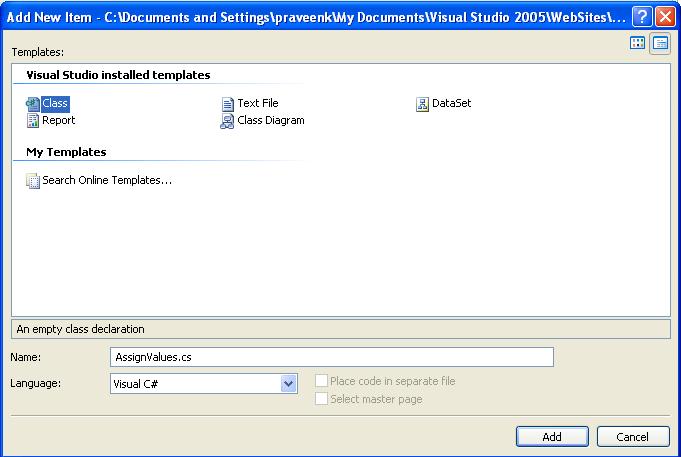
Double Click on the class and create a method in it
public class AssignValues
{
public void Fill(GridView gdv)
{
gdv.ID = string.Empty;
SampleTableAdapters.MemberTableAdapter mtadptr = null;
mtadptr = new SampleTableAdapters.MemberTableAdapter();
Sample.MemberDataTable dt=null;
dt=mtadptr.GetData();
gdv.DataSourceID=string.Empty;
gdv.DataSource=dt;
gdv.DataBind();
}
}
Explanation for the above code:
Grid view is an object parameter you passing it from in which event you need to fill the data.Then creating an object of Sample data set dt and filling the data into it and bind it.
After that you can make an instance of the class and call the method in any other c# code page of the Project files. Pass the parameter Grid View say GridView1 after grabbing a Grid view from the Tool Box.