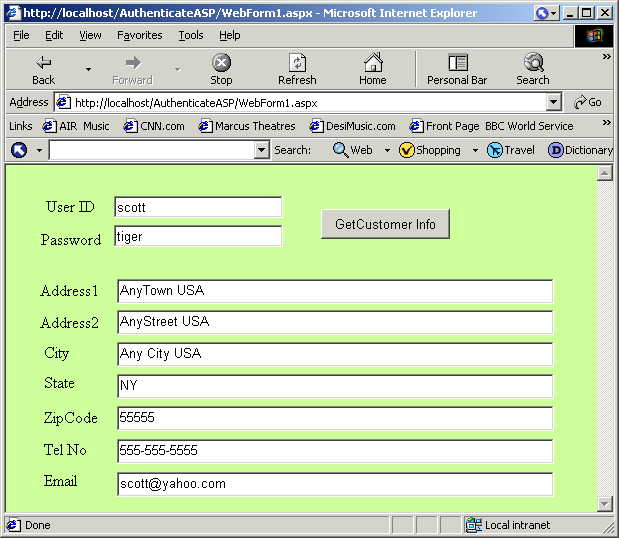
This client application shows you how to access Authenticate Web service.
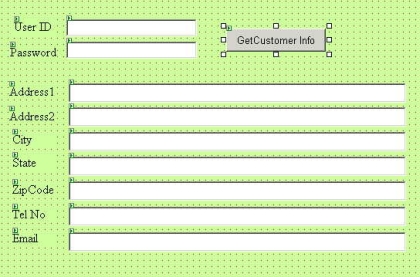
Create a project of the type ASP.NET Web.
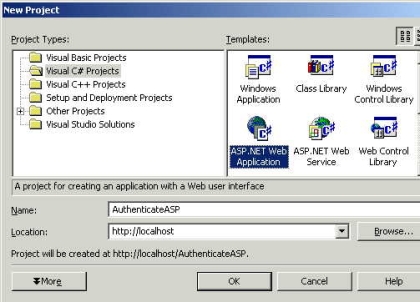
Design your web page
Generate the proxy code that exposes the public methods from the WebService.
The following command can be used to do so....
wsdl /namespace:AuthNameSpace http://localhost/AuthenticateService/Service1.asmx?wsdl
The wsdl.exe command assigns a new namespace for the Service.asmx available on the server.
It creates a C# ( Service1.cs ) file that contains the proxy code to access the public mentods exposed by the remote web server.
Compile this c# file using the csc exe command. Compile the C# program into a DLL that will be used by the ASP application. The application locates the DLL sitting in the bin directory and loads the library automatically.
csc /t:library /r:System.Web.Services.Dll /out:bin/Authenticate.dll Service1.cs
Right Click the Add Reference item in Solution Explorer.
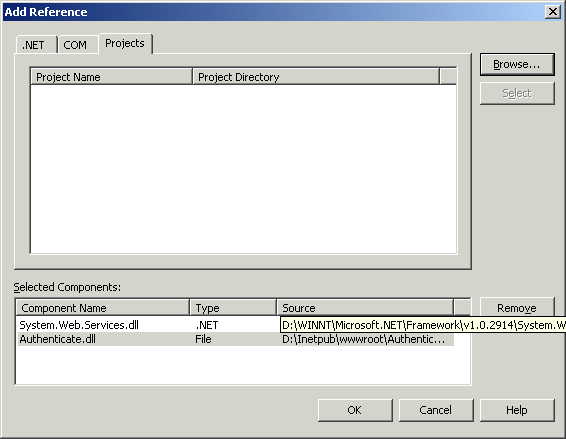
Select the System.Web.WebServices.DLL option from the NET tab & Select the Authenticate.DLL from the Projects tab. ( Select the dll residing in bin directory ).
In your C# source , Include the namespace AuthNameSpace.
using System.Data;
using System.Drawing;
using System.Web;
using System.Web.SessionState;
using System.Web.UI;
using System.Web.UI.WebControls;
using System.Web.UI.HtmlControls;
using AuthNameSpace ;
using System.IO ;
using System.Xml;
namespace AuthenticateASP
{
///
/// Summary description for WebForm1.
///
public class WebForm1 : System.Web.UI.Page
{
protected System.Web.UI.WebControls.Label Label1;
protected System.Web.UI.WebControls.TextBox TextBox1;
protected System.Web.UI.WebControls.TextBox TextBox2;
//Create a method for the button click event.
private void Button1_Click(object sender, System.EventArgs e)
{
TextBox3.Text = "" ;
TextBox4.Text = "" ;
TextBox5.Text = "" ;
TextBox6.Text = "" ;
TextBox7.Text = "" ;
Service1 svc1 = new Service1() ;
XmlTextReader reader = null;
string obj = svc1.GetUserInfo(TextBox2.Text , TextBox1.Text);
if ( obj == "" )
{
// MessageBox.Show("UserName / Password not found in database" , "Authentication Failed" ,
//MessageBoxButtons.OK , MessageBoxIcon.Error);;
return ;
}
Call the GetUserInfo method that takes in the 2 parameters and returns data in XML format.
Parse the XML data and display it in your web page. Is that simple