

I am here to continue the discussion around AngularJS. Today, we will discuss about the dependency injection in AngularJS. Also in case you have not had a look at our previous articles of this series, go through the following links:
- Learn AngularJS From Beginning: Basic - Part One
- Learn AngularJS From Beginning: Filter - Part Two
- Learn AngularJS From Beginning: Service - Part Three
- Learn AngularJS From Beginning: Directive - Part Four
- Learn AngularJS From Beginning: Form Data Binding - Part Five
- Learn AngularJS From Beginning: Global Object Service - Part Six
- Learn AngularJS From Beginning: Http Request or Ajax - Part Seven
- Learn AngularJS From Beginning: Rest API - Part Eight
- Learn AngularJS From Beginning: Route Url - Part Nine
- Learn AngularJS From Beginning: Animation - Part Ten
In this article, I describe the services that AngularJS uses behind the scenes for registering AngularJS components and injecting them to resolve dependencies. These are not features you will use in everyday projects, but they are interesting because they provide some useful insights into the way that AngularJS works behind the scenes and because they are useful for unit testing, which I will discuss in later article.
Registering AngularJS Components
The $provide service is used to register components such as services so that they can be injected in order to satisfy dependencies (the $injector service does the actual injection, as I describe in the “Managing Injection” section later in this article). For the most part, the methods defined by the $provide service are exposed and accessed through the Module type, but there is one specialized method that is not available through Module that offers a useful, albeit niche, feature. Below table lists the methods defined by the $provide service.
| Name | Descriptions |
| constant(name, value) | Defines a constant value |
| decorator(name, service) | Defines a service decorator, as explained in a moment |
| factory(name, service) | Defines a service, as described in previous article series |
| provider(name, service) | Defines a service, as described in previous article series |
| service(name, provider) | Defines a service, as described in previous article series |
| value(name, value) | Defines a value service, as described in previous article series |
The method that is not exposed via the Module type is decorator, which is used to intercept requests for a service in order to provide different or additional functionality.
For demonstrating this, I wrote down the below code,- var testApp = angular.module('TestApp', []);
- testApp.config(function ($provide) {
- $provide.decorator("$log", function ($delegate) {
- $delegate.originalLog = $delegate.log;
- $delegate.log = function (message) {
- $delegate.originalLog("Decorated: " + message);
- }
- return $delegate;
- });
- });
- <!DOCTYPE html>
- <html xmlns="http://www.w3.org/1999/xhtml" ng-app="TestApp">
- <head>
- <title>Angular Injection</title>
- <script src="angular.js"></script>
- <script src="app.js"></script>
- <script src="Index.js"></script>
- </head>
- <body ng-controller="indexController">
- <div class="well">
- <button class="btn btn-primary" ng-click="handleClick()">Click Me!</button>
- </div>
- </body>
- </html>
- testApp.controller("indexController", function ($scope, $log) {
- $scope.handleClick = function () {
- $log.log("Button Clicked");
- };
- });
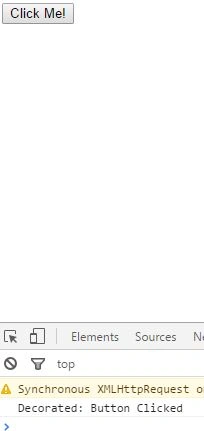
Managing Injection
The $injector service is responsible for determining the dependencies that a function declares and resolving those dependencies. Below table lists the methods supported by the $injector service.
| Name | Descriptions |
| annotate(fn) | Gets the arguments for the specified function, including those that do not correspond to services |
| get(name) | Gets the service object for the specified service name |
| has(name) | Returns true if a service exists for the specified name |
| invoke(fn, self, locals) | Invoked the specified function, using the specified value for this and the specified non-service argument values. |
The $injector service is right at the core of the AngularJS library, and there is rarely a need to work directly with it, but it can be useful for understanding and customizing how AngularJS works. However, these are the kind of customizations that should be considered carefully and tested thoroughly.
Determining Function Dependencies
JavaScript is a fluid and dynamic language, and there is a lot to recommend it, but it lacks the ability to annotate functions to manage their execution and behavior. Other languages, such as C#, support features such as attributes that are used to express instructions or metadata about a function. The lack of annotations means that AngularJS has to go to some extraordinary lengths to implement dependency injection, which is handled by matching the names of function arguments to services. Usually the person writing a function gets to decide the names of arguments, but in AngularJS the names take on a special significance. The annotate method defined by the $injector service is used to get the set of dependencies that a function has declared, as shown in below example.
I have changed the code of index.html and index.js file for demonstrate the above concept.- <!DOCTYPE html>
- <html xmlns="http://www.w3.org/1999/xhtml" ng-app="TestApp">
- <head>
- <title>Angular Injection</title>
- <script src="angular.js"></script>
- <script src="app.js"></script>
- <script src="Index.js"></script>
- </head>
- <body ng-controller="indexController">
- <div class="well">
- <button class="btn btn-primary" ng-click="handleClick()">Click Me!</button>
- </div>
- </body>
- </html>
- testApp.controller("indexController", function ($scope, $log, $injector) {
- var counter = 0;
- var logClick = function ($log, $exceptionHandler, message) {
- if (counter == 0) {
- $log.log(message);
- counter++;
- } else {
- $exceptionHandler("Already clicked");
- }
- }
- $scope.handleClick = function () {
- var deps = $injector.annotate(logClick);
- for (var i = 0; i < deps.length; i++) {
- console.log("Dependency: " + deps[i]);
- }
- };
- });
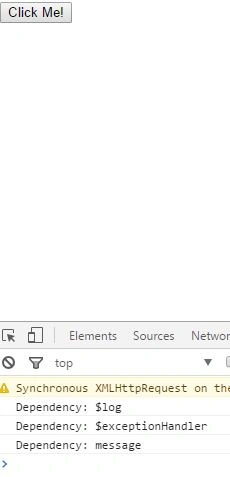
Getting the $injector Service from the Root Element
The $rootElement service provides access to the HTML element to which the ng-app directive is applied and which is the root of the AngularJS application. The $rootElement service is presented as a jqLite object, which means you can use jqLite to locate elements or modify the DOM using the jqLite methods I described in Chapter 15. Of interest in this chapter, the $rootElement service object has an additional method called injector, which returns the $injector service object. You can see how I replaced the dependency on the $injector service with the $rootElement service in the below example.
Index.html- <!DOCTYPE html>
- <html xmlns="http://www.w3.org/1999/xhtml" ng-app="TestApp">
- <head>
- <title>Angular Injection</title>
- <script src="angular.js"></script>
- <script src="app.js"></script>
- <script src="Index.js"></script>
- </head>
- <body ng-controller="indexController">
- <div class="well">
- <button class="btn btn-primary" ng-click="handleClick()">Click Me!</button>
- </div>
- </body>
- </html>
- testApp.controller("indexController", function ($scope, $log, $rootElement) {
- var counter = 0;
- var logClick = function ($log, $exceptionHandler, message) {
- if (counter == 0) {
- $log.log(message);
- counter++;
- } else {
- $exceptionHandler("Already clicked");
- }
- }
- $scope.handleClick = function () {
- var localVars = { message: "Button Clicked" };
- $rootElement.injector().invoke(logClick, null, localVars);
- };
- });
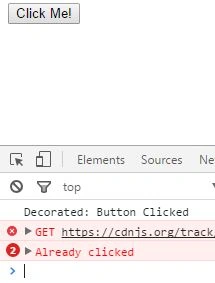
Neeraj KumarPosted May 17, 2016, 2:57 PM
Nice series...
Bhuvanesh MohankumarPosted May 17, 2016, 2:20 PM
Good one
sreenivasa kPosted May 17, 2016, 12:25 PM
xcellnet
Pankaj Kumar ChoudharyPosted May 17, 2016, 12:22 PM
Nice Article Series Sir Keep It up...........
Kuppurasu NagarajPosted May 17, 2016, 10:54 AM
Nice sharing..
Prasanna MuraliPosted May 17, 2016, 10:00 AM
Nice one...