

Login to SQL Azure Management Portal
We need to sign in to the SQL Azure Management Portal before continuing with the topics. Use the database url for signing in. (eg: https://server.database.windows.net)
Creating a Table
Now we can explore how to create a table using the management portal. After selecting the database, click on the New Table button to get the table creation screen.

Within a few seconds you will get the following screen for table creation. Enter the table details. I have named the table as Car and entered 3 columns.
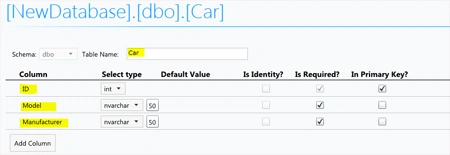
Click on the Save button to save the table.

The left side tree view provides access to all tables, views and stored procedures in the current database.
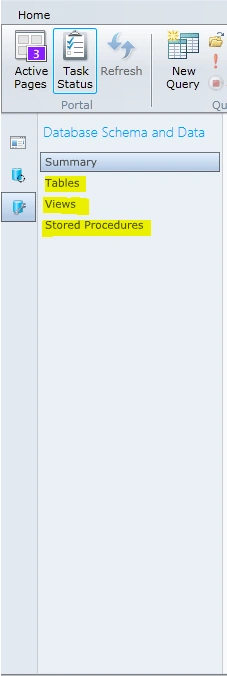
For accessing the table, click on the Tables item as shown above.
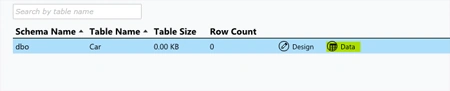
Click on the Data button from the Car table row to view the data inside it.
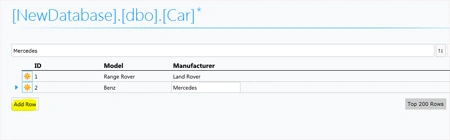
We can use the Add Row button to create new rows in the table. After entering the records, use the Save button to commit the changes.
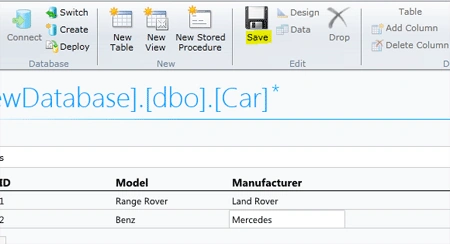
Note: Without using the Save button the records will not be saved in the database. This is an important point in dealing with data.
Creating Views, Stored Procedures
Similar to the way of table creation, we can create Views and Stored Procedures using the ribbon toolbar buttons.
For creating views, use the New View button.

For creating stored procedures, use the New Stored Procedure button.

Query Execution
You can write and execute SQL query on the database using the New Query button from the ribbon toolbar.

On clicking the button, the following query window appears.
Enter the query "SELECT * FROM Car" and click the execute button. You will see the results as shown below. (If you cannot see the results, make sure you clicked the Save button in the record creation screen)
Summary
In this article we have explored table creation, running sql query on the SQL Azure Management Studio web application.
Gowtham RajamanickamPosted Apr 26, 2016, 3:05 AM
good article
Anjan SinhaPosted Jul 11, 2015, 6:15 AM
I have a free subscription with Azure which is not having Firewall Option, then how I can access this portal. Its thowing error like 'Firewall check failed.' and am unable to login again.