

Introduction
In many huge contented websites it is very difficult to find some information like any link, page, text etc. So, they use a textbox where visitor types his keyword to search. There are couple of ways to create it like, to search the content from database, crawler. But if you don't have such things then we use Google Custom Search. In Google Custom Search, we create account in Google and provide the domain information to Google and then Google generates some codes which are used inside our web application. If we use the Google Custom Search codes in our application, then Google searches the content from your website. It is available in cost-free and paid also. In cost-free there will be some advertisement of Google.
Let's take a look how to create it.
Let's take a look how to create it.
Creating Account in Google Custom Search
To create Google Custom Search account use the following link
Click above link to create Google Custom Search, you will find a form as given below.
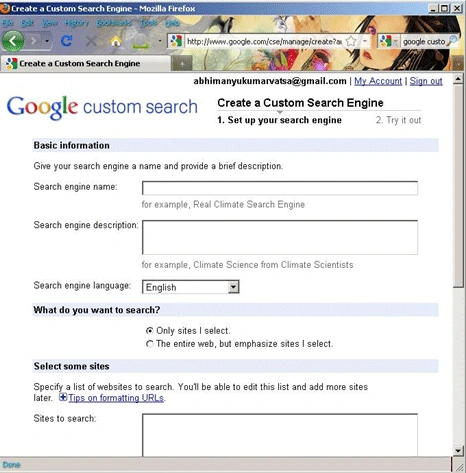
At the end of this process you will receive some codes generated by Google and you have to keep it for use inside web application. Here is code given Google for my own domain ITORIAN.COM.
- <scriptsrc="http://www.gmodules.com/ig/ifr?url=http://www.google.com/cse/api/014464787619631746113/cse/67a_iw-duna/gadget&synd=open&w=250&h=100&title=ITORIAN+Search&border=%23ffffff%7C0px%2C1px+solid+%23998899%7C0px%2C1px+solid+%23aa99aa%7C0px%2C2px+solid+%23bbaabb%7C0px%2C2px+solid+%23ccbbcc&output=js"></script>
- <div>
- <scriptsrcscriptsrc="http://www.gmodules.com/ig/ifr?url=http://www.google.com/cse/api/014464787619631746113/cse/67a_iw-duna/gadget&synd=open&w=250&h=100&title=ITORIAN+Search&border=%23ffffff%7C0px%2C1px+solid+%23998899%7C0px%2C1px+solid+%23aa99aa%7C0px%2C2px+solid+%23bbaabb%7C0px%2C2px+solid+%23ccbbcc&output=js"></script>
- </div>
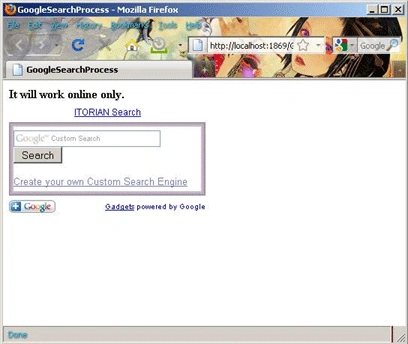
It is screenshot of my web page where I have used above code.
HAVE A HAPPY CODING!
pavan shettyPosted May 19, 2011, 3:09 PM
thank you coder
Amal BabuPosted Jun 20, 2010, 7:56 AM
hey. am planning to do a computer lab monitoring system.can you please help me with creation of custom searching and blocking of websites