

Introduction to WPF ScrollBar Control
The ScrollBar element of XAML is used to create a WPF ScrollBar control at design-time. The ScrollBar class in C# represents a ScrollBar control in code. This article and code samples demo how to use a scroll bar in a Window app.
- <ScrollBar></ScrollBar>
The Width and Height properties represent the width and the height of a ScrollBar. The Name property represents the name of the control, which is a unique identifier of a control. The Margin property tells the location of a ScrollBar on the parent control.
The Orientation property sets the direction of scrolling that can be either horizontal or vertical.
The following code snippet sets the name, height, width, orientation, margin, and background of a ScrollBar control.
- <ScrollBar Name="McScroller" Orientation="Horizontal"
- Width ="250" Height="30"
- Margin="10,10,0,0"
- Background="LightSalmon" />
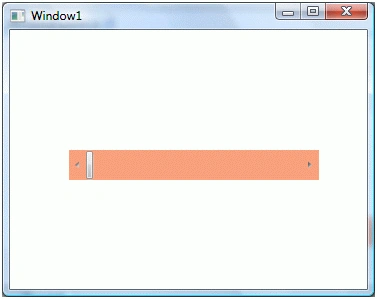
The ScrollBar looks like Figure 1.
Setting up ScrollBar Value
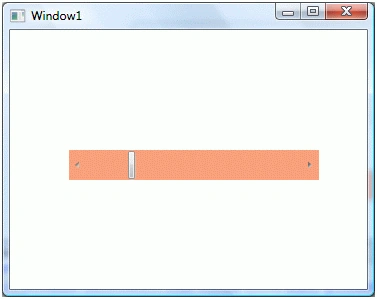
The Value property of ScrollBar sets up the current value of a ScrollBar control. The Minimum and Maximum properties represent minimum and maximum range of a ScrollBar. In the following code, I set the Value property to 50 and now ScrollBar looks like Figure 2.
- <ScrollBar Name="McScroller" Orientation="Horizontal"
- Margin="10,10,0,0"
- Width ="250" Height="30"
- Background="LightSalmon"
- Minimum="1" Maximum="240"
- Value="50"/>
Creating a ScrollBar Dynamically
The ScrollBar class in WPF represents a ScrollBar control. This class is defined in using System.Windows.Controls.Primitives namespace. Before you use this class, make sure to import this namespace.
The following code snippet creates a ScrollBar at run-time and sets its orientation, width, height, background, minimum, maximum and value properties.
- private void CreateDynamicScrollBar()
- {
- ScrollBar hSBar = new ScrollBar();
- hSBar.Orientation = Orientation.Horizontal;
- hSBar.HorizontalAlignment = HorizontalAlignment.Left;
- hSBar.Width = 250;
- hSBar.Height = 30;
- hSBar.Background = new SolidColorBrush(Colors.LightSalmon);
- hSBar.Minimum = 1;
- hSBar.Maximum = 240;
- hSBar.Value = 50;
- LayoutRoot.Children.Add(hSBar);
- }
The following XAML code snippet adds Scroll event handler to a ScrollBar.
- <ScrollBar Name="McScroller" Orientation="Horizontal"
- Margin="10,10,0,0"
- Width ="250" Height="30"
- Background="LightSalmon"
- Minimum="1" Maximum="240"
- Value="50" Scroll="ScrollBar_Scroll"/>
The Scroll event handler code looks like the following,
- private void ScrollBar_Scroll(object sender, System.Windows.Controls.Primitives.ScrollEventArgs e)
- {
- // Do something here
- }
In this article, I discussed how to create and use a ScrollBar control available in WPF.
Join the conversation! Your thoughts help the community grow.