

In this article I am going to discuss how to use EntityDataSource control step by step. EntityDataSource is a new Data Source control for ASP.Net 3.5 like other controls SqlDataSource, LinqDataSource, ObjectDataSource which makes declaratively binding ASP.NET UI controls to Entity Data Models very easy.
First of all create a simple Web Application, and drag and drop EntityDataSource and Grid View controls on page.
Let's start by diagrams:
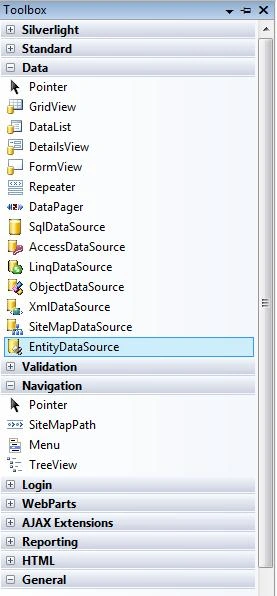
Figure1.
Add a new ADO.NET Entity Data Model in solution explorer.
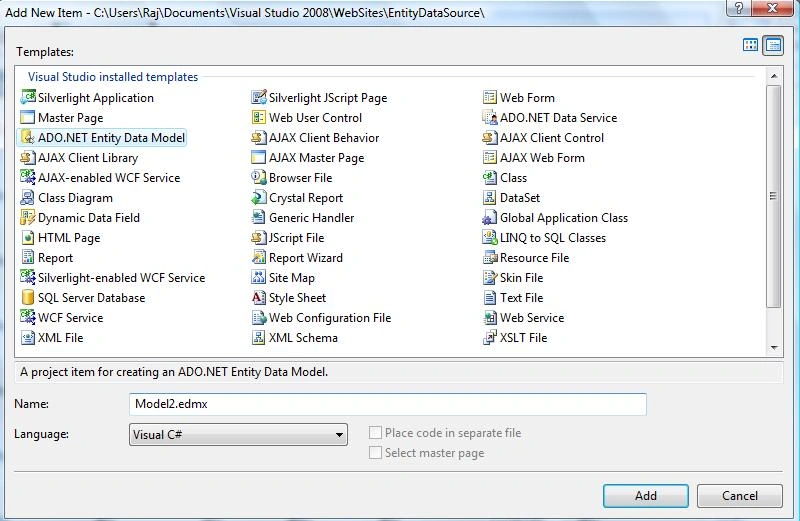
Figure2.
By default it adds in App_Code folder.
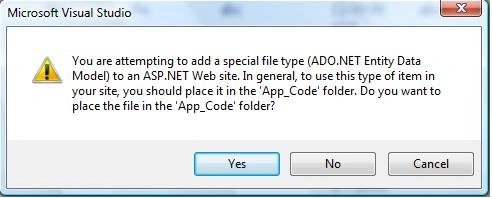
Figure3.
Now choose model contents, select Generate from database and click next.
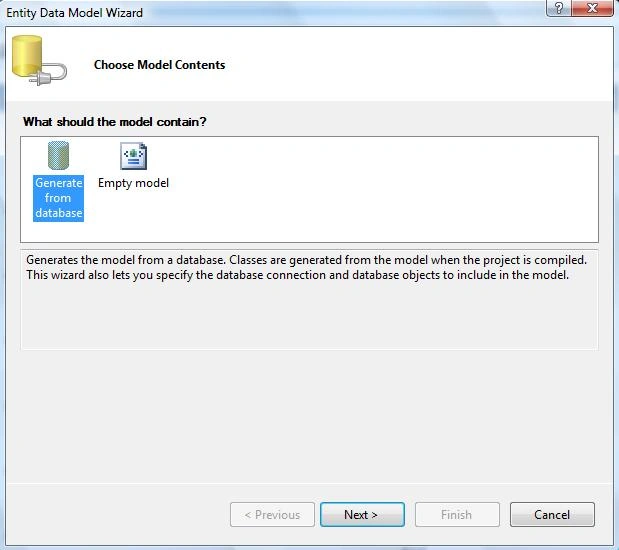
Figure4.
Choose You Data Connection and click next.
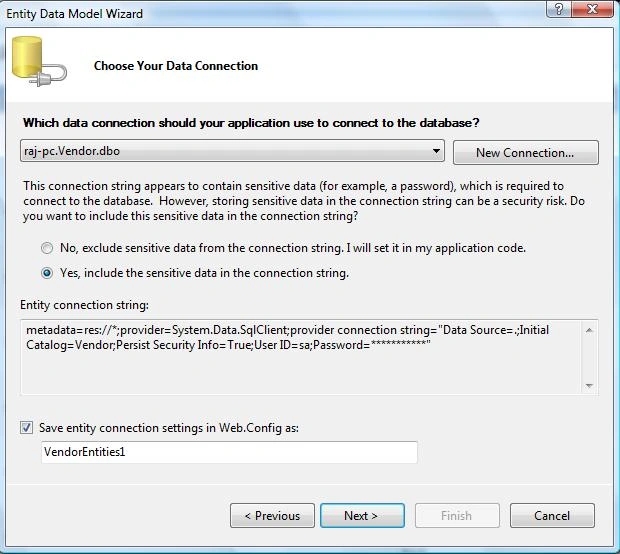
Figure5.
By default it saves connection string in configuration file.
<connectionStrings><add name="VendorEntities" connectionString="metadata=res://*;provider=System.Data.SqlClient;provider connection string="Data Source=.;Initial Catalog=Vendor;Persist Security Info=True;User ID=sa;Password=wintellect;MultipleActiveResultSets=True"" providerName="System.Data.EntityClient" /><add name="VendorEntities1" connectionString="metadata=res://*;provider=System.Data.SqlClient;provider connection string="Data Source=.;Initial Catalog=Vendor;Persist Security Info=True;User ID=sa;Password=wintellect;MultipleActiveResultSets=True"" providerName="System.Data.EntityClient" /></connectionStrings>
Choose Your Database Objects now and click next:
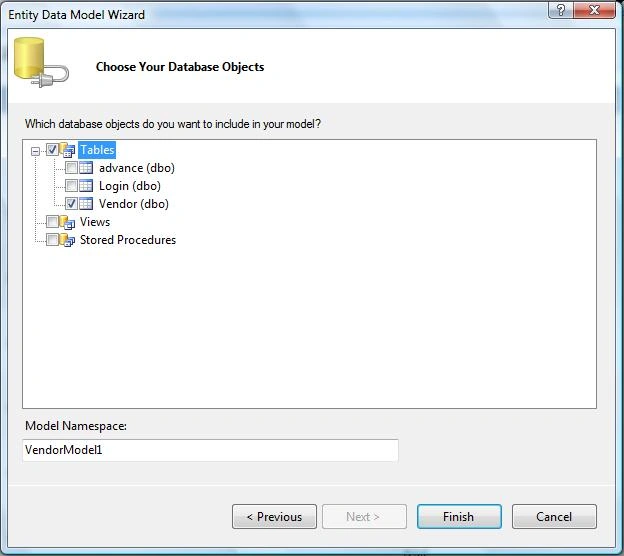
Figure6.
After click next it show diagram of your database object like this.
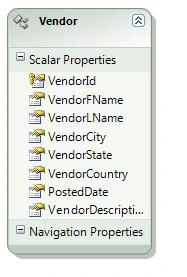
Figure7.
Now time to configure EntityDataSource control.
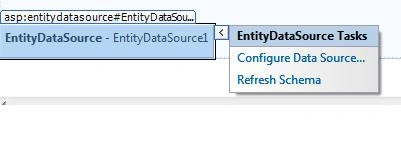
Figure8.
Configure ObjectContext and Click Next.
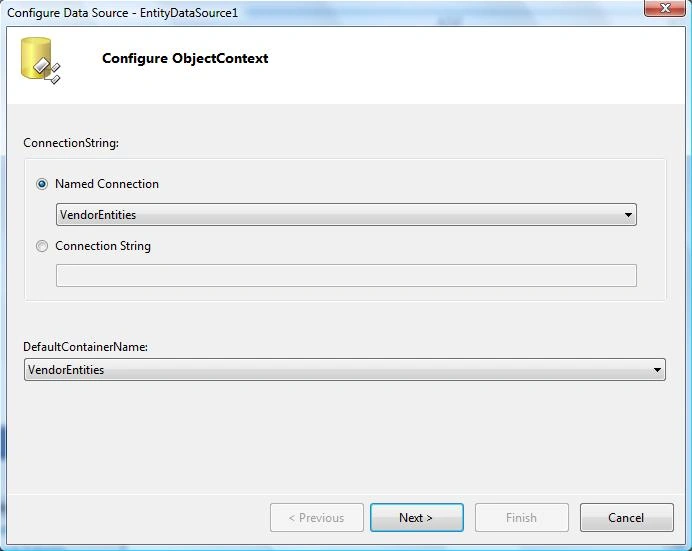
Figure9.
Configure Data Selection and click next.
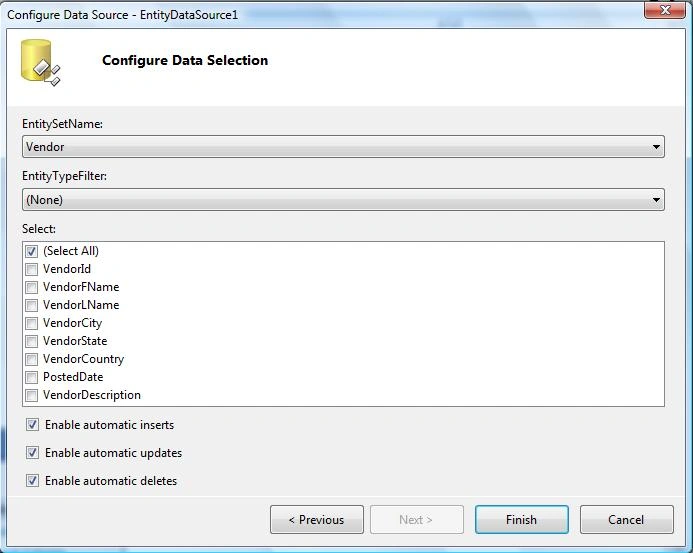
Figure10.
Choose you data source id for GridView Data Source. You can enable Sorting, Deleting, Selection, Editing, Paging.
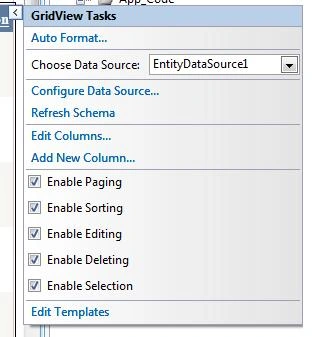
Figure11.
On Page it looks like this:
<form id="form1" runat="server">
<div>
<h1>EntityDataSource Example</h1>
<asp:GridView ID="GridView1" runat="server" AllowPaging="True"
AllowSorting="True" AutoGenerateColumns="False" CellPadding="4"
DataKeyNames="VendorId" DataSourceID="EntityDataSource1" ForeColor="#333333"
GridLines="None">
<RowStyle BackColor="#F7F6F3" ForeColor="#333333" />
<Columns>
<asp:CommandField ShowDeleteButton="True" ShowEditButton="True"
ShowSelectButton="True" />
<asp:BoundField DataField="VendorId" HeaderText="VendorId" ReadOnly="True"
SortExpression="VendorId" />
<asp:BoundField DataField="VendorFName" HeaderText="VendorFName"
SortExpression="VendorFName" />
<asp:BoundField DataField="VendorLName" HeaderText="VendorLName"
SortExpression="VendorLName" />
<asp:BoundField DataField="VendorCity" HeaderText="VendorCity"
SortExpression="VendorCity" />
<asp:BoundField DataField="VendorState" HeaderText="VendorState"
SortExpression="VendorState" />
<asp:BoundField DataField="VendorCountry" HeaderText="VendorCountry"
SortExpression="VendorCountry" />
<asp:BoundField DataField="PostedDate" HeaderText="PostedDate"
SortExpression="PostedDate" />
<asp:BoundField DataField="VendorDescription" HeaderText="VendorDescription"
SortExpression="VendorDescription" />
</Columns>
<FooterStyle BackColor="#5D7B9D" Font-Bold="True" ForeColor="White" />
<PagerStyle BackColor="#284775" ForeColor="White" HorizontalAlign="Center" />
<SelectedRowStyle BackColor="#E2DED6" Font-Bold="True" ForeColor="#333333" />
<HeaderStyle BackColor="#5D7B9D" Font-Bold="True" ForeColor="White" />
<EditRowStyle BackColor="#999999" />
<AlternatingRowStyle BackColor="White" ForeColor="#284775" />
</asp:GridView>
<br />
<asp:EntityDataSource ID="EntityDataSource1" runat="server"
ConnectionString="name=VendorEntities" DefaultContainerName="VendorEntities"
EnableDelete="True" EnableInsert="True" EnableUpdate="True"
EntitySetName="Vendor">
</asp:EntityDataSource>
</div>
</form>
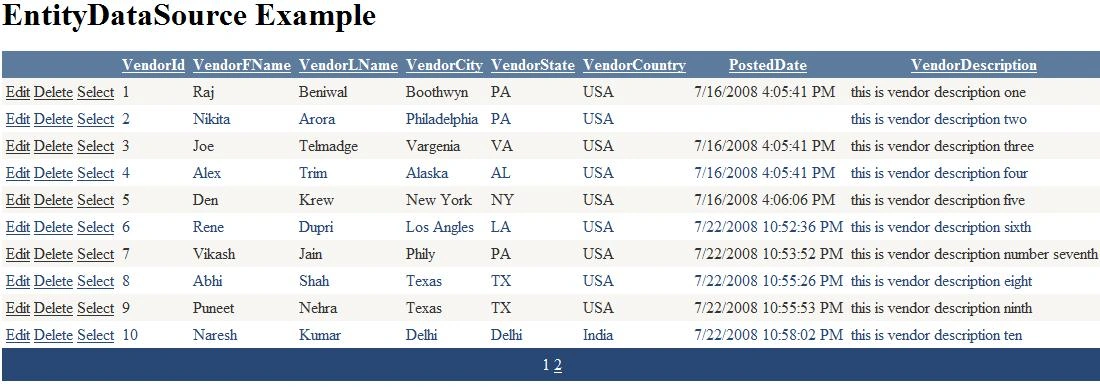
Figure12.
When you click on Select link button, It will select automatically, like this:
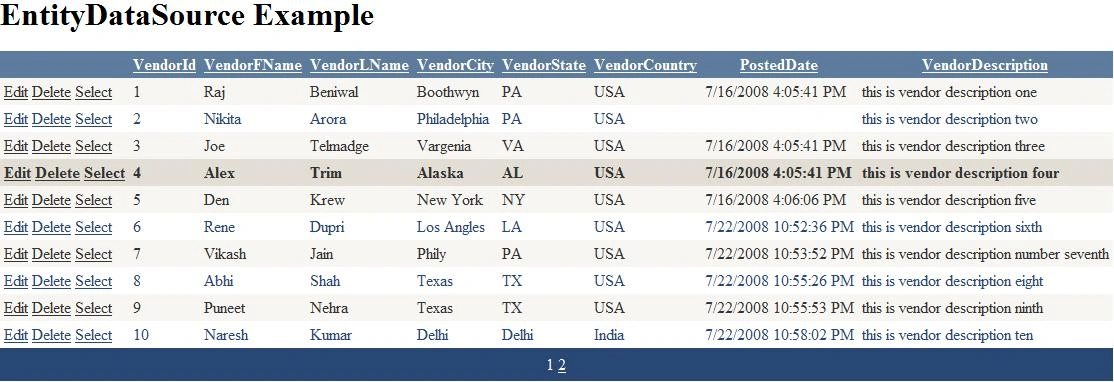
Figure13.
When you click on Edit, will looks like this.

That is it. I did not write one line of code and you can do whatever you want do with GridView.
Download attached sample project for more details.
Cool control.
sultan mohammadPosted Jun 14, 2010, 6:31 AM
can some one help me how i can get data from diffrent table in my gridview?
Eric MartinPosted May 3, 2010, 4:16 PM
Hi there Raj. If this is not the place to post questions, my apologies. I am working with an EntityDataSource and a GridView just like in your sample. However, the GridView has a checkbox column corresponding to a bit field in the database. I am trying to force an update on each selected row, to avoid the user from having to click edit, click the checkbox, and click update. Have you done this? If so, can you tell me how? Thanks a lot E.
eli nadanPosted Sep 7, 2009, 11:05 PM
thanks for the example, do you have an example of c# entity as data source
MattPosted Jan 2, 2009, 1:28 PM
When I delete a row from the gridview and then hit the refresh page, an exception is thrown because the object is no longer in the database. I get the following error: Store update, insert, or delete statement affected an unexpected number of rows (0). Entities may have been modified or deleted since entities were loaded. Refresh ObjectStateManager entries. I would think that the Statemanager would be updated. Any suggestions ?
Michael RyanPosted Dec 30, 2008, 2:50 AM
Thanks, I always enoy your articles.
reena sharmaPosted Aug 14, 2008, 10:20 AM
good article i was searching exact same thing. this is very helpful for me. thanks alot. keept it up
reena sharmaPosted Aug 14, 2008, 10:19 AM
good article i was searching exact same thing. this is very helpful for me. thanks alot. keept it up
reena sharmaPosted Aug 14, 2008, 10:19 AM
good article i was searching exact same thing. this is very helpful for me. thanks alot. keept it up