

This article explains how to check or uncheck all checkboxes in your GridView using jQuery. Use the following procedure to do that.
Step 1: Create a page named "Default.aspx" in the web application project/website and open its "Design Mode" and add a GridView into it from the toolbox.
- Right-click on GridView after selecting it and choose the datasouce as "new datasource".
- Select the "SQL" database and also specify the ID of the data source otherwise it will use an auto generated ID, now click on "OK".
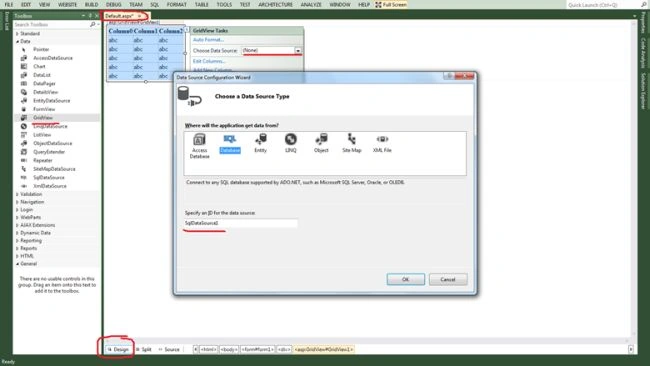
Click on "New connection..." as in the following: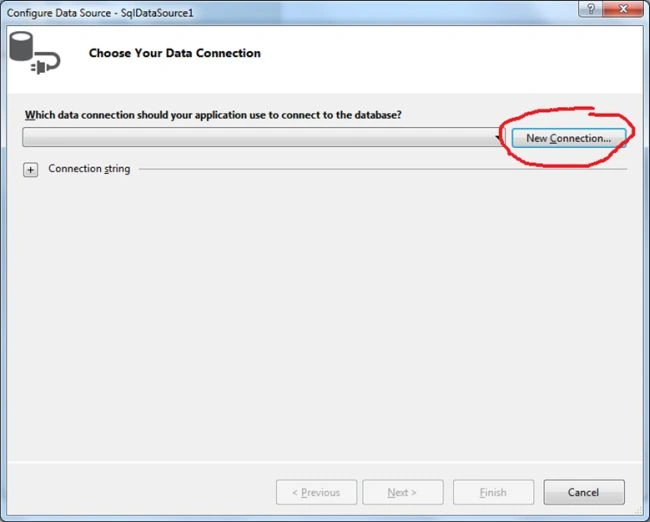
It will show a new window to "Add connection" with the following properties:
- Data Source: select the sqlclient via change button.
- Server name: your server IP or Local (I am using the local databases of my system)
- SQL Authentication: UserID and password of your server.
- Database: select the database name that contains data table.
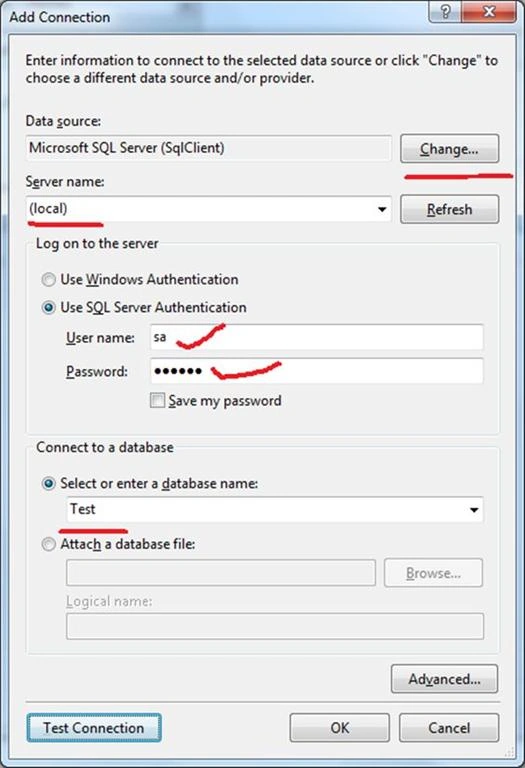
After clicking the "OK" button it shows the following window and you can save the connection string if you click on the checkbox. Click the "Next" button.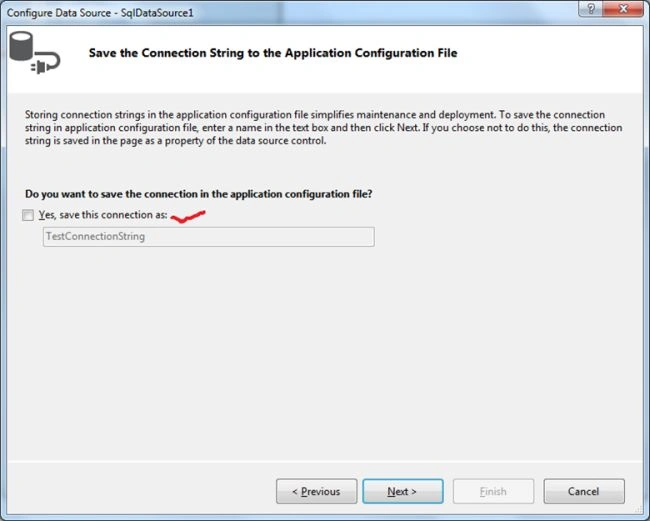
Select the table name and then select the column names. Click the "Next" button.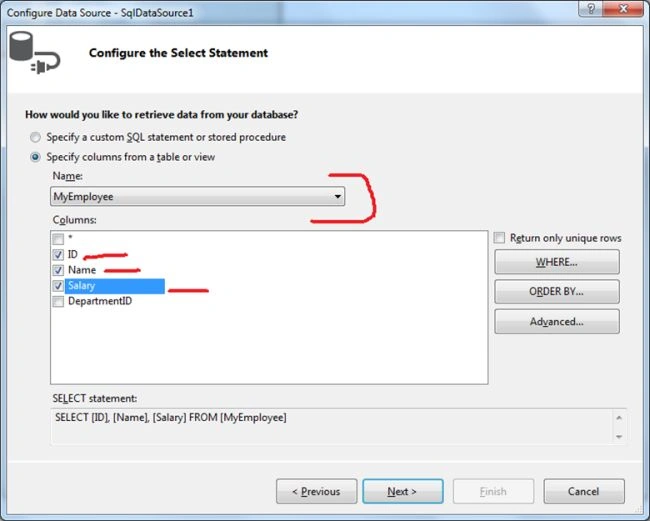
Click on the "Test Query" for checking the query and click on the "Finish" button.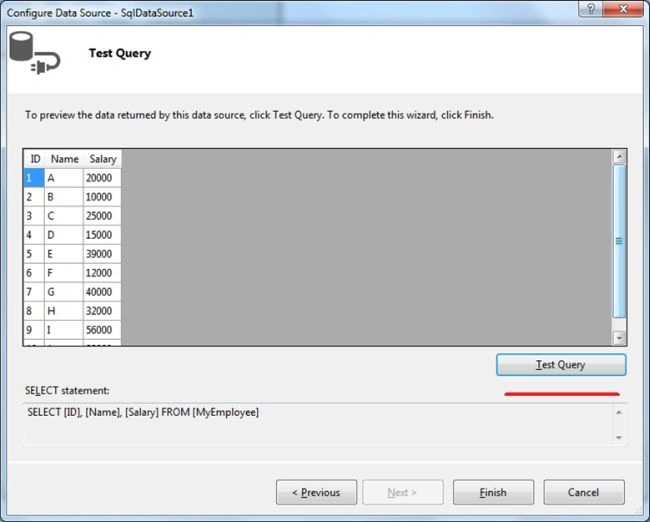
Run the default page that shows the grid like this: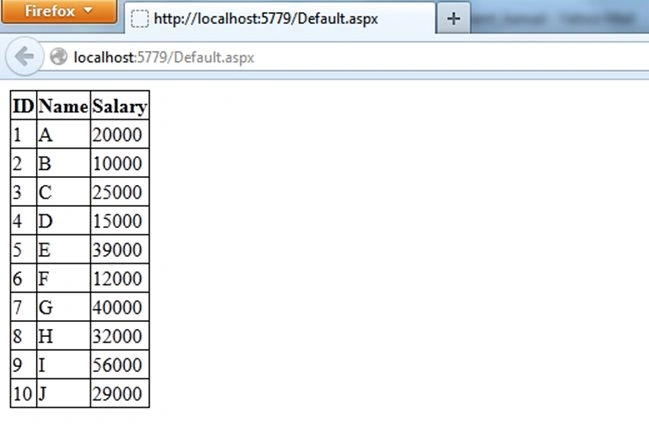
Step 2: Create a "TemplateField" field into the columns section of the gidview that has the Header template for the header checkbox named "CheckBox_Header" and itemtemplate from the row checkbox named "CheckBox_row" as in the following:
<asp:TemplateField>
<HeaderTemplate>
<asp:CheckBox ID="CheckBox_Header" runat="server" />
</HeaderTemplate>
<ItemTemplate>
<asp:CheckBox ID="CheckBox_row" runat="server" />
</ItemTemplate>
</asp:TemplateField>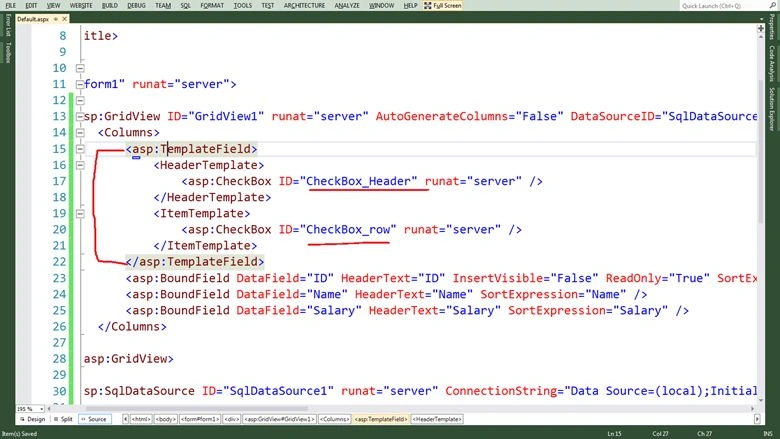
Run the page to check it.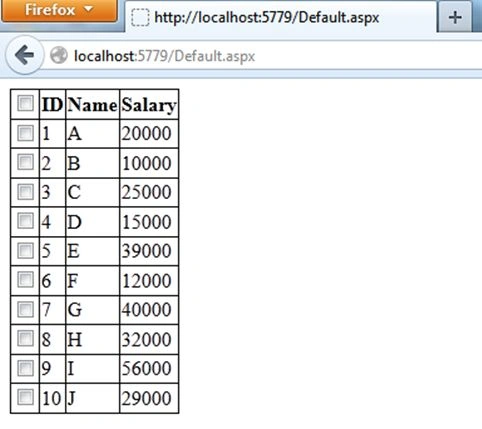
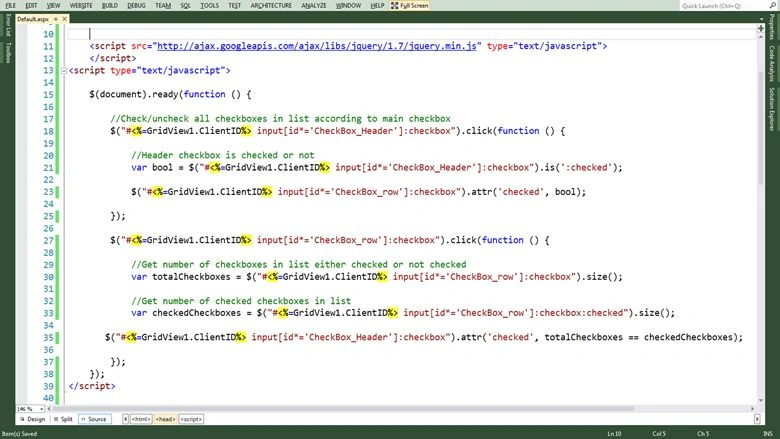
Step 3: Add the source by which you can get the jQuery library into your page as in the following:
<script src="http://ajax.googleapis.com/ajax/libs/jquery/1.7/jquery.min.js" type="text/javascript">
</script>
Add a Document.ready section to ready the code after the document is loaded: $(document).ready(function () { //code section });
Add 2 events in the code section.
For Header Checkbox: to check and uncheck all the lower checkboxes
//Check/uncheck all checkboxes in list according to main checkbox
$("#<%=GridView1.ClientID%>input[id*='CheckBox_Header']:checkbox").click(function ()
{
//Header checkbox is checked or not
var bool = $("#<%=GridView1.ClientID%>input[id*='CheckBox_Header']:checkbox").is(':checked');
//check and check the checkboxes on basis of Boolean value
$("#<%=GridView1.ClientID%> input[id*='CheckBox_row']:checkbox").attr('checked', bool);
});
For Lower Checkboxes: to check the header checkbox if all are checked otherwise uncheck the header checkbox.
$("#<%=GridView1.ClientID%> input[id*='CheckBox_row']:checkbox").click(function () {
//Get number of checkboxes in list either checked or not checked
var totalCheckboxes = $("#<%=GridView1.ClientID%>input[id*='CheckBox_row']:checkbox").size();
//Get number of checked checkboxes in list
var checkedCheckboxes = $("#<%=GridView1.ClientID%>input[id*='CheckBox_row']:checkbox:checked").size();
//check and uncheck the header checkbox on the basis of difference of both values
$("#<%=GridView1.ClientID%> input[id*='CheckBox_Header']:checkbox").attr('checked', totalCheckboxes == checkedCheckboxes);
});
Run the page and see the functionality.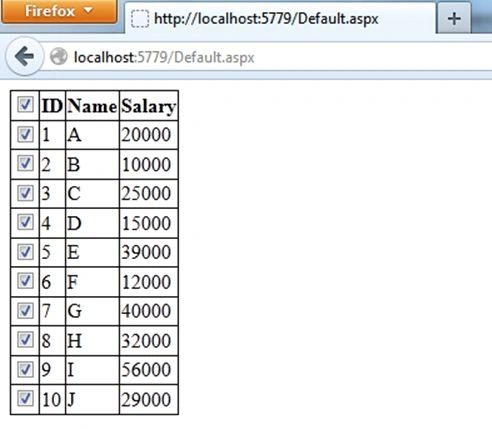
saravanan vPosted Sep 17, 2019, 2:38 AM
Size property is not working on jquery 1.9.1 version , so please help me on this
Er Atul GangwarPosted Apr 18, 2019, 2:11 AM
Sir please upload downloadable demo... i am using this code but that not working properly...