ARTICLE

Document Workspace in SharePoint 2010

Posted by Vijay Prativadi Articles | SharePoint 2010 May 20, 2012
Today, in this article let’s play around with one of the interesting and most useful concepts in SharePoint 2010.
Reader Level:

Introduction

Today, in this article let's play around with one of the interesting and most useful concepts in SharePoint 2010.


Question:
 What is Document Workspace?

In simple terms "It provides a platform where a group of people can work together on a document".


I think we are now good to go and implement this wonderful concept.


Step 1: Open SharePoint 2010 Central Administration and navigate to a specific site:
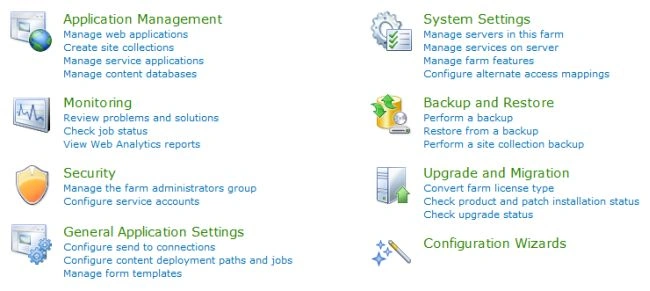
 

Output1.jpg


Step 2: Select "Document Workspace" from the listed category. Give a name to the document workspace:
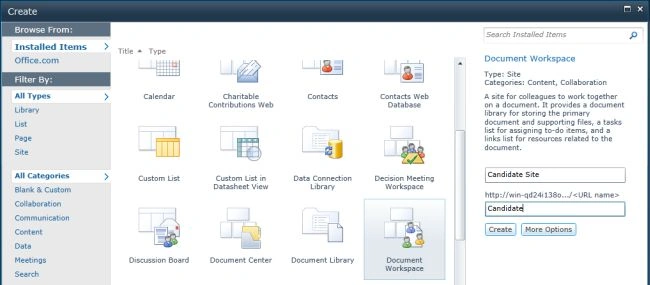
 

Output2.jpg


Step 3: The document workspace has been created. The site looks like this:
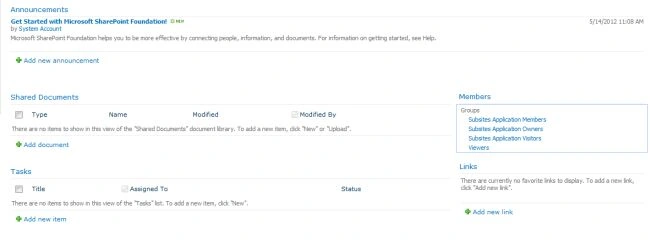
 

Output3.jpg


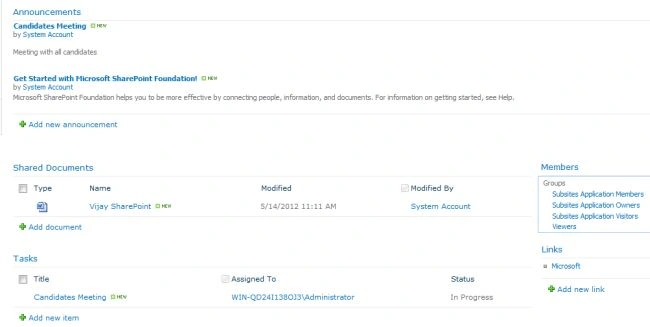
Step 4: Adding a new document:


Output4.jpg

I hope this article is useful for you.

Login to add your contents and source code to this article
post comment
     
COMMENT USING
PREMIUM SPONSORS
DynamicPDF™ product line allows you to dynamically generate PDF documents, merge PDF documents and add new content to existing PDF documents from within your applications.
Join a Chapter
SPONSORED BY
  • PDF reports have never been easier to create. With our included WYSIWYG Designer, you can layout your reports, set up your data source and let DynamicPDF ReportWriter do the rest.
Join a Chapter