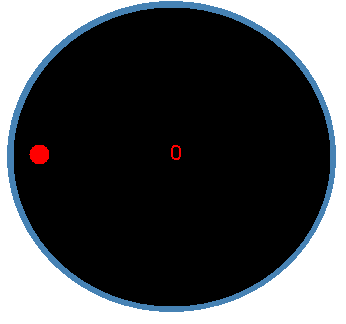
My control is derived from Control and at this time does not allow the user access to the various properties in the control. Next term we will be taking this control and added Visual Studio support for properties, and will implement Gets and Sets for various parts of the control.
To use this control you must left mouse click on the control to cause the dial to increase and right mouse click to cause it to decrease. The value of the control is displayed in the center and I had problems getting the value to stay displayed while the dial is being adjusted. If anyone viewing the code and or have any ideas in how to stop this I would be greatly interested. I will also in my free time try and implement my next feature so that when the user clicks on the control the dial will move towards the point of clicking.
Here is an excerpt from the control that I made:
radius = new Point( (int)radiusWidth, (int)radiusHeight );
//radiusEnd = new Point( (int)(radiusWidth - lineLength),
(int)radiusHeight+1 );
dotDiam = thisAreaW * 0.06f;
rotation.Scale( 1, 1 );
rotation.Rotate( count );
// The Blue Base
graphIt.DrawEllipse( penBaseDial, 5, 5, newWidth, newHeight);
// The Black Dial
graphIt.FillEllipse( brushDial, 8, 8, newWidth-5, newHeight-5 );
ShowCount();
graphIt.TranslateTransform( (float)radiusWidth+2,(float)radiusHeight+3 );
graphIt.RotateTransform( count );
graphIt.FillEllipse( brushDotDial, -(radiusWidth-22), -10,dotDiam, dotDiam );
Here is a view of the dial and it always starts at position zero. At the extreme left position.