ARTICLE

A Quiz Application using Windows Form

Posted by Amit Ware Articles | Windows Forms C# December 27, 2001
This code shows you how to validate data in windows forms, add or remove panel control, and write a form based quiz application.
Reader Level:
Download Files:
 

Description

This code shows you how to validate data in Windows forms, add and remove panel control, and write a form based quiz application.

Some of the points this articles covers are:

  1. How to create GUI using Windows Form?
  2. How to validate form when user clicked on the submit Button?
  3. How to add panel and remove panel from the Form?
  4. How different objects are passed to the constructor and retrieve in to another class?

This program contains 4 classes

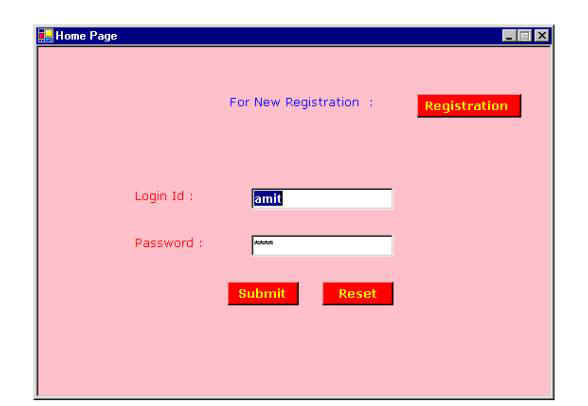
  1. app class is used to display login form for user where user can register as  well   as enter login id and password (which is provided by default amit/amit) as shown in the Screen shot1.

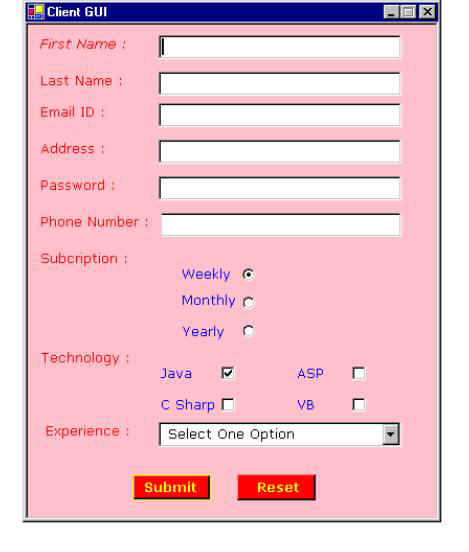
  2. Client class is used to display registration form for user. As shown in the Screen shot2.

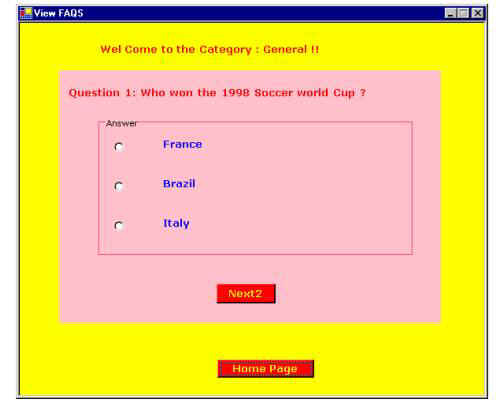
  3. User and user1 classes are used to display all question to the user. And final window will display scoreboard to the user. As shown in the Screen shot 3.

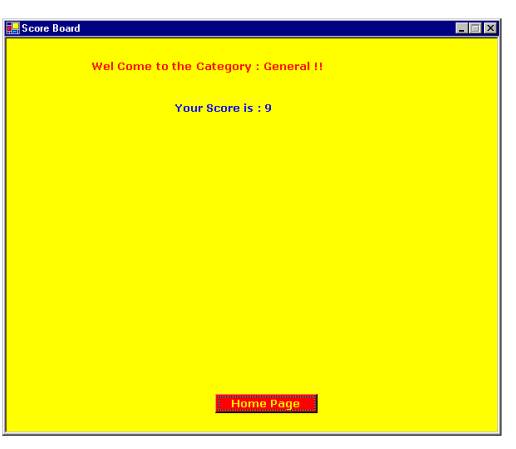
  4. Scoreboard window is shown in the Screen shot4.

User and user1 extensively used panel Add and panel Remove methods.

Home page button is used to take user from question Window to login Window.

Events

radioButton3.CheckedChanged += new System.EventHandler(value);

Above code line is used to check whether radio button is selected or not and then call above event. In the event it will check if answer is correct or not.

Requirements

Following are the requirement to run this code:

  1. User should have SDK installed on his computer.
  2. Then just copy paste code or unzipped the code file and save as quiz.cs in respective directory

Steps for compilation and Running of this code

If you have SDK installed on your computer.

  1. Type command as csc and (program name)
    csc quiz.cs

  2. Then type program name quiz.

Images

Screen shot 1
Screen shot2
Screen shot 3
Screen shot 4

Login to add your contents and source code to this article
Article Extensions
Contents added by diego cezar on May 03, 2013
hdf
post comment
     

Can you send total GUI to my mail id pls..Iam intersted to do this apllication My Mailid: avinashp1990@gmail.com

Posted by avi avinash Dec 24, 2012

Can you send total GUI to my mail id pls..Iam intersted to do this apllication My Mailid: avinashp1990@gmail.com

Posted by avi avinash Dec 24, 2012

pls can u send me the full gui to my mail santosblunzy@yahoo.com for review

Posted by sadiq salawu Aug 25, 2012

This project is awsome ! i am trying to work this project but i can't . Please send me full GUI windows form to my email id at sametkaraca@anadolu.edu.tr

Posted by sam danielson Jun 01, 2012

I don't understand why you require technology name and experience in the screen shot 2 for this kind of application. I am not sure for what you built this application. If you don't mind can you please tell me what was the idea behind this application?

Posted by Karthik Agarwal Oct 28, 2011
COMMENT USING
PREMIUM SPONSORS
Over-C is a holistic consortium of communications and technology specialists. We build, deploy and market both business as well as consumer products and solutions.
SPONSORED BY
  • PDF reports have never been easier to create. With our included WYSIWYG Designer, you can layout your reports, set up your data source and let DynamicPDF ReportWriter do the rest.